
Post
Is Tor a VPN? Browser Coverage, Trust and Why Combining Them Needs Care
Tor and VPNs use different designs. Understand browser scope, account identity and why the Tor Project cautions against unsupported combinations.
VPNBLADE · PLAN SHORTLIST
Compare current VPN plans
Selected plan offers, not performance rankings. We may earn a commission through affiliate links. Monthly equivalents require the full payment shown.

ExpressVPN
Check your exact device setupExpressVPN Basic — 28-month introductory offer
USD 83.72 upfront · First 28 months, paid upfront
Get ExpressVPN deal Offer details & coupon conditions →Renewal & refund conditions
USD 99.95 annually after the initial 28-month term.
30-day money-back guarantee for new users; provider terms and purchase-channel conditions apply.

NordVPN
Apps across major device platformsNordVPN Basic — 27-month introductory offer
USD 94.23 upfront · First 27 months, paid upfront
Get NordVPN deal Offer details & coupon conditions →Renewal & refund conditions
USD 139.08 every year after the initial 27-month term at the current renewal price.
30-day money-back guarantee; provider eligibility, payment-channel and refund terms apply.

Surfshark
Households with multiple devicesSurfshark One — 27-month introductory offer
USD 67.23 upfront · First 27 months, paid upfront
Get Surfshark deal Offer details & coupon conditions →Renewal & refund conditions
Automatic renewal after the introductory term at the then-applicable rate. Confirm the chosen bundle’s next invoice and billing interval before purchase; no numeric renewal amount was verified.
30-day money-back guarantee; purchase-channel and provider eligibility conditions apply.
In this article

Cover: AI-generated editorial illustration of an everyday device setting; not a product screenshot or evidence of testing.
Tor is not a commercial VPN. It is a network and software ecosystem that routes communications through relays, most commonly accessed using Tor Browser. A VPN typically creates a tunnel to a configured gateway. The two systems have different designs, coverage and operating assumptions, even though both can change the network path seen by a destination.
The distinction is useful before installing anything. Someone who wants to use Tor Browser’s privacy design has a different task from someone who needs an approved connection to a workplace network. Adding a VPN subscription does not automatically reproduce Tor, and opening Tor Browser does not automatically route every application on the computer through Tor.
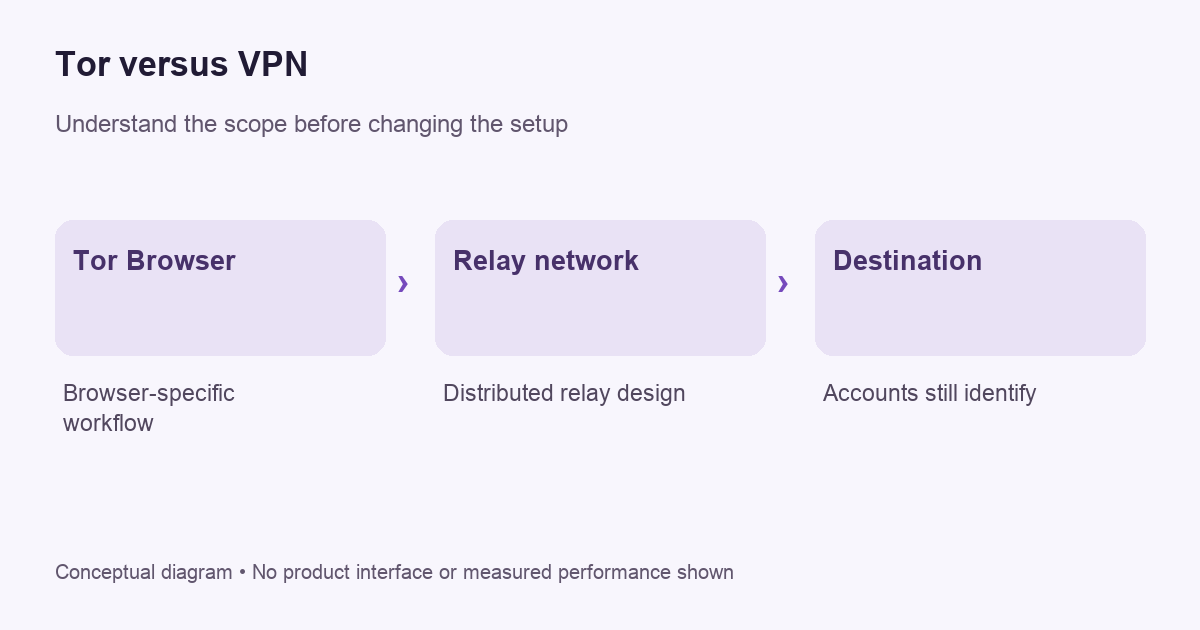
Separate the browser from the network
The Tor Project’s introduction explains that the term can refer to several components, including the relay network and the software used to access it. Tor Browser is the common user-facing route into that system. It is a browser with privacy-related design choices, not merely an ordinary browser with a different homepage.
That distinction matters for coverage. If you open a separate mail application or another browser, do not assume it follows Tor Browser’s path. Follow the Tor Project’s documentation for the intended workflow. A privacy-sensitive setup should be based on supported behavior rather than on a general belief that installing one program transforms the entire device.
How the VPN comparison helps
A personal VPN commonly routes configured traffic through a provider gateway, placing the operator in an important trust position. Our VPN explanation describes that boundary. Tor’s distributed relay design is a different architecture. Counting servers alone is not a meaningful way to decide which system fits a particular goal.
Also distinguish Tor from a provider’s multi-hop marketing. A two-gateway commercial route can still be operated within one provider’s system. That is not automatically the same arrangement as Tor. See our Double VPN guide for why an extra hop needs to be evaluated against a defined observation or trust problem.
VPNBLADE · PLAN SHORTLIST
A current plan to consider
Selected plan offers, not performance rankings. We may earn a commission through affiliate links. Monthly equivalents require the full payment shown.
ExpressVPN
Check your exact device setupExpressVPN Basic — 28-month introductory offer
USD 83.72 upfront · First 28 months, paid upfront
Get ExpressVPN deal Offer details & coupon conditions →Renewal & refund conditions
USD 99.95 annually after the initial 28-month term.
30-day money-back guarantee for new users; provider terms and purchase-channel conditions apply.
Do not assume the combination is stronger
The Tor Project’s guidance on VPN combinations cautions that an incorrect arrangement can reduce anonymity or disrupt protections. It generally discourages the combination for people without the expertise to configure it appropriately. That advice deserves more weight than a generic sales claim that adding another service must improve every privacy property.
Before considering a combination, write down the reason for it. Which observer are you trying to limit? What does each operator learn? Which connections use which route? If you cannot answer those questions, a more complicated configuration may be harder to assess than a supported standalone workflow. Complexity is not evidence of stronger protection.
Accounts still identify the account holder
A service can recognize the account you sign into regardless of whether the request arrives through Tor or a VPN exit. A changed route does not delete information you voluntarily submit. Treat logins, recovery email addresses, uploaded documents and payment details as separate sources of identity rather than expecting a network tool to erase them.
For ordinary readers, a useful exercise is to name what a website already knows. Are you signed in? Did you provide a phone number? Does a document contain your name? Those questions often explain recognition more directly than the route. Our IP address guide explains why an address change is only one observation.
Keep the supported browser configuration
Use the official Tor Project’s current installation and safety guidance. Avoid adding extensions, changing advanced preferences or applying a random “speed fix” without understanding the effect on the browser’s design. A familiar-looking browser interface does not mean that every ordinary customization is appropriate for the same privacy goal.
Get downloads from the official source and keep the software updated. Do not trust an advertisement offering a supposedly special edition merely because its name contains Tor. If a guide asks you to disable protections, compare it against the project’s own documentation before taking action. Accountable primary instructions are more useful than an unexplained checklist copied across websites.
Evaluate connectivity without overclaiming
Start with harmless browsing and use the project’s documented connection checks. A page loading successfully shows that the tested request worked. It does not prove anonymity against every observer, and a single blocked website does not prove the entire setup has failed. Separate a network connection problem from a destination’s decision to restrict traffic.
If you need help, prepare a redacted report with the operating system, browser version and exact error. Leave out sensitive browsing targets and personal account information unless the official support process genuinely needs them. Do not post private logs publicly just to make a troubleshooting request look more complete.
Performance is a practical constraint
Assess the experience against the actual task rather than expecting every privacy tool to behave like a direct connection. Interactive calls, large transfers and ordinary reading place different demands on a connection. VPNBlade has not performed comparative speed tests for this article and does not assign an invented performance score.
If a workflow does not fit, do not immediately weaken protections to force it. Reconsider whether that workflow belongs in the selected tool and consult current project guidance. The answer may be to use a different supported arrangement for a different task, rather than to treat one configuration as a universal solution.
Decide whether you need a VPN separately
A VPN purchase should follow a specific need outside the assumption that it automatically makes Tor better. Read when a VPN helps and our buying checklist before adding a recurring subscription. Check device support, provider accountability, initial payment and renewal conditions.
Tor Browser itself is not a reason to insert a VPN sales card into every step. This guide deliberately links to the relevant buying material without suggesting that a paid provider is required to use Tor. Choose the tool and configuration for the task, follow its official documentation, and keep the limits of your conclusions explicit.
Does private browsing mean Tor?
No. A normal browser’s private window is a separate feature with its own documented limits. Do not assume that opening an incognito window creates a Tor connection or a VPN tunnel. Check the actual software you are using and the route it establishes. Similar-looking browser windows can represent very different networking arrangements, and appearance alone cannot tell you which protections apply.
Sources and editorial method
Written by VPNBlade Editorial from the primary documentation below, checked 26 October 2026. Practical checklists are editorial guidance, not a claim of hands-on product testing. Menus and product behaviour can change; follow the documentation for your current app and device.
- support.torproject.org — what is tor — Documented scope, supported configuration and limitations discussed in the linked article section.
- support.torproject.org — vpn with tor — Documented scope, supported configuration and limitations discussed in the linked article section.
Read our editorial standards · Explore the VPNBlade Blog
Sources & verification
- support.torproject.org — what is tor ↗Primary platform, project or provider documentation · Checked 2026-10-26
Documented scope, supported configuration and limitations discussed in the linked article section.
- support.torproject.org — vpn with tor ↗Primary platform, project or provider documentation · Checked 2026-10-26
Documented scope, supported configuration and limitations discussed in the linked article section.
YOUR EXPERIENCE MATTERS
Was this article useful?
Genuine reader helpfulness ratings. These do not measure VPN performance or verify a purchase. Only moderated submissions count. Ratings may reflect earlier versions of this information.
VPNBLADE · PLAN SHORTLIST
Ready to choose a plan?
Selected plan offers, not performance rankings. We may earn a commission through affiliate links. Monthly equivalents require the full payment shown.
ExpressVPN
Check your exact device setupExpressVPN Basic — 28-month introductory offer
USD 83.72 upfront · First 28 months, paid upfront
Get ExpressVPN deal Offer details & coupon conditions →Renewal & refund conditions
USD 99.95 annually after the initial 28-month term.
30-day money-back guarantee for new users; provider terms and purchase-channel conditions apply.
NordVPN
Apps across major device platformsNordVPN Basic — 27-month introductory offer
USD 94.23 upfront · First 27 months, paid upfront
Get NordVPN deal Offer details & coupon conditions →Renewal & refund conditions
USD 139.08 every year after the initial 27-month term at the current renewal price.
30-day money-back guarantee; provider eligibility, payment-channel and refund terms apply.
Surfshark
Households with multiple devicesSurfshark One — 27-month introductory offer
USD 67.23 upfront · First 27 months, paid upfront
Get Surfshark deal Offer details & coupon conditions →Renewal & refund conditions
Automatic renewal after the introductory term at the then-applicable rate. Confirm the chosen bundle’s next invoice and billing interval before purchase; no numeric renewal amount was verified.
30-day money-back guarantee; purchase-channel and provider eligibility conditions apply.