
Post
VPN vs Proxy: Traffic Coverage, Encryption and Trust Explained
Compare VPNs and proxies by application coverage, transport protection and operator trust. Learn what a changed public address can and cannot establish.
In this article

Cover: AI-generated editorial illustration of an everyday device setting; not a product screenshot or evidence of testing.
A VPN and a proxy can both act as intermediaries, but the names do not establish the same traffic coverage or encryption. Compare the actual route, the applications using it and the operator you trust. A browser proxy setting can leave other programs unchanged; a VPN configuration can also have exceptions.
The practical question is what you want to accomplish. Sending one browser through a particular gateway, connecting to an organization’s internal network and protecting traffic on an untrusted access network are different jobs. A product should be assessed against the job it supports, not against the reassuring word in its name.
What a proxy does
MDN’s explanation of proxies and tunneling describes intermediaries between clients and servers, including forward proxies acting for clients and reverse proxies acting for servers. When a consumer changes a browser’s proxy settings, the relevant idea is usually a forward intermediary. A website’s reverse proxy is a different arrangement and does not mean you installed a privacy service.
A proxy’s security properties depend on its protocol and implementation. Do not assume that all proxy traffic is encrypted, or that a proxy can read every HTTPS page. Equally, a changed public address is not proof that a service is trustworthy. Identify how the connection reaches the intermediary and what protects the onward application connection.
What a VPN changes
A VPN establishes a tunnel for traffic selected by its configuration. WireGuard’s technical overview, for example, describes carrying IP packets in an encrypted UDP tunnel. The surrounding provider app manages additional tasks such as account access and user-facing controls. That is different from simply changing a browser’s forwarding setting.
Coverage still needs checking. A VPN can route selected applications or destinations differently, and a browser extension may be browser-scoped even when marketed under a VPN brand. Read the product’s description rather than assuming its label means every process uses one path. Our VPN fundamentals guide explains the tunnel boundary.
Compare scope with a simple inventory
List the programs that matter: a browser, mail client, meeting app, game and file-sync tool. Beside each, write the intended route. If only the browser is configured to use a proxy, do not count the other applications as covered without evidence. If a VPN app has an exclusion list, inspect it before making a broad claim about the device.
| Question | Why it matters |
|---|---|
| Which applications use the intermediary? | One successful browser check does not describe every program. |
| What encrypts the first connection? | The service label alone does not establish transport protection. |
| What protects the destination connection? | The intermediary is not the final website. |
| Who operates the service? | Changing the route changes the party you depend on. |
Keep this inventory small enough to maintain. It should describe real tasks, not an imagined list of everything a device might ever do. Update it when you replace an app or change the configuration.
HTTPS remains a separate layer
Cloudflare’s HTTPS explanation describes TLS protection for the browser-to-site connection. A VPN tunnel does not turn a certificate warning into something safe to ignore. A proxy also does not automatically make a legitimate HTTPS connection unsafe. The endpoint, certificate and intermediary configuration all matter.
For ordinary users, the actionable rule is to keep browser security checks in place. Do not install an unknown certificate or disable certificate validation merely because an unfamiliar service says it is necessary for privacy. On a managed work device, ask the administrator about approved inspection and network settings rather than trying to remove them blindly.
A free public proxy deserves careful scrutiny
Before using any intermediary, identify its operator, privacy policy, support channel and business model. A list of public addresses with no accountable operator gives you little basis for evaluating trust. Working once is not evidence of responsible data handling. Avoid entering sensitive account information through an arrangement you do not understand.
The same scrutiny applies to a paid VPN. Payment alone does not prove good operations, and a polished app does not establish an audit result. Look for specific evidence and scope. Read our guide to deciding when a VPN helps for the questions that remain after a connection is encrypted.
How to verify the route you intended
Begin with one application and a harmless request. Check its public-address result before and after the supported configuration change. If the result changes, you have evidence about that request’s observed address. You have not audited every application or established that there are no other identifying signals.
Repeat the check in a program outside the intended scope where practical. A different result can be correct if that program was deliberately left on the ordinary connection. If the distinction is unexpected, return to the application settings and documented routing behavior. Our split-tunneling guide provides a method for keeping exceptions understandable.
When the simpler option fits
A supported browser proxy may fit a browser-specific workflow. A supported VPN may fit a broader tunnel requirement. An organization may require an entirely different approved remote-access system. Choose the arrangement with the necessary coverage and a recovery process you can actually follow. More overlapping tools can make a simple failure difficult to diagnose.
Do not install two unfamiliar network applications at once and assume they reinforce each other. Establish a working baseline, change one component, and record the outcome. If the connection fails, use structured troubleshooting rather than adding another layer while guessing.
Buying checks that matter more than labels
Confirm the exact app, operating system, plan eligibility and cancellation route. Ask whether a browser extension is independent or controls a desktop client. Read the current documentation for the feature you need. Then compare the full initial bill and renewal conditions instead of choosing by the lowest displayed monthly equivalent.
Our Proton VPN store and ExpressVPN store contain dated offer records. They can help with billing comparisons after you establish technical fit. The following cards do not establish that either product has identical proxy behavior or has been independently tested by VPNBlade.
Can a browser extension cover a desktop game?
Do not infer that coverage from the extension’s name. Read whether it proxies browser requests, controls an installed VPN client, or uses another arrangement. Then check the game’s actual network path using supported diagnostics. A browser address check cannot answer the question for a separate process. Confirming the scope before subscribing can prevent paying for a service that does not address the intended task.
Proxy, VPN or firewall: which part of the job is missing?
A firewall controls whether traffic is permitted under its rules. A proxy handles requests as an intermediary. A VPN establishes a configured tunnel between endpoints. One product can combine these functions, so compare the actual deployment rather than assuming the names describe mutually exclusive purchases. In particular, a filtering firewall does not automatically provide a remote VPN exit, and a commercial VPN subscription does not replace every firewall rule on a device.
| Your requirement | Question to ask | Evidence to inspect |
|---|---|---|
| Route one browser through an intermediary | Which browser requests use the proxy? | Browser settings, exceptions and the operator’s documentation |
| Reach an approved private work resource | Which access method does the organization support? | Administrator-provided configuration and identity requirements |
| Use a personal VPN across supported apps | Which traffic follows the tunnel? | VPN client settings, routing exceptions and documented platform limits |
| Block unwanted connections | Which policy enforces that rule? | Firewall or security-product rules and relevant logs |
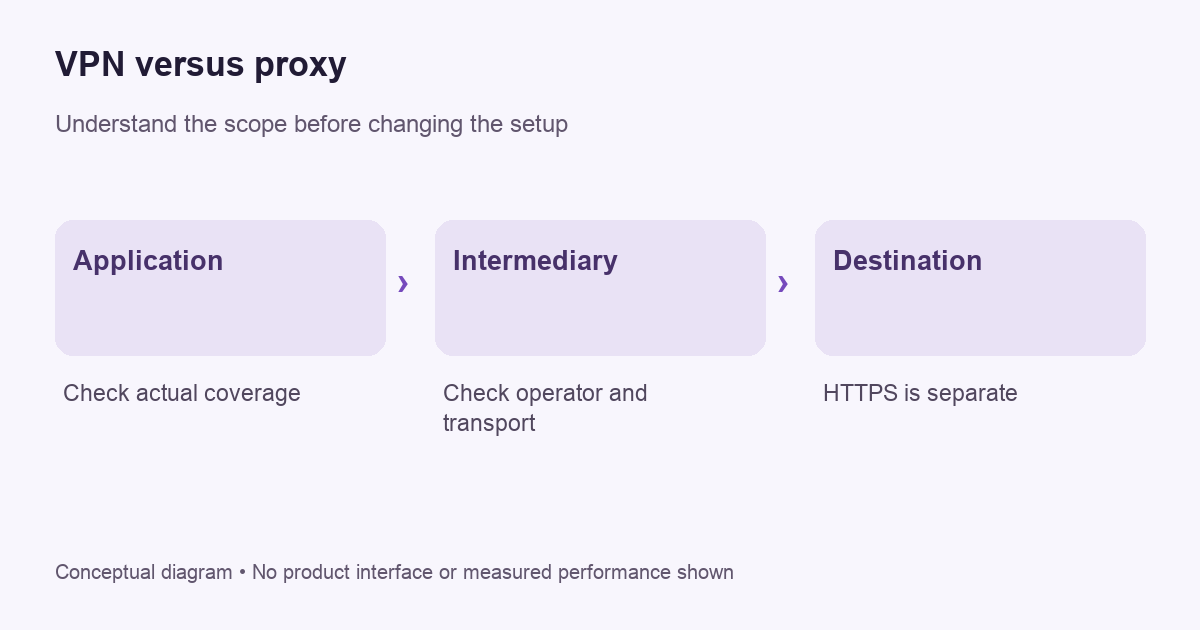
MDN’s proxy guide distinguishes forward proxies acting for clients from reverse proxies in front of servers. A website using a reverse proxy is therefore not evidence that your device now sends all its apps through a privacy proxy. For a consumer browser configuration, start by identifying the client, intermediary and destination, then check the traffic scope.
A proxy configuration can also select routes per request. Cloudflare’s PAC-file explanation describes a script that chooses a proxy or a direct connection according to the request. This illustrates why the mere presence of a configured proxy does not prove that every site follows it. Do not edit an employer’s PAC file to experiment; ask the administrator to explain the intended exceptions.
For your own permitted configuration, write down one acceptance check before installing another product: which application should change route, which local resources should remain accessible, and what should happen after disconnection? Our split-tunneling guide explains VPN exceptions, while the troubleshooting workflow helps isolate conflicting settings. A second subscription is not the first diagnostic step when the existing route is simply misunderstood.
Recovery review: Related archived topics consolidated on 27 October 2026, with current primary documentation replacing old compatibility assumptions and unsupported claims.
YOUR EXPERIENCE MATTERS
Was this article useful?
Genuine reader helpfulness ratings. These do not measure VPN performance or verify a purchase. Only moderated submissions count. Ratings may reflect earlier versions of this information.