
Post
Does a VPN Change Your IP Address? What Changes and What Does Not
A VPN usually changes the public address websites see, but not GPS or account identity. Learn how to check routing and interpret IPv4, IPv6 and split tunneling.
In this article

A VPN normally changes the public IP address that websites see for traffic routed through its tunnel. It does not necessarily change the address assigned to your home router by your internet provider, and it does not automatically change your phone’s GPS position. Those are different layers. A useful answer starts by identifying which address, application, and connection you are checking.
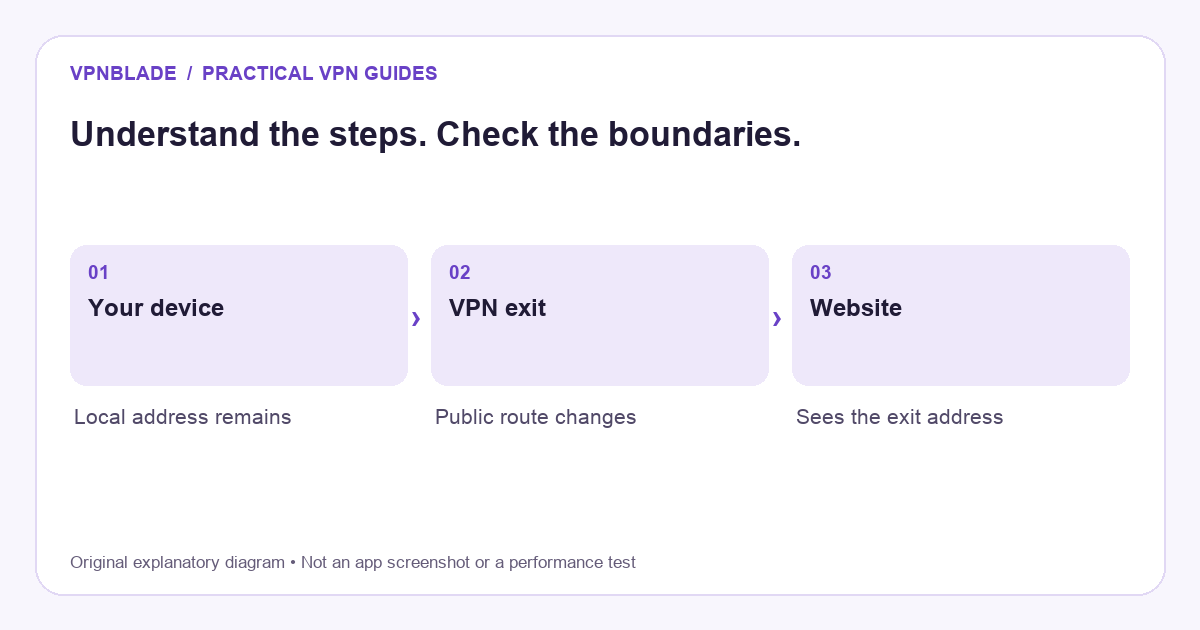
The simple version is this: a routed website request exits through the VPN gateway, so the website sees that exit infrastructure’s address. The original internet connection still carries the encrypted tunnel to the gateway. A change on an address-check page can confirm part of that route, but it does not prove complete anonymity, a no-logs policy, or protection for every application.
Quick steps
- Identify the application and network used for the check.
- Compare its public address before and after connecting.
- Review split tunneling, IPv6 and browser relays.
- Keep account and location-permission signals separate.
Public and private addresses are different
A laptop on a home network usually has a local address used to communicate with the router and nearby devices. The household’s internet connection also has a public-facing address, although provider architectures vary. A website generally does not use your laptop’s private home-network address as the source it sees across the internet. Confusing these values makes VPN checks difficult to interpret.
Connecting to a VPN can create an additional virtual network interface and address without replacing every address on the device. Your printer may still be reached through the local network while selected internet traffic uses the tunnel. If an address in the operating system does not change, that alone is not evidence that the VPN is inactive. Check the route and the destination’s observation instead.
What the destination sees through a VPN
For a typical full-tunnel personal connection, the destination receives traffic from the VPN’s exit route. Many subscribers may share an exit address. Some services sell dedicated addresses, while others rotate or change addresses when you reconnect. A location name in the app therefore does not promise one fixed numerical IP unless the purchased product explicitly provides that feature.
The tunnel’s endpoint and the website’s endpoint are separate systems. WireGuard’s conceptual overview describes a VPN interface that carries IP packets between peers; a commercial provider adds its gateway and account-management design around such networking. What a destination sees depends on that routing arrangement, not simply on whether a product uses an impressive protocol name.
What remains visible to your internet provider
Your internet provider still carries the connection from your device or router to the VPN gateway. It can usually observe the gateway connection and characteristics such as timing and transferred data volume. The VPN does not make you disappear from the access network. What changes is the visibility of traffic carried inside a properly established encrypted tunnel.
This is also a trust shift. The VPN operator becomes part of the path and can have access to information that the local provider no longer sees in the same way. Provider policies, implementation, and independent evidence matter. An address change does not establish how those systems handle records. Our VPN explanation covers that trust boundary in more detail.
Why a map may still show your real location
Websites and apps do not rely only on public IP geolocation. A phone may supply precise location through permissions. A signed-in account may have a saved address or country. A browser can retain cookies and preferences, and a service may use payment or account information. A VPN does not automatically clear those signals or rewrite the facts stored in an account.
IP geolocation itself is an estimate based on databases, not a GPS measurement. A newly assigned address can be mapped incorrectly or associated with a broader region than expected. If a map does not match the selected country, compare the public address and application permissions before concluding that the tunnel failed. Do not submit false account or billing information to force a location result.
IPv4 and IPv6 need separate interpretation
Modern networks can use IPv4 and IPv6. A quick check that reports only one address family does not establish what happens to the other. VPN providers differ in how they route or restrict IPv6 on particular platforms. Read the current documentation for your app rather than assuming all protocols and operating systems behave identically.
If a checker reports inconsistent results, first confirm the client is connected and the test application is included in its routing. Then inspect any relevant provider guidance about IPv6 and DNS. Do not treat a single unfamiliar number as proof of a leak without understanding what it represents. A clear record of the test conditions is more useful than collecting several contradictory screenshots.
Split tunneling can deliberately leave an address unchanged
Split tunneling sends selected traffic outside the VPN or limits the tunnel to selected applications or destinations. If your browser is excluded, its address-check page may correctly show the ordinary connection’s public address. That is different from a tunnel unexpectedly failing to protect traffic it was configured to carry. The distinction matters when diagnosing an apparent leak.
Check the application list and routing rules in the provider’s own interface. A browser extension, a full-device app, and a router tunnel can cover different scopes. Keep only one clearly understood setup active during an initial check. The beginner setup guide explains how to establish a baseline before adding advanced exceptions or overlapping tunnels.
Browser privacy services can affect the result too
A browser proxy or relay can change what an address-check site sees independently of a device VPN. On Apple devices, Private Relay is a separate service with its own traffic scope and location design. A Safari result may therefore differ from another application’s result without either reading being fabricated.
Use the same application and network when comparing before and after states. Keep unrelated privacy settings stable, or document them explicitly. Otherwise, you may attribute a relay’s effect to a VPN or mistake a deliberate browser exception for a broken connection. For iPhone-specific controls, our VPN switching guide helps separate these layers.
A practical before-and-after check
Begin on a network you are permitted to use and choose a reputable public-address checker. Note the reported address privately. Connect the VPN using a normal default configuration, then repeat in the same browser. Confirm the client’s connection status and selected location. If the address changes to the VPN route, you have evidence that this particular request followed a different public path.
Next, check any essential application separately. If you change from Wi-Fi to cellular data, repeat the observation because the underlying connection has changed. Do not publish full addresses, account identifiers, or diagnostic logs in an open forum. If you need support, redact sensitive values and explain the sequence, platform, app version, and relevant routing settings.
What an address change cannot prove
An exit address does not stop a website recognising an account you sign into. It does not remove device fingerprinting, prevent phishing, or guarantee that a malicious file is safe. HTTPS still protects the connection to a legitimate website, and certificate warnings still matter. A VPN cannot make a dishonest destination trustworthy merely by changing the route used to reach it.
It also does not prove a provider has no logs or that a particular streaming platform will remain compatible. Those are separate claims requiring separate evidence. If your purchase decision depends on them, inspect current documentation and terms rather than turning a successful IP check into a universal endorsement. The VPN buying checklist separates these questions.
Choose features for the problem you actually have
A shared exit address, dedicated address, and multi-hop connection solve different problems. A dedicated address may help with an allowlist but can make activity more consistently associated with that address. A multi-hop route adds another VPN gateway but does not erase account or GPS signals. Read Double VPN explained before paying for additional routing complexity.
If a normal personal VPN fits your goal, compare current plans and their full billing terms rather than buying on the assumption that every changed address has equal privacy value. The live records below identify initial payments and later charges. Follow through to the provider to confirm eligibility and supported routing on your device.
ExpressVPN is connected but a website shows your usual location
Separate three observations: the public IP seen by an address-check website, the location assigned to that IP in a database, and a location permission granted to the website or app. A mismatch between them is not enough to diagnose a failed tunnel. ExpressVPN’s connected-but-content-unavailable guide identifies IP blocking, connection faults and device location signals as different possibilities. None is a promise that a subscription will make every service available.
First inspect the relevant app’s route: is it using the VPN, or has a split-tunneling rule deliberately excluded it? Repeat the public-address observation in that same browser after the connection is established. Then review the site’s saved location permission. Mozilla explains that Firefox can estimate location from IP and nearby wireless networks when permission is granted. Its location-permission instructions show how to inspect and remove access for a specific site. Denying access may affect that site’s local features; it does not alter your physical location.
ExpressVPN also documents a desktop browser-extension geolocation feature. Treat this as a provider-specific browser feature, separate from the VPN app’s IP routing, and confirm support for your current browser. It is not evidence that installing a VPN rewrites a phone’s GPS position or changes an account’s registered country. If the public address changes but one service still refuses access, ask that service or the provider for an explanation rather than repeatedly changing unrelated device settings.
Can you change a public IP address without a VPN?
Sometimes, but distinguish a different public route from a local address change. Moving from home Wi-Fi to mobile data changes the access network and may change the public address. Rebooting a modem does not guarantee a new assignment: that depends on the provider’s allocation policy. Ask your ISP about its current dynamic or static address arrangements if a changed assignment is the actual requirement.
| Action | Possible scope | Important limit |
|---|---|---|
| Join another permitted access network | The device’s internet route | The new network still has its own operator and policies |
| Change a private LAN address | Local network identification | Does not by itself replace the household’s public exit address |
| Use a browser proxy | Configured browser or application traffic | Other applications may keep their normal route |
| Use Tor Browser | Traffic inside Tor Browser | Other applications are not automatically routed through Tor |
The Tor Project confirms that Tor Browser does not route other applications automatically. Use the dedicated browser rather than assuming a system-wide tunnel exists. Our Tor versus VPN explanation and proxy comparison explain the different scopes. Changing the address a website sees is one observation about routing, not proof that an account, device or person cannot be recognized.
Recovery review: Additional archived troubleshooting intents were consolidated into this guide on 27 October 2026. Current primary documentation replaced obsolete protocol lists, expired offers and unsupported performance claims.
Change your NordVPN server location and check the result
In NordVPN, choosing a server location changes the VPN route and the public IP presented for traffic using that route. It does not move your device, rewrite a delivery address or guarantee that an application will report a different GPS location. Decide whether you are trying to select a VPN country or diagnose a website’s location label; they require different checks.
Choose the location in the current mobile app
NordVPN’s Android instructions describe selecting a country from the Countries list or searching for a country or city. Its iPhone and iPad instructions use All locations for country selection, with city options available from the country list. Available locations and interface labels can change, so use the instructions for your installed platform rather than an archived screenshot. Automatic connection is useful for choosing a route without manually browsing the list; it should not be treated as a promise of a particular city.
- Open the official NordVPN app and confirm that you are signed in.
- Select the desired country, or an available city when the app offers that choice.
- Wait for the app to report a connected state before checking the result.
- Open an IP-checking page in the browser or app whose route you want to evaluate.
- Record the observed public IP and approximate country, then compare those with the selected connection.
Use our connection verification guide for a broader check. A changed address establishes one observable result; it does not prove that every application uses the tunnel or that no other identifying information is available.
If the website still shows the old place
| Observation | What to investigate |
|---|---|
| The public IP changed, but a map label differs from the selected city. | IP-location databases can disagree or use outdated records. Compare the IP itself before diagnosing a failed connection. |
| A site with location permission knows where the device is. | Check the site’s location permissions. Information shared through that permission is a different signal from the VPN IP. |
| One application shows the original public IP. | Check whether it is deliberately excluded by split tunneling or uses another configured connection. |
| The VPN never reaches a connected state. | Troubleshoot the connection before interpreting a location result. |
NordVPN’s location troubleshooting documentation notes that IP databases may need time to update and that another configured VPN or proxy can affect the observed route. Inventory those settings instead of disabling security tools indiscriminately. On a managed device, ask the administrator before changing work connections. Do not reset the kill switch merely because a website prints an unexpected city name.
For application exclusions, read our split-tunneling guide; for a failed tunnel, use the connection troubleshooting guide. An existing subscription holder can investigate these issues before buying another plan. If you are comparing a new purchase, the NordVPN store and current offer below show the available commitment and conditions without repeating the old article’s prices or promising access to a particular streaming catalog.
Check current NordVPN offers and verification dates →
YOUR EXPERIENCE MATTERS
Was this article useful?
Genuine reader helpfulness ratings. These do not measure VPN performance or verify a purchase. Only moderated submissions count. Ratings may reflect earlier versions of this information.