
Post
What Is a VPN Kill Switch? Modes, Limits and Practical Checks
Understand VPN kill-switch modes, app closing versus network blocking, platform differences and practical checks without assuming universal protection.
VPNBLADE · PLAN SHORTLIST
Compare current VPN plans
Selected plan offers, not performance rankings. We may earn a commission through affiliate links. Monthly equivalents require the full payment shown.

NordVPN
Apps across major device platformsNordVPN Basic — 27-month introductory offer
USD 94.23 upfront · First 27 months, paid upfront
Get NordVPN deal Offer details & coupon conditions →Renewal & refund conditions
USD 139.08 every year after the initial 27-month term at the current renewal price.
30-day money-back guarantee; provider eligibility, payment-channel and refund terms apply.

Proton VPN
Compare free access and paid upgradesProton VPN Plus — 24-month introductory offer
USD 83.76 upfront · First 24 months, paid upfront
Get Proton VPN deal Offer details & coupon conditions →Renewal & refund conditions
USD 83.88 every 12 months after the initial 24-month term; renewal prices are subject to the provider’s terms.
30-day money-back guarantee; purchase-channel and provider eligibility conditions apply.
In this article

Cover: AI-generated editorial illustration of an everyday device setting; not a product screenshot or evidence of testing.
A VPN kill switch is a connection rule intended to prevent specified traffic from using an ordinary network path when the VPN is unavailable. Depending on the app, it can block network access, close selected programs, or keep a persistent restriction in place until you reconnect. The name alone does not tell you which behavior your device uses.
That distinction matters when the internet suddenly stops working. A blocked browser may be evidence that the selected rule is doing its job, rather than evidence that the VPN app has broken your connection. Before changing settings, identify what should happen during a dropped connection and what should happen when you deliberately disconnect.
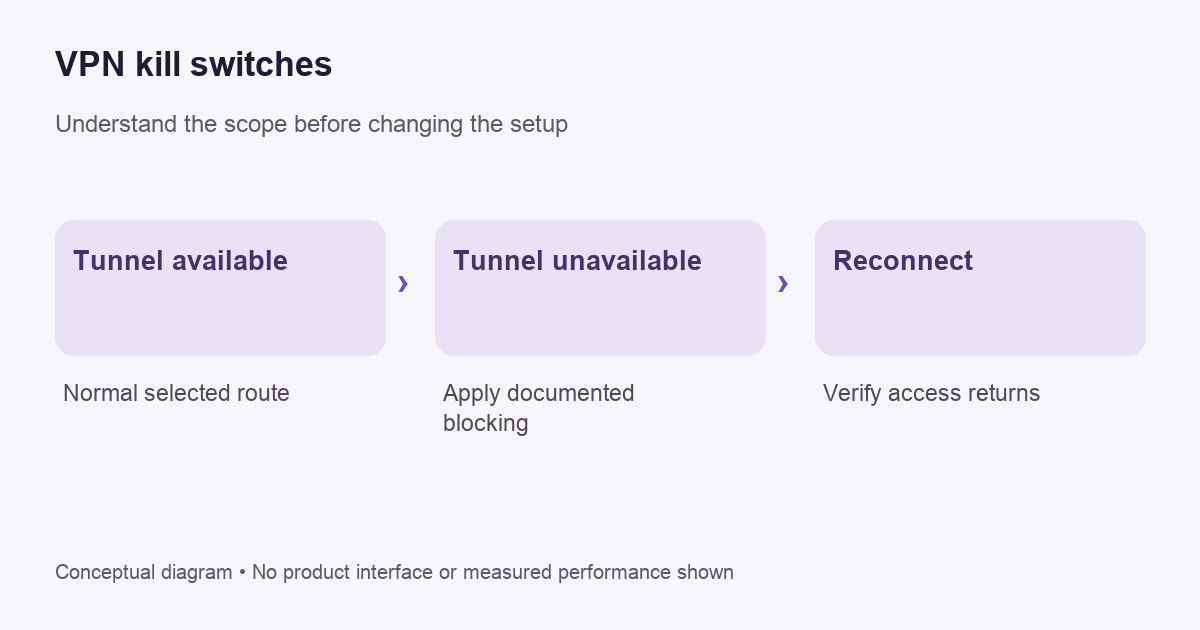
What problem does the switch address?
A VPN connection and the underlying Wi-Fi or mobile connection are separate things. Your device can still have ordinary internet connectivity when its VPN route is unavailable. If an application continues over that ordinary path, the remote service may see the access network’s public address instead of the VPN exit address. Our IP address guide explains why these observations depend on the actual route.
The purpose of a kill switch is to define the fallback behavior. It does not repair the connection, choose a trustworthy provider, or decide whether a website is safe. Think of it as a rule for a failure condition. Its usefulness depends on the rule matching your goal and covering the traffic you actually intend to protect.
Network blocking and closing apps are different
NordVPN’s Windows documentation distinguishes its Internet Kill Switch from its App Kill Switch. The first controls internet connectivity when disconnected from its servers; the second closes specified programs when a VPN connection is lost. Those are provider-described behaviors, not two interchangeable names for an identical mechanism.
An app-closing list requires you to identify the relevant program. Ask what happens to background helpers and to software you did not add. A broader network restriction can be easier to reason about, but it can also interrupt more of your work. Neither description justifies assuming that all essential operating-system traffic behaves identically on every platform.
Check your exact client, including its installation source where that changes the product. Different versions for the same operating system can expose different controls. A tutorial showing one screen should not override your provider’s current documentation. If a control is missing, establish why it is missing before downloading an unrelated app with a similar name.
VPNBLADE · PLAN SHORTLIST
A current plan to consider
Selected plan offers, not performance rankings. We may earn a commission through affiliate links. Monthly equivalents require the full payment shown.
NordVPN
Apps across major device platformsNordVPN Basic — 27-month introductory offer
USD 94.23 upfront · First 27 months, paid upfront
Get NordVPN deal Offer details & coupon conditions →Renewal & refund conditions
USD 139.08 every year after the initial 27-month term at the current renewal price.
30-day money-back guarantee; provider eligibility, payment-channel and refund terms apply.
Standard and persistent modes need separate expectations
Some products distinguish protection during an unexpected interruption from a persistent mode that also restricts connectivity when no tunnel is active. Proton VPN’s kill-switch instructions explain its available modes by platform. Read the mode you enable rather than assuming that every disconnect button has the same effect.
A persistent restriction can be appropriate when ordinary internet access would violate your intended setup. It can also surprise you after restarting the device or signing out of the application. Before enabling it, know the documented way to reconnect and the documented way to change the rule. Keep that recovery information available without relying on a working browser connection.
Always-on is not the same question as blocking
Android’s official VPN guidance distinguishes maintaining an always-on VPN from blocking connections outside it. One setting concerns keeping the VPN running; the stricter blocking choice concerns what can happen without that route. Menu labels and available options vary with the device, app and management configuration.
For a personal phone, inspect the provider’s instructions alongside the system VPN settings. For a work phone or managed profile, involve the administrator. A connection restriction may be intentional policy. Removing it to get a page to load can change more than the one symptom you are trying to fix. Our Android disconnect guide separates pausing a tunnel from changing persistent rules.
Write a small verification plan
Start with an ordinary task that does not involve sensitive information. Record the app version, operating-system version, active mode and intended result. For example: “If the protected tunnel becomes unavailable, this browser should stop making new connections.” This is a better test question than “Does the VPN seem secure?” because it has a specific observable outcome.
- Confirm that the VPN connects normally before changing failure behavior.
- Enable the documented mode and note whether manual disconnection is covered.
- Use the provider’s supported checking procedure during harmless activity.
- Check the affected application as well as the VPN indicator.
- Reconnect and confirm that normal access returns.
- Save a short record of the result and any uncertainty.
Do not describe an informal check as proof that no traffic can ever escape. Observing one browser request does not audit every process, address family or moment during a restart. If a particular security requirement matters, ask the provider or administrator for evidence relevant to that requirement. Keep the scope of your conclusion as narrow as the observation.
Split tunneling can change the result
An exception list says some traffic should follow a different route. A kill switch says what should happen when protected connectivity is unavailable. Their interaction needs explicit documentation. Do not assume an excluded app will remain usable, or that it will be blocked, solely because both features appear in the same settings panel.
Our Windows split-tunneling walkthrough explains how to define and check two paths. Add exceptions slowly. If your goal is consistent VPN-only access, a simpler configuration without broad exclusions can be easier to review. That is a practical manageability consideration, not a claim that every split-tunneling implementation is unsafe.
When a blocked connection needs troubleshooting
If everything stops loading, check whether the VPN tunnel is actually established and whether the selected mode is intended to block while disconnected. Then distinguish a general connectivity problem from a failure affecting one application. Repeatedly switching unrelated settings makes the original cause harder to identify.
Use our structured troubleshooting guide to collect a redacted support report. Include the time, network type, client version, selected mode and the exact symptom. Do not send account secrets, configuration keys or unredacted private destination details. A reproducible description is more useful than a general statement that the app “kills the internet.”
What a kill switch does not promise
A connection rule does not remove cookies, sign you out of accounts, make a malicious download harmless or replace HTTPS. It also does not establish that a provider’s logging claims have been independently verified. Evaluate those questions separately. A feature with a reassuring name is still one part of a larger system involving software, routing, accounts and provider operations.
When choosing a plan, compare the actual platform behavior before considering its price. The NordVPN store and Proton VPN store contain dated offer records, while the linked support documentation explains current controls. The cards below provide billing information rather than a ranking of kill-switch effectiveness.
Live plan records · Monthly equivalents require the full initial payment. Prices in different currencies are not directly comparable. Confirm tax, eligibility and renewal terms at checkout.
NordVPN Basic — 27-month introductory offer
USD 3.49/month equivalent
USD 94.23 upfront
First 27 months, paid upfront
Next bill: USD 139.08 every year after the initial 27-month term at the current renewal price.
Source checked 2026-10-25 · Research record; no performance endorsement.
See offer & full terms ↗Proton VPN Plus — 24-month introductory offer
USD 3.49/month equivalent
USD 83.76 upfront
First 24 months, paid upfront
Next bill: USD 83.88 every 12 months after the initial 24-month term; renewal prices are subject to the provider’s terms.
Recorded code: VPNINTRO449349
Source checked 2026-10-25 · Research record; no performance endorsement.
See offer & full terms ↗Sources and editorial method
Written by VPNBlade Editorial from the primary documentation below, checked 26 October 2026. Practical checklists are editorial guidance, not a claim of hands-on product testing. Menus and product behaviour can change; follow the documentation for your current app and device.
- protonvpn.com — what is kill switch — Documented scope, supported configuration and limitations discussed in the linked article section.
- support.nordvpn.com — 19509682644369 NordVPN Kill Switch how does it work — Documented scope, supported configuration and limitations discussed in the linked article section.
- support.google.com — 9213914?hl=en — Documented scope, supported configuration and limitations discussed in the linked article section.
Read our editorial standards · Explore the VPNBlade Blog
Sources & verification
- protonvpn.com — what is kill switch ↗Primary platform, project or provider documentation · Checked 2026-10-26
Documented scope, supported configuration and limitations discussed in the linked article section.
- support.nordvpn.com — 19509682644369 NordVPN Kill Switch how does it work ↗Primary platform, project or provider documentation · Checked 2026-10-26
Documented scope, supported configuration and limitations discussed in the linked article section.
- support.google.com — 9213914?hl=en ↗Primary platform, project or provider documentation · Checked 2026-10-26
Documented scope, supported configuration and limitations discussed in the linked article section.
YOUR EXPERIENCE MATTERS
Was this article useful?
Genuine reader helpfulness ratings. These do not measure VPN performance or verify a purchase. Only moderated submissions count. Ratings may reflect earlier versions of this information.
VPNBLADE · PLAN SHORTLIST
Ready to choose a plan?
Selected plan offers, not performance rankings. We may earn a commission through affiliate links. Monthly equivalents require the full payment shown.
NordVPN
Apps across major device platformsNordVPN Basic — 27-month introductory offer
USD 94.23 upfront · First 27 months, paid upfront
Get NordVPN deal Offer details & coupon conditions →Renewal & refund conditions
USD 139.08 every year after the initial 27-month term at the current renewal price.
30-day money-back guarantee; provider eligibility, payment-channel and refund terms apply.
Proton VPN
Compare free access and paid upgradesProton VPN Plus — 24-month introductory offer
USD 83.76 upfront · First 24 months, paid upfront
Get Proton VPN deal Offer details & coupon conditions →Renewal & refund conditions
USD 83.88 every 12 months after the initial 24-month term; renewal prices are subject to the provider’s terms.
30-day money-back guarantee; purchase-channel and provider eligibility conditions apply.