
Post
A VPN buying checklist that starts with your actual needs
Compare compatibility, location requirements, subscription tiers and renewal terms before choosing a VPN deal.
In this article
Write the requirement before opening a sale
Start with one sentence describing the job: browsing on an iPhone, covering several household devices, connecting while traveling or investigating an Indian exit location. A named requirement makes it easier to reject an irrelevant bundle, even when the promotion looks substantial.
Do not begin by assuming one provider wins every use case. The useful comparison is between documented capabilities that matter to you and the financial commitment required to obtain them.
Check compatibility at the source
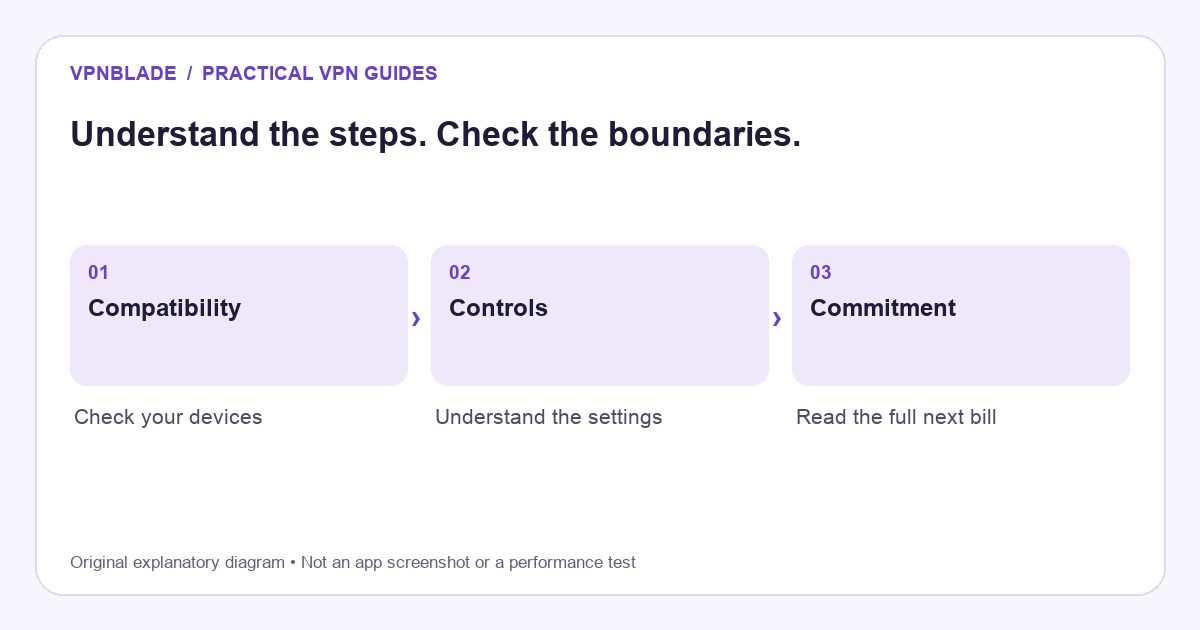
Open the provider’s current device documentation and the official application listing. Confirm your operating system and hardware. A Windows laptop, an iPhone and a television need different setup paths; the existence of one application does not establish support for all three.
For an Apple device, remember that Apple describes limits to VPN traffic coverage. A connected status is not a statement that every system service or account identifier is hidden. Set a realistic privacy objective rather than treating a VPN as a complete substitute for device and account protection.
Name the required location
If you need a particular exit country, confirm it in the chosen plan. Separate the address country from physical infrastructure. Proton and ExpressVPN, for example, describe virtual India routes in their documentation. That distinction can matter when assessing location requirements and the route you want to evaluate.
Choose the tier deliberately
Make a list of required devices and capabilities. Then compare the cheapest qualifying tier with the next package. Work out the added initial amount and later renewal rather than assuming a popular or premium label establishes better value. Extra products have value only if you need and can use them.
Prepare an acceptance check
After installation, open the ordinary applications you depend on, check a normal network transition and note any issue. Evaluate candidates under comparable conditions. Save device and app details if you need support. These are checks for your own setup, not an instruction to treat a single session as a permanent performance guarantee.
Read the exit route before entering the subscription
Record renewal frequency, cancellation instructions and refund eligibility before paying. A money-back policy can have conditions tied to account history, purchase channel or timing. Avoid waiting until the deadline to investigate how the request must be made.
Make the decision easy to revisit
Keep the receipt, the selected tier and your acceptance notes together. Revisit the choice if your devices change, a needed capability becomes unavailable or the renewal no longer fits your budget. A subscription is a continuing decision rather than a one-time discount percentage.
Compare current plans and keep researching
Compare VPN billing and renewal terms or browse VPN coupon stores. Return to the Best VPN guides for another device or use case.
Explore current plan records
Compare the full payment, renewal term and eligibility in the current records below; a listed offer is not a performance endorsement.
One-month VPN or long subscription? Compare the money you will actually spend
If you need a VPN for a short trip or one defined project, a higher monthly rate can still mean a smaller total payment. An advertised monthly equivalent for a long plan usually describes a calculation across the initial term. It does not, by itself, mean the provider will collect only that amount each month. Read the billing interval and full invoice before comparing discounts.
The archived VPNBlade one-month and value-for-money articles asked useful purchase questions, but mixed long-plan promotions with monthly recommendations. Their expired prices and untested “fastest” labels are excluded here. The relevant comparison is between supported products over the period you expect to use them, with renewal and cancellation treated separately.
Use a simple break-even calculation
Hypothetical example, not a live provider offer: suppose a monthly subscription costs USD 12 per billing month and an annual subscription costs USD 60 upfront. Ignoring tax, add-ons and future price changes, five monthly payments equal the annual invoice: 60 divided by 12 equals five. One month would cost USD 12 on the monthly arrangement; six monthly payments would total USD 72. The annual plan commits USD 60 at the start whether you use one month or all twelve.
This calculation helps compare commitment, but it cannot establish product fit. If the less expensive plan does not support your device or required location, the arithmetic does not make it useful. Equally, paying for twelve months to obtain a lower equivalent rate can be unnecessary when you confidently need only one month. Write down your expected usage period before looking at an introductory percentage.
| Amount or term | What to write down | Common comparison error |
|---|---|---|
| Initial invoice | The full amount payable now and the service period it buys | Comparing a monthly equivalent with a genuine monthly payment |
| Next renewal | The next charge, expected date and renewed service period | Assuming the introductory discount repeats |
| Optional extras | The extra component, its billing interval and cancellation route | Comparing different bundles as if they were the same VPN tier |
A monthly plan can still renew automatically
A one-month billing period is not necessarily a one-time purchase. ExpressVPN’s current renewal guidance, for example, says supported payment methods renew by default and that the initial price, renewal price and frequency are disclosed at checkout. It also distinguishes website subscriptions from purchases managed through Apple or Google accounts. Check the account or store responsible for your own purchase rather than assuming that removing an app ends its billing.
Keep the receipt and record the renewal state after completing the provider’s cancellation process. When a subscription remains active until the paid term ends, that remaining access is different from another renewal being authorized. Use the provider or billing store’s current instructions if the confirmation is unclear.
A refund policy is different from a free month
ExpressVPN’s refund guidance, updated 14 October 2026, limits its money-back guarantee to eligible first-time users and says previous refund recipients are ineligible. It excludes Apple App Store and Google Play in-app purchases from that provider guarantee, directing those buyers to the respective stores’ refund processes. It also says eligibility depends on the purchase terms, including plan, payment route or promotion. This example is a reason to read the precise terms, not to assume all monthly VPN plans share one refund window.
Do not budget on receiving a refund automatically. A trial with future billing, a paid subscription with a conditional refund policy and an ongoing free tier are different arrangements. If no payment is the requirement, start with our free-plan comparison. For a paid shortlist, use the plan comparison tool and the dated offer conditions, then confirm the exact invoice at checkout. A commercial placement helps you find an offer; it does not establish that the offer is the lowest total cost for your usage period.
YOUR EXPERIENCE MATTERS
Was this article useful?
Genuine reader helpfulness ratings. These do not measure VPN performance or verify a purchase. Only moderated submissions count. Ratings may reflect earlier versions of this information.