
Post
What Is a Dedicated IP VPN? Uses, Privacy Trade-offs and Costs
A dedicated IP can provide a predictable route for approved access. Compare exclusivity, privacy trade-offs, device limits and separate add-on costs.
In this article

Cover: AI-generated editorial illustration of an everyday device setting; not a product screenshot or evidence of testing.
A dedicated-IP VPN provides an address assigned for the exclusive use described by the provider, rather than an exit address shared with unrelated subscribers. It can help when a service needs a predictable source address. It does not automatically provide stronger anonymity, remove every verification challenge or make an account safe without proper authentication.
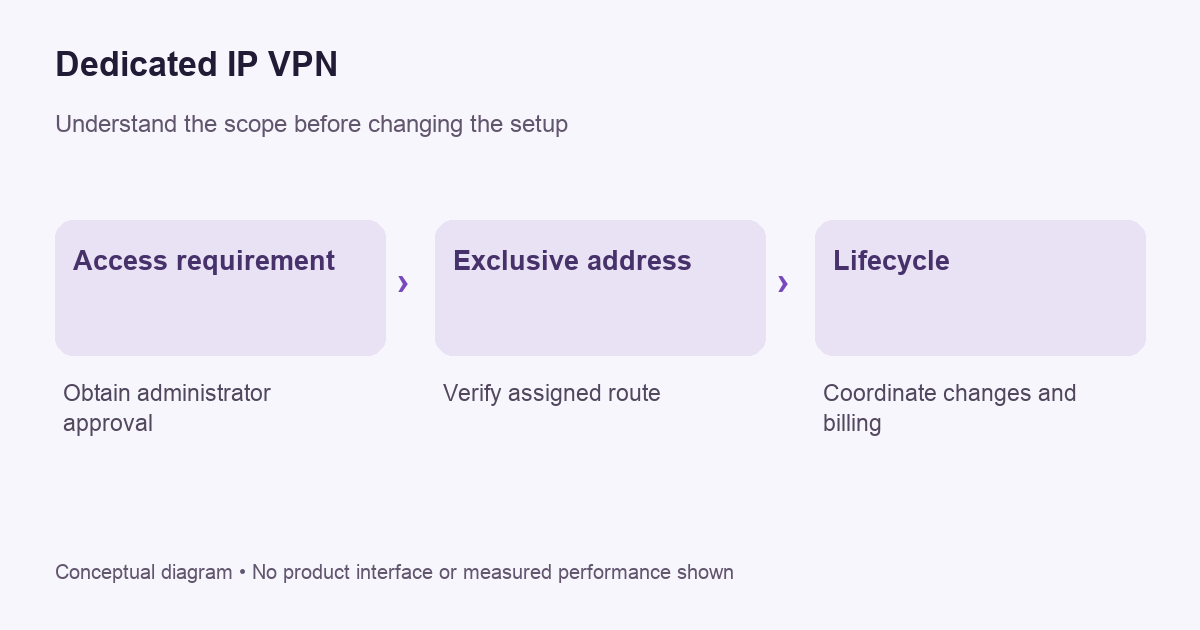
The first buying question is whether you actually need exclusivity. If a business administrator asks for an approved stable address, that is a concrete requirement. If you simply dislike an occasional sign-in challenge, paying for an add-on without checking the cause may not solve the problem. Identify the task before choosing the extra subscription.
Static and dedicated are different properties
A static address stays consistent under the service’s stated conditions. A dedicated address is reserved for a specified customer or organization. An address can be predictable without being exclusive. Read both parts of the provider’s description rather than treating the words as interchangeable guarantees.
Proton’s business documentation makes this distinction useful: routinely selecting a public server does not guarantee that its address will remain available, whereas its dedicated business addresses are leased for an organization’s exclusive use. That is a product-specific description, not evidence that every ordinary consumer plan includes dedicated access.
Where a stable source address can help
An organization may use a source-address allowlist as one condition for reaching a resource. In that workflow, a predictable approved exit can simplify access management. It should be considered alongside account authentication, authorization and the administrator’s policies. An IP address alone is not a substitute for deciding who is allowed to do what.
Ask the administrator what the requirement actually is. Does the resource accept a fixed office address, a provider-managed business gateway, or another approved remote-access method? Buying a personal dedicated address without that discussion can create an unsupported arrangement. Document the approved solution before changing access settings.
Exclusivity has a privacy trade-off
A stable address used repeatedly can be a consistent signal across visits. That can be useful for access management while also making activity easier to associate with the same source address. Do not describe that consistency as an automatic anonymity improvement. The appropriate choice depends on whether reliable identification of the route is part of the goal.
Provider account handling matters too. NordVPN’s documentation explicitly notes an email association for its dedicated-IP purchase. Different providers can use different allocation arrangements. Read the specific policy rather than assuming every service disconnects the address from the subscriber’s account.
Check platforms, protocols and simultaneous use
A dedicated-IP feature may have different connection limits from the general subscription. NordVPN’s current support article describes protocol-dependent simultaneous-use limits. That is a reminder to verify the combination you need, rather than transferring the headline device allowance to every add-on.
Write down the devices that must use the address at the same time. Include phones, desktops and any router configuration. Then ask whether the required protocol and application support the feature. A supported desktop connection does not automatically establish that a television app or manually imported router profile can use the same selection.
Do not buy a guarantee against every CAPTCHA
Providers may market dedicated addresses as a way to reduce problems associated with shared-address reputation. Treat that as a potential benefit, not a promise about every website. Services can use account history, browser behavior and other signals when deciding whether to require verification. A different exit address cannot guarantee their decisions.
If one site is the main reason for considering the add-on, ask the site and provider about supported access. Do not assume a change will override the site’s terms or eligibility rules. Keep the problem description concrete: which error appears, in which application, and under what supported configuration?
Questions to ask before paying
- Is the address exclusive to one person, an account or an organization?
- Which locations are available for the intended use?
- Which apps and protocols can connect to it?
- How many simultaneous connections use the dedicated address?
- What happens if the address must change or the subscription expires?
- Is the add-on billed and renewed separately from the VPN?
- What refund and cancellation rules apply specifically to the add-on?
Keep the answers with the invoice. General VPN refund badges may not establish the policy for an address that has already been allocated. If the provider does not answer a requirement that matters to you, leave it marked unknown rather than relying on an assumption.
Verify the intended route after setup
Use the provider’s supported setup and make a fresh request from the application that needs the address. Confirm the observed public address against the assigned value. Then check the actual approved resource. A matching browser result is useful evidence about that browser request, but it does not prove every background program follows the same path.
Our public-address guide explains the limits of a single check. If you use exclusions, read our split-tunneling walkthrough and verify which applications remain outside the dedicated route. A consistent address in one browser cannot resolve an unexplained exception elsewhere.
Plan for cancellation and address changes
If a resource depends on the address, coordinate any cancellation with its administrator. Removing the VPN app may leave a paid add-on active, and ending the add-on may leave an obsolete allowlist entry behind. Treat billing cleanup and access cleanup as separate tasks with named owners.
Record a recovery contact and an alternative approved access route. This is particularly important if the dedicated connection is the only way to reach the support or administration system you would need during a failure. A small recovery plan is more useful than assuming the assigned address can never change.
Use ordinary plan cards carefully
Our NordVPN store and Proton VPN store list dated general subscription offers. The cards below are not dedicated-IP quotations and do not imply the add-on is included. Obtain the exact dedicated-IP or business quote from the provider before buying.
Compare the full combined bill with our buying checklist. An exclusive address is worthwhile when it solves a defined supported requirement. It should not be added merely because it sounds more advanced than the shared service you already have.
ExpressVPN and Surfshark: compare the current dedicated-IP purchase
Provider-specific questions belong next to the general dedicated-IP decision. The archived ExpressVPN and Surfshark articles contained obsolete or overly broad statements; current eligibility and setup documentation are the relevant buying reference. The options below describe published product arrangements, not a VPNBlade performance or anonymity test. Neither a fixed address nor a higher-priced plan guarantees access to every website.
ExpressVPN: check the plan tier and purchase channel
ExpressVPN now offers dedicated IP: its current purchase guide includes it in Express Pro and offers it as a paid optional addition to Basic and Advanced. The same guide excludes subscriptions purchased through the Apple App Store or Google Play Store from this purchase route. Do not carry forward the archived statement that ExpressVPN has no dedicated-IP product, or assume an app-store subscription has the same eligibility as a direct website purchase.
Its dedicated-IP support documentation lists Android, iOS, Windows, Mac, Linux and browser extensions. Its FAQ explains that the chosen location is fixed for the add-on period and that the access code needs to be kept safe because the provider cannot retrieve it. Check the exact application setup and recovery process before allocating the address. These details matter if a business allowlist will depend on continued access.
Reason to consider it: the documented product fits your platform and approved stable-address requirement. Trade-offs: plan, purchase channel, fixed location and recovery-code handling can affect suitability. The following button shows a general VPN subscription offer; it is not a dedicated-IP price quotation and does not mean every displayed plan includes the feature.
Check current ExpressVPN offers and verification dates →
Surfshark: separate the dedicated add-on from a shared static server
Surfshark’s support article describes Dedicated IP as an additional purchase, outside its ordinary bundles, with one dedicated address per account. It lists Windows, macOS, Android, iOS, Linux and browser-extension use, plus a manual-connection alternative. Match the exact app or manual route to your requirement rather than inferring eligibility from the platform list alone.
Its current product description distinguishes an exclusive dedicated address from shared addresses and says the dedicated location cannot be changed after allocation. The provider’s own pages display differing location totals, so this guide does not promise a fixed number of purchasable locations. Confirm the actual available location in the purchase flow before paying. A desirable city appearing in an old article does not reserve an address there.
Reason to consider it: you need a supported exclusive address and accept the additional purchase and location conditions. Trade-offs: the base subscription price is not the complete bill, and a shared static server is not equivalent to an exclusive address. The offer below concerns the general VPN service; verify the dedicated add-on separately.
Check current Surfshark offers and verification dates →
Write a small allocation and recovery record
Before purchase, record the approved purpose, intended location, devices, purchase channel and the full combined charge. After allocation, store the required recovery information securely and confirm the observed address from the application that needs it. Share the address with an administrator only through the organization’s approved process; do not publish access codes in support comments or screenshots.
Coordinate any address-dependent allowlist with its owner and keep account authentication in place. An exclusive exit address is not an inbound tunnel to a private server and does not decide file permissions. Our remote-access guide explains that separate design question, while the billing guide helps compare a base plan with separately renewing extras. Keep a documented removal process when the address is no longer needed.
YOUR EXPERIENCE MATTERS
Was this article useful?
Genuine reader helpfulness ratings. These do not measure VPN performance or verify a purchase. Only moderated submissions count. Ratings may reflect earlier versions of this information.