
Post
How to Use a VPN on a TV: Apps, Routers and Smart DNS Limits
Choose a TV VPN setup by operating system and player. Compare supported apps and router configurations while keeping Smart DNS separate from encryption.
VPNBLADE · PLAN SHORTLIST
Compare current VPN plans
Selected plan offers, not performance rankings. We may earn a commission through affiliate links. Monthly equivalents require the full payment shown.

ExpressVPN
Check your exact device setupExpressVPN Basic — 28-month introductory offer
USD 83.72 upfront · First 28 months, paid upfront
Get ExpressVPN deal Offer details & coupon conditions →Renewal & refund conditions
USD 99.95 annually after the initial 28-month term.
30-day money-back guarantee for new users; provider terms and purchase-channel conditions apply.

Surfshark
Households with multiple devicesSurfshark One — 27-month introductory offer
USD 67.23 upfront · First 27 months, paid upfront
Get Surfshark deal Offer details & coupon conditions →Renewal & refund conditions
Automatic renewal after the introductory term at the then-applicable rate. Confirm the chosen bundle’s next invoice and billing interval before purchase; no numeric renewal amount was verified.
30-day money-back guarantee; purchase-channel and provider eligibility conditions apply.
In this article

Cover: AI-generated editorial illustration of an everyday device setting; not a product screenshot or evidence of testing.
To use a VPN on a television, first identify the operating system and exact model. If the provider offers a supported app for that platform, install it from the official device store and follow its setup instructions. If it does not, a compatible router or another documented arrangement may be necessary. Smart DNS is a separate option and does not by itself create an encrypted VPN tunnel.
The brand printed on the television is not enough to choose instructions. Different models from the same manufacturer can use different software. A streaming box connected to the television is also a separate device. Start with the device actually running the viewing application, rather than assuming the display itself needs the installation.
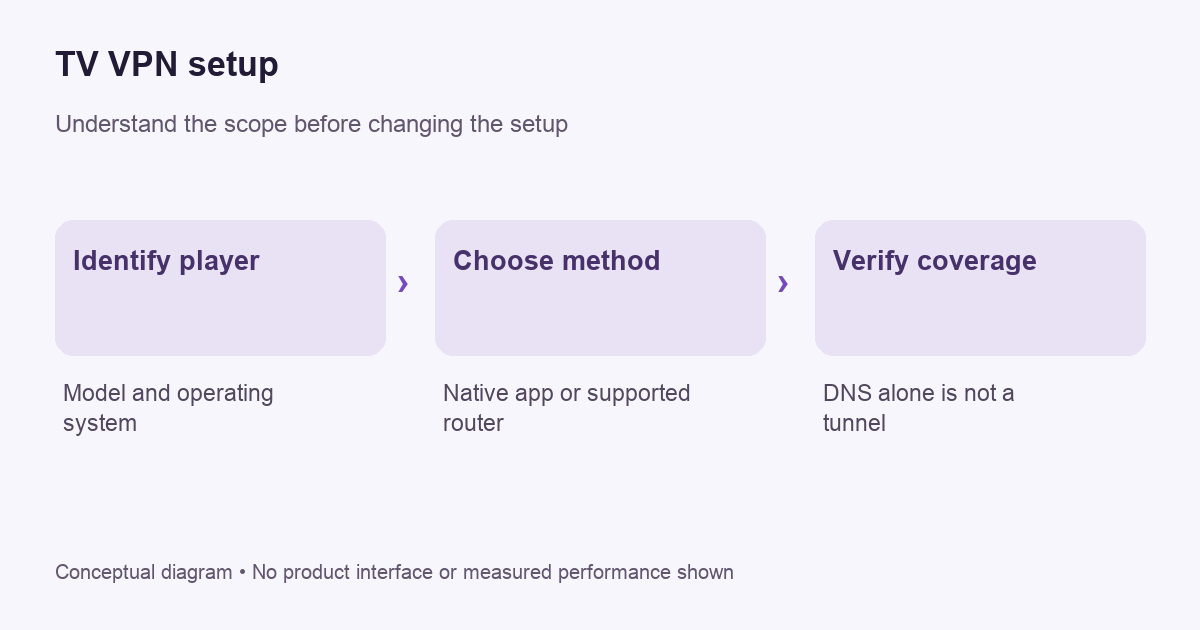
Identify where the streaming application runs
Open the device’s system information and record the model and software version. Note whether you use its built-in apps, an Android TV box, a Fire TV device, an Apple TV, a console or another connected player. Keep that information beside the provider’s compatibility page when checking support.
This simple inventory avoids an expensive mismatch. A provider can support one connected streaming box without offering an app for the television’s built-in operating system. The HDMI connection between them does not mean their software is interchangeable. Choose the instructions for the player you use.
Use a supported native app where available
ExpressVPN’s current device list distinguishes native app platforms from devices requiring other configurations. Its Android TV instructions describe installation through the device’s Play Store for supported versions. These are examples of provider-specific support, not a promise that every television can install the same application.
Use the official store listing and confirm the publisher. Complete account access using the provider’s documented method, then connect and check ordinary viewing. Keep account codes private; a code displayed on a television can still grant access to your subscription. Do not post a screenshot of an active pairing screen in a public support thread.
VPNBLADE · PLAN SHORTLIST
A current plan to consider
Selected plan offers, not performance rankings. We may earn a commission through affiliate links. Monthly equivalents require the full payment shown.
ExpressVPN
Check your exact device setupExpressVPN Basic — 28-month introductory offer
USD 83.72 upfront · First 28 months, paid upfront
Get ExpressVPN deal Offer details & coupon conditions →Renewal & refund conditions
USD 99.95 annually after the initial 28-month term.
30-day money-back guarantee for new users; provider terms and purchase-channel conditions apply.
Keep Smart DNS separate from VPN encryption
A provider may offer a DNS-based setup for a device without a native VPN app. Its purpose and coverage need to be read separately. Changing DNS settings does not, by itself, mean all television traffic is traveling through an encrypted VPN tunnel. Avoid calling a DNS configuration “the VPN” merely because the same subscription includes both services.
Before choosing that route, ask what problem you need to solve. If the requirement is an encrypted connection for the player, a DNS-only arrangement does not establish it. If the requirement is a provider-supported viewing configuration, follow the exact documented scope and restrictions. Our intermediary comparison explains why service labels are not enough.
A router option affects more than the television
A compatible router can apply a VPN route to devices using the selected network. Compatibility is specific: having a VPN server setting is not the same as supporting a client connection to your chosen provider. Check the router model, firmware and supported configuration before buying hardware or changing settings.
Read our router setup guide before proceeding. Save a recovery path and identify which household devices will be affected. If the router supports a separate network or device rule, use its official instructions to understand the scope. Do not assume every connected gadget should share the television’s route.
Verify normal use before judging performance
Establish that the viewing service works on the ordinary connection first. Then make one supported change and repeat the same harmless task. Record whether the symptom concerns signing in, loading the catalogue, starting playback or sustaining playback. Those observations distinguish different problems and make a support request more useful.
A phone beside the television is not proof of the television’s route. It may use mobile data, another network or its own VPN app. Check the actual player with the provider’s supported diagnostics. If those do not offer an address check, ask how to verify the configuration rather than inventing certainty from a nearby device.
Do not promise access to every catalogue
A working VPN connection does not guarantee a streaming service will accept it or offer a particular title. Content availability, account eligibility and service terms are separate questions. Use the viewing platform’s official guidance and the provider’s current support information. VPNBlade has not tested every television and catalogue combination for this article.
Our streaming comparison guide and Netflix guide focus on those buying checks. Treat compatibility statements as things to verify for your setup, not as permanent access guarantees. Avoid purchasing a long subscription based on one unqualified “works everywhere” claim.
Troubleshoot one layer at a time
- Confirm that the player has ordinary internet access.
- Check the VPN account and connection status.
- Confirm that the player uses the intended network or app.
- Identify whether one service or all applications fail.
- Check current service and provider support notices.
- Restore the previous configuration if the optional change does not help.
Do not change DNS, router routing and player settings simultaneously. If playback improves afterward, you will not know which change mattered. Keep a short record of the model, software version, provider app version and symptom. Use our troubleshooting process when preparing a redacted support request.
Check remote control and recovery usability
A technically supported app still needs to be usable from the sofa. Check the documented connection controls, sign-in method and recovery instructions for the television interface. Consider what happens after a software update, a restart or an expired login. Keep the provider’s support link available on another device.
If several people use the player, explain the selected configuration and its limitations. A household member should know whom to ask before resetting the network to solve a viewing problem. Clear ownership of the setup reduces accidental changes and unnecessary troubleshooting.
Compare the complete subscription cost
Confirm the required television support before comparing prices. Our ExpressVPN store and Surfshark store provide dated offer records, while provider documentation determines current app compatibility. Router hardware, optional features and subscription renewals can change the total cost.
Live plan records · Monthly equivalents require the full initial payment. Prices in different currencies are not directly comparable. Confirm tax, eligibility and renewal terms at checkout.
ExpressVPN Basic — 28-month introductory offer
USD 2.99/month equivalent
USD 83.72 upfront
First 28 months, paid upfront
Next bill: USD 99.95 annually after the initial 28-month term.
Source checked 2026-10-25 · Research record; no performance endorsement.
See offer & full terms ↗Surfshark Starter — 27-month introductory offer
USD 2.49/month equivalent
USD 67.23 upfront
First 27 months, paid upfront
Next bill: After the first 27 months, renews every 12 months at the then-applicable renewal price. The checked checkout did not state a numeric renewal amount.
Recorded code: SHARKGIFT
Source checked 2026-10-25 · Research record; no performance endorsement.
See offer & full terms ↗Use the buying checklist to compare the full initial payment, refund conditions and cancellation route. These cards are billing references rather than a claim of tested streaming performance or guaranteed access to any particular service.
Sources and editorial method
Written by VPNBlade Editorial from the primary documentation below, checked 26 October 2026. Practical checklists are editorial guidance, not a claim of hands-on product testing. Menus and product behaviour can change; follow the documentation for your current app and device.
- www.expressvpn.com — supported devices — Documented scope, supported configuration and limitations discussed in the linked article section.
- www.expressvpn.com — setup android tv — Documented scope, supported configuration and limitations discussed in the linked article section.
Read our editorial standards · Explore the VPNBlade Blog
Sources & verification
- www.expressvpn.com — supported devices ↗Primary platform, project or provider documentation · Checked 2026-10-26
Documented scope, supported configuration and limitations discussed in the linked article section.
- www.expressvpn.com — setup android tv ↗Primary platform, project or provider documentation · Checked 2026-10-26
Documented scope, supported configuration and limitations discussed in the linked article section.
YOUR EXPERIENCE MATTERS
Was this article useful?
Genuine reader helpfulness ratings. These do not measure VPN performance or verify a purchase. Only moderated submissions count. Ratings may reflect earlier versions of this information.
VPNBLADE · PLAN SHORTLIST
Ready to choose a plan?
Selected plan offers, not performance rankings. We may earn a commission through affiliate links. Monthly equivalents require the full payment shown.
ExpressVPN
Check your exact device setupExpressVPN Basic — 28-month introductory offer
USD 83.72 upfront · First 28 months, paid upfront
Get ExpressVPN deal Offer details & coupon conditions →Renewal & refund conditions
USD 99.95 annually after the initial 28-month term.
30-day money-back guarantee for new users; provider terms and purchase-channel conditions apply.
Surfshark
Households with multiple devicesSurfshark One — 27-month introductory offer
USD 67.23 upfront · First 27 months, paid upfront
Get Surfshark deal Offer details & coupon conditions →Renewal & refund conditions
Automatic renewal after the introductory term at the then-applicable rate. Confirm the chosen bundle’s next invoice and billing interval before purchase; no numeric renewal amount was verified.
30-day money-back guarantee; purchase-channel and provider eligibility conditions apply.