
Post
How to Turn Off a VPN on Android Without Losing Track of Your Settings
Disconnect an Android VPN, understand auto-connect and blocking settings, and separate app removal from subscription cancellation.
VPNBLADE · PLAN SHORTLIST
Compare current VPN plans
Selected plan offers, not performance rankings. We may earn a commission through affiliate links. Monthly equivalents require the full payment shown.

Surfshark
Households with multiple devicesSurfshark One — 27-month introductory offer
USD 67.23 upfront · First 27 months, paid upfront
Get Surfshark deal Offer details & coupon conditions →Renewal & refund conditions
Automatic renewal after the introductory term at the then-applicable rate. Confirm the chosen bundle’s next invoice and billing interval before purchase; no numeric renewal amount was verified.
30-day money-back guarantee; purchase-channel and provider eligibility conditions apply.

Proton VPN
Compare free access and paid upgradesProton VPN Plus — 24-month introductory offer
USD 83.76 upfront · First 24 months, paid upfront
Get Proton VPN deal Offer details & coupon conditions →Renewal & refund conditions
USD 83.88 every 12 months after the initial 24-month term; renewal prices are subject to the provider’s terms.
30-day money-back guarantee; purchase-channel and provider eligibility conditions apply.
In this article
To turn off a personal VPN on Android, open its app and choose Disconnect. If it reconnects immediately, check the app’s automatic-connection settings and Android’s VPN settings. Disconnecting, removing a saved VPN, and cancelling its subscription are three different actions. Choose the one that matches your goal rather than deleting settings at random.
The exact labels vary between Android versions and phone manufacturers. A Galaxy phone may organise its connections differently from a Pixel. The reliable starting points are the VPN app itself and the Settings search box. This guide covers a personal device you control; a work profile or employer-managed VPN may require an administrator to change it.
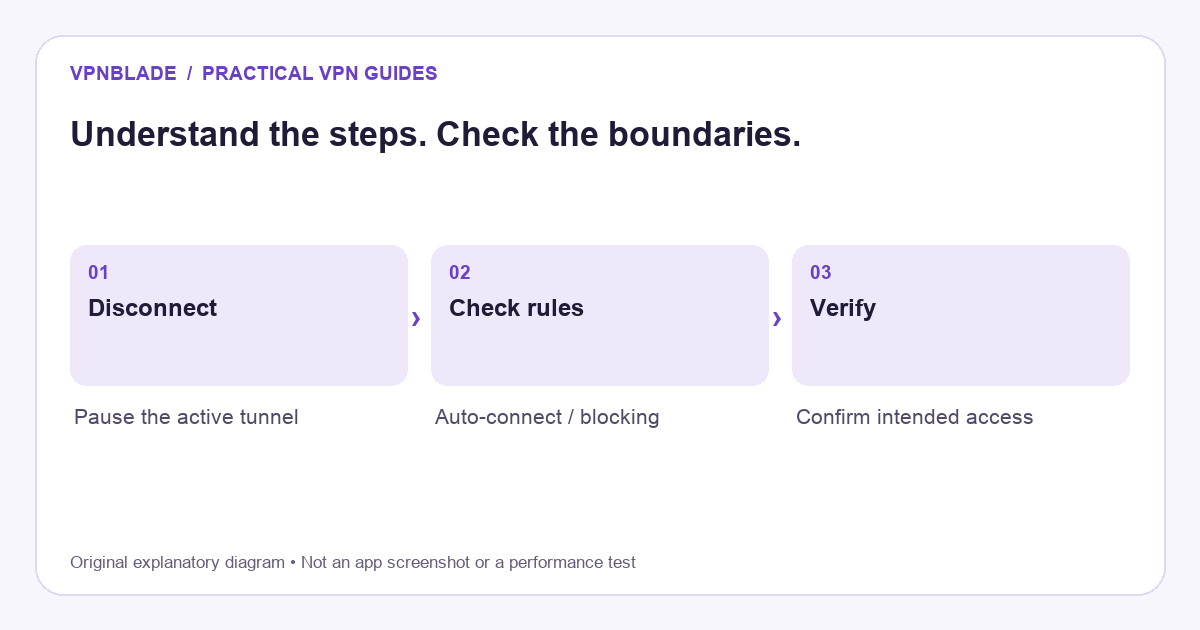
Quick steps
- Disconnect in the provider app.
- Check automatic-connect and blocking rules if needed.
- Confirm the intended connection state.
- Manage removal and billing separately.
Decide whether you want a pause or a permanent change
A temporary disconnect is useful when you are checking whether the VPN affects a particular connection. Removing a configuration is appropriate when you no longer want that connection saved. Uninstalling the app removes its software, but may leave questions about your subscription, managed settings, or another privacy application. None of these actions should be treated as interchangeable.
Before changing anything, note the app name and what problem you are trying to solve. “A banking page will not open while connected” is more useful than “my internet is broken.” Try the change on a non-sensitive task, then restore your intended protection. If you only need a different server, our VPN troubleshooting guide may be a better route than switching the service off entirely.
VPNBLADE · PLAN SHORTLIST
A current plan to consider
Selected plan offers, not performance rankings. We may earn a commission through affiliate links. Monthly equivalents require the full payment shown.
Surfshark
Households with multiple devicesSurfshark One — 27-month introductory offer
USD 67.23 upfront · First 27 months, paid upfront
Get Surfshark deal Offer details & coupon conditions →Renewal & refund conditions
Automatic renewal after the introductory term at the then-applicable rate. Confirm the chosen bundle’s next invoice and billing interval before purchase; no numeric renewal amount was verified.
30-day money-back guarantee; purchase-channel and provider eligibility conditions apply.
Disconnect from the provider app first
Open the app that established the connection. Look for its connection button and select Disconnect or the equivalent. Wait for its status to change before trying another action. Closing the app window, dismissing a notification, or swiping it from the recent-apps screen does not necessarily stop the underlying VPN service. The connection can continue independently of the screen you were looking at.
After disconnection, open an ordinary website and check that your intended network still works. Do not use a sensitive transaction as your first test. If the app says disconnected but browsing fails, a traffic-blocking setting may still be doing its job. Record that behaviour instead of assuming you must reset the phone. The distinction becomes important in the next steps.
Find the Android VPN settings
Open Settings and search for VPN. On many phones, the relevant screen sits under Network and internet, but the wording and location are manufacturer-dependent. Google’s official help describes using the settings control next to the relevant VPN to edit, disconnect, or forget it. For an app-managed VPN, selecting that entry may open the app.
Choose the connection whose name you recognise. A phone can have a work configuration as well as a personal app, and some security products also use Android’s VPN interface. Do not remove an unfamiliar business or school entry just because it appears in the same list. If a connection is managed, ask the administrator what changes are permitted and how to avoid disrupting work access.
Understand why the VPN turns itself on again
Automatic reconnection is often deliberate. A provider may reconnect after a network change, on startup, or when an untrusted Wi-Fi network is detected. Android also has persistent VPN controls on supported configurations. The result can look like a failed Disconnect button when the software is actually applying a rule you enabled earlier.
Inspect one setting at a time. First check the app’s automatic-connect options. Then review Android’s controls for the same connection. Write down the previous value before changing it. App-based configurations can expose different controls, so do not assume every screenshot in another tutorial applies to your phone. If you want the service to stay off temporarily, make sure no second rule immediately starts it again.
Why internet access can stop after disconnection
A kill switch or an Android setting that blocks connections without a VPN can intentionally prevent direct traffic. That is a different function from keeping the VPN connected. Turning off the tunnel while leaving a blocking rule active can therefore produce the combination “VPN disconnected, internet unavailable.” It does not necessarily mean the router or mobile network is down.
If your goal is a deliberate pause with direct internet access, review the blocking behaviour documented for your app and device. Only change it if you understand that traffic may then travel without the VPN. Restore the protection when you finish the test. If the device belongs to an organisation, do not weaken a required connection policy; contact the person responsible for managing it.
Check for a work profile or another VPN-based app
Android applications sometimes use the VPN interface for functions other than a commercial privacy tunnel, including local filtering. A persistent VPN indicator therefore needs interpretation. Check the named application in Settings rather than guessing from an icon alone. A second app may request the same networking role and create a conflict with the service you intended to use.
Work-profile connections can have a different scope from personal traffic. Android’s developer documentation explains that VPN services and persistent connection behaviour are managed through the system. For a normal user, the practical lesson is simple: identify the active app and its management context before changing it. Do not remove device management as a shortcut around a work policy.
Forget a saved VPN only when you mean to remove it
If you no longer need a personal configuration, Android’s VPN screen may offer a Forget option. Confirm the name and make sure you can recover any required setup information first. A manually configured connection may need a server address, authentication method, certificate, or separate service credentials to recreate it. Removing it is more consequential than briefly disconnecting.
For a provider app, use its supported uninstall and configuration-removal instructions. There is no benefit in repeatedly deleting unrelated network settings. If you are replacing the service, install and verify the new setup before relying on it away from home. Our beginner setup guide explains how to establish a clean baseline without overlapping several active tunnels.
Verify the outcome with the right checks
Check the VPN app’s status, the named system configuration, and a simple browsing task. If your goal is to check routing, compare the public address reported before and after the change using the same application and network. Avoid publishing unredacted addresses in a support forum. A changed address can be useful evidence, but it does not identify every possible route or prove complete privacy.
If your phone is connected through a VPN-enabled router, switching off the phone app may still leave traffic using the router’s tunnel. Cellular data will not inherit that home-router route. This is one reason a location checker can seem unchanged after you press Disconnect. Our IP-address explanation separates device, router, browser, and location signals.
Cancelling billing is a separate job
Disconnecting a tunnel does not cancel a paid plan. Uninstalling the app is not reliable evidence that recurring charges have stopped either. Check where you purchased the subscription: Google Play, the provider’s website, or another authorised channel. Follow that channel’s cancellation process and retain the confirmation. A refund request can be a further separate action with its own deadline.
If cost is the reason you want to switch, compare the full next bill rather than only a new introductory rate. The Android VPN guide covers selection criteria, and the deal directory records current billing terms. The live cards below are optional alternatives to research, not a requirement to buy another VPN simply because you disconnected one.
Live plan records · Monthly equivalents require the full initial payment. Prices in different currencies are not directly comparable. Confirm tax, eligibility and renewal terms at checkout.
Proton VPN Plus — 24-month introductory offer
USD 3.49/month equivalent
USD 83.76 upfront
First 24 months, paid upfront
Next bill: USD 83.88 every 12 months after the initial 24-month term; renewal prices are subject to the provider’s terms.
Recorded code: VPNINTRO449349
Source checked 2026-10-25 · Research record; no performance endorsement.
See offer & full terms ↗Surfshark Starter — 27-month introductory offer
USD 2.49/month equivalent
USD 67.23 upfront
First 27 months, paid upfront
Next bill: After the first 27 months, renews every 12 months at the then-applicable renewal price. The checked checkout did not state a numeric renewal amount.
Recorded code: SHARKGIFT
Source checked 2026-10-25 · Research record; no performance endorsement.
See offer & full terms ↗Sources and editorial method
Written by VPNBlade Editorial from the primary documentation below, checked 25 October 2026. Practical checklists are editorial guidance, not a claim of hands-on product testing. Menus and product behaviour can change; follow the documentation for your current app and device.
- Google: connect to a VPN on Android — System VPN controls, app-managed configurations and persistent-connection settings.
- WireGuard: conceptual overview — VPN interfaces, peer keys and IP-packet encapsulation; product account handling is a separate layer.
Read our editorial standards · Explore the VPNBlade Blog
Sources & verification
- Google: connect to a VPN on Android ↗Primary technical or platform documentation · Checked 2026-10-25
System VPN controls, app-managed configurations and persistent-connection settings.
- WireGuard: conceptual overview ↗Primary technical or platform documentation · Checked 2026-10-25
VPN interfaces, peer keys and IP-packet encapsulation; product account handling is a separate layer.
YOUR EXPERIENCE MATTERS
Was this article useful?
Genuine reader helpfulness ratings. These do not measure VPN performance or verify a purchase. Only moderated submissions count. Ratings may reflect earlier versions of this information.
VPNBLADE · PLAN SHORTLIST
Ready to choose a plan?
Selected plan offers, not performance rankings. We may earn a commission through affiliate links. Monthly equivalents require the full payment shown.
Surfshark
Households with multiple devicesSurfshark One — 27-month introductory offer
USD 67.23 upfront · First 27 months, paid upfront
Get Surfshark deal Offer details & coupon conditions →Renewal & refund conditions
Automatic renewal after the introductory term at the then-applicable rate. Confirm the chosen bundle’s next invoice and billing interval before purchase; no numeric renewal amount was verified.
30-day money-back guarantee; purchase-channel and provider eligibility conditions apply.
Proton VPN
Compare free access and paid upgradesProton VPN Plus — 24-month introductory offer
USD 83.76 upfront · First 24 months, paid upfront
Get Proton VPN deal Offer details & coupon conditions →Renewal & refund conditions
USD 83.88 every 12 months after the initial 24-month term; renewal prices are subject to the provider’s terms.
30-day money-back guarantee; purchase-channel and provider eligibility conditions apply.