
Post
VPN Protocols Explained: WireGuard, OpenVPN and Practical Selection
Understand WireGuard and OpenVPN, separate protocol features from provider operations, and compare supported configurations for your actual tasks.
In this article
Cover: AI-generated editorial illustration of an everyday device setting; not a product screenshot or evidence of testing.
A VPN protocol defines how tunnel endpoints establish and carry protected connections. It is one part of a working VPN service, alongside the app, routing rules, account system and server operations. Choose a supported protocol for your actual device and network rather than assuming one familiar name guarantees the best result everywhere.
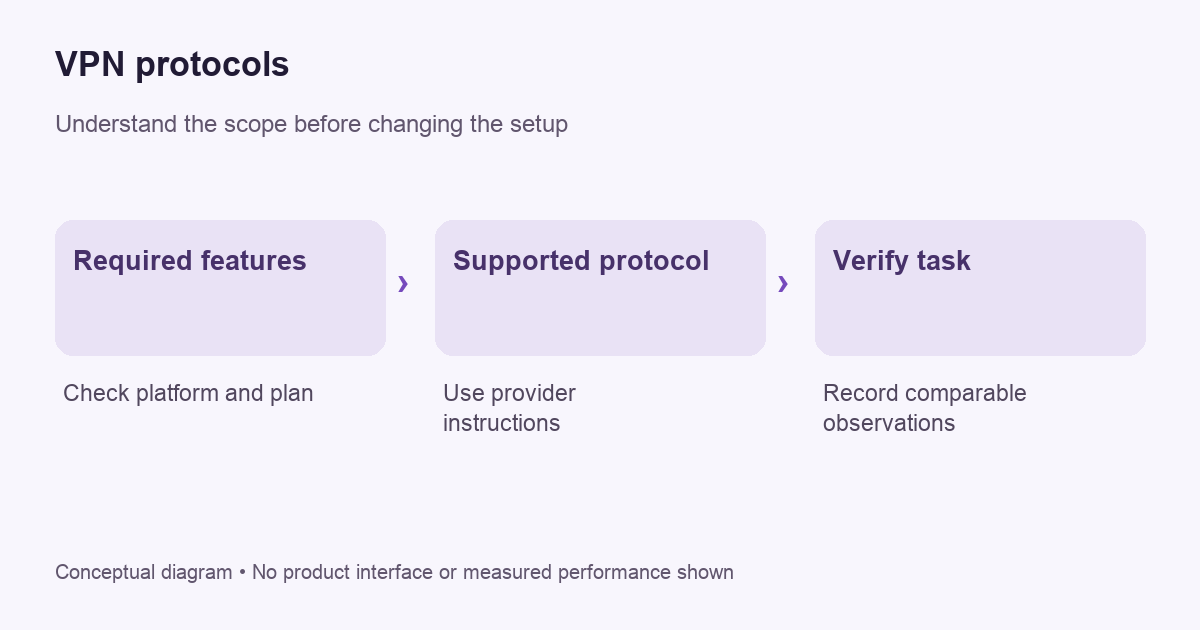
For most personal users, the provider’s supported default is a reasonable starting point. Change it to address a specific compatibility or connection problem, then verify the result. A protocol comparison becomes useful when it helps you identify what changed; it becomes misleading when it assigns universal speed scores without comparable measurements.
Separate the protocol from the provider
WireGuard’s overview describes encrypted IP-packet transport over UDP and a peer model using public keys. It explicitly leaves some surrounding configuration and key-distribution work to other layers. A commercial provider can build account, address-allocation and application controls around that protocol. The protocol name does not describe the provider’s entire privacy practice.
This distinction is important when comparing two apps that both advertise WireGuard. Their interfaces, routing options, support procedures and server operations can still differ. Do not transfer an audit result for one component into an unsupported claim about a whole service. Read what was assessed, which version was involved and what the assessment actually covered.
Understand the OpenVPN example
OpenVPN’s community documentation describes a configurable VPN system using TLS, with multiple authentication approaches and TCP or UDP transport options. It also distinguishes OpenVPN from a web application proxy. The documentation is technical setup material, not evidence that every commercial OpenVPN configuration has identical settings or security properties.
For a personal subscription, use the provider’s current supported setup rather than assembling settings from unrelated tutorials. A configuration file may contain sensitive credentials or keys. Store it carefully, avoid posting it in public troubleshooting threads, and revoke or replace it through the appropriate process if it is exposed.
WireGuard vs OpenVPN: compare the supported configuration
These names identify tunnel technologies; they are not two equivalent retail subscriptions. A provider can offer both in the same account, while a self-managed installation has separate hosting and administration requirements. Comparing an OpenVPN commercial product’s licence price with the WireGuard protocol’s software availability does not establish what a consumer VPN subscription costs.
| Question | WireGuard | OpenVPN | Practical consequence |
|---|---|---|---|
| Tunnel transport | Native protocol packets use UDP. | The current community manual documents UDP and TCP transport. | Check which supported option works on your network; a different transport does not guarantee access. |
| Cryptographic configuration | A defined suite includes ChaCha20-Poly1305 and Curve25519. | Configuration and the installed implementation determine negotiated settings. | An algorithm name alone cannot rank an entire VPN service. |
| Traffic disguise | The project leaves obfuscation to an additional layer. | Using a particular port or TCP is not a universal disguise guarantee. | Read the provider’s exact supported feature rather than assuming the basic protocol hides its identity. |
| Support and billing | Depend on the app, operator or your own deployment. | Depend on the app, operator or commercial product selected. | Check who supplies support and what you are actually buying. |
When each is a sensible option
Consider a supported WireGuard-based configuration when it fits the device and required app features. Its defined cryptographic design can simplify the set of protocol choices, but the surrounding service still handles accounts, routes and operational policy. Consider a supported OpenVPN configuration when it matches an existing deployment or you need a documented transport option. Its flexibility also means you must follow the settings for that deployment rather than importing an unrelated example.
Neither choice justifies a claim that the connection cannot be hacked. Keep software current and protect credentials; examine routing, DNS and failure behavior as well as successful connection. There is also no universal percentage for extra speed or reduced data use. Measure the same task on your own device before drawing a local performance conclusion.
For a practical decision, first retain the working supported default. If a real problem remains, compare one documented alternative using the checklist below and the connection verification guide. For manual router use, confirm both client support and the provider’s profile requirements in our router buying guide. Subscription offers elsewhere on this page do not change these technical distinctions.
Why “fastest” needs a defined test
Performance depends on more than the protocol. The device, access network, chosen gateway, destination and current conditions all affect the experience. A result from one location cannot automatically rank every user’s future connection. VPNBlade has not run comparative protocol benchmarks for this article and does not assign invented throughput figures.
Define the task before measuring. A large file transfer, an interactive call and ordinary page loading can expose different practical problems. If your complaint is delayed voice audio, a peak download figure alone may not answer it. Record the actual symptom and compare the same task under similar conditions.
A practical protocol-change checklist
- Record the current app version, protocol selection and gateway location.
- Confirm that ordinary connectivity works before changing VPN settings.
- Read which alternative protocols the provider supports on this exact platform.
- Change only the protocol, keeping the test task and location as consistent as practical.
- Reconnect using the documented workflow and make fresh requests.
- Check routing and required features, not just whether a page loads.
- Restore the previous selection if the change does not address the problem.
This process is deliberately modest. It produces a useful local observation rather than a universal winner. Note the date and network type so a later change in conditions does not become a confusing contradiction in your records.
Feature compatibility can matter more than a small speed difference
A protocol choice can interact with provider-specific features. Before changing it, check whether you need multi-hop, a particular routing control or a dedicated address. The relevant support matrix is the one for your installed application and plan. A general protocol explainer cannot promise that a feature exists in every implementation.
Read our kill-switch guide and split-tunneling walkthrough when those controls matter. Keep a simple list of required behaviors. Reject a configuration that fails a necessary requirement even if an informal speed test looks attractive.
Manual configuration is a separate responsibility
Installing a provider app and importing a manual tunnel profile are different workflows. The manual route may not reproduce every app-level function. Check documented DNS handling, connection recovery and failure behavior rather than assuming an imported file brings the full desktop interface with it.
For router setups, confirm the hardware’s supported client protocols and recovery method before changing it. A router can affect multiple people and devices at once. Our router VPN guide explains the compatibility and routing checks. Do not replace firmware solely because an unfamiliar tutorial says the protocol requires it.
Use current names without relying on old slogans
Protocol support evolves, and a provider may use a branded name for a system built around another technology. Read the provider’s explanation of what that name means. Do not assume a proprietary-sounding name is inherently better, or that an older name is inherently suitable for every current deployment.
Likewise, avoid choosing by a single encryption number in an advertisement. A complete security assessment considers implementation, configuration, authentication, update handling and operational practices. A user-facing article can explain the questions, but it cannot replace an actual assessment with an impressive-looking number.
When to ask for support
If one supported protocol repeatedly fails on one network, give the provider a redacted comparison: app version, operating system, approximate time, network type and the alternatives tried. Describe whether the failure occurs while connecting, after sleep, or only in one application. Those observations narrow the investigation more effectively than saying the protocol is “bad.”
Use our troubleshooting guide to keep the report orderly. Do not bypass workplace network policy or disable endpoint protections to force a tunnel. For managed devices, follow the administrator’s approved configuration and escalation process.
Compare the whole subscription
Once the supported configuration fits your task, compare device coverage, provider accountability, full initial cost and renewal terms. Our buying checklist keeps those questions together. A lower monthly equivalent does not compensate for missing compatibility or an unclear cancellation process.
The Proton VPN store and NordVPN store provide dated billing records. Confirm current protocol and feature support directly before purchasing. These live cards are contextual pricing information, not a benchmark or a protocol-security ranking.
Should you change a working default?
Have a reason before changing it. If your required applications work and the documented controls meet your needs, a new protocol name alone is not evidence that the setup needs modification. Keep the supported default as a baseline, record any change, and compare the actual task. This makes future support conversations clearer and avoids accumulating unexplained settings that nobody remembers choosing.
YOUR EXPERIENCE MATTERS
Was this article useful?
Genuine reader helpfulness ratings. These do not measure VPN performance or verify a purchase. Only moderated submissions count. Ratings may reflect earlier versions of this information.