
Post
Does a VPN Protect You from Viruses? What Each Security Tool Does
A VPN tunnel does not replace antivirus. Separate routing from file protection, evaluate bundled features and check the active security provider.
VPNBLADE · PLAN SHORTLIST
Compare current VPN plans
Selected plan offers, not performance rankings. We may earn a commission through affiliate links. Monthly equivalents require the full payment shown.

NordVPN
Apps across major device platformsNordVPN Basic — 27-month introductory offer
USD 94.23 upfront · First 27 months, paid upfront
Get NordVPN deal Offer details & coupon conditions →Renewal & refund conditions
USD 139.08 every year after the initial 27-month term at the current renewal price.
30-day money-back guarantee; provider eligibility, payment-channel and refund terms apply.

Proton VPN
Compare free access and paid upgradesProton VPN Plus — 24-month introductory offer
USD 83.76 upfront · First 24 months, paid upfront
Get Proton VPN deal Offer details & coupon conditions →Renewal & refund conditions
USD 83.88 every 12 months after the initial 24-month term; renewal prices are subject to the provider’s terms.
30-day money-back guarantee; purchase-channel and provider eligibility conditions apply.
In this article

Cover: AI-generated editorial illustration of an everyday device setting; not a product screenshot or evidence of testing.
A VPN tunnel is not a substitute for antivirus protection. It changes how covered traffic travels between your device and a gateway; it does not automatically inspect and remove every harmful file or stop a malicious program already running on the device. Some VPN subscriptions include separate security features, but those features need their own compatibility and scope checks.
This distinction helps when a product is sold as an all-in-one security bundle. Ask which component performs which job. A connected VPN indicator describes the tunnel’s state, not the result of an antivirus scan. A bundle can be convenient without making every feature identical or active on every supported device.
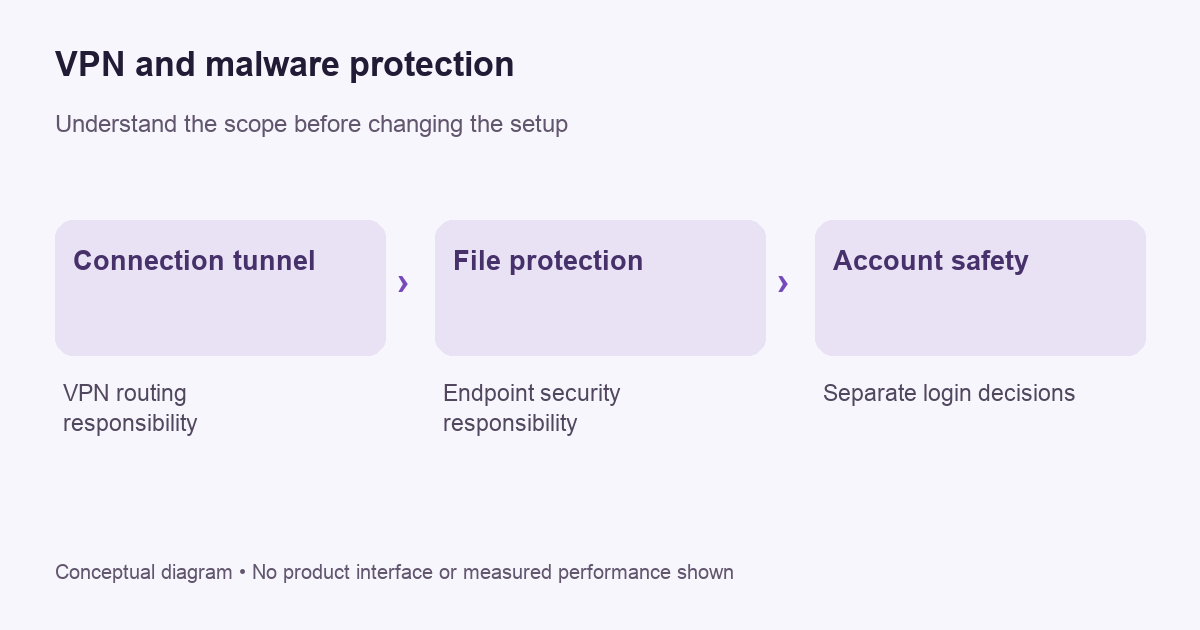
Separate connection protection from endpoint protection
Our VPN fundamentals guide explains the tunnel boundary. A protected route does not decide whether the file at the end of a download is safe. If you authorize a harmful program to run, changing the route used to fetch it does not make its behavior harmless.
Microsoft’s Windows Security guidance describes a separate virus-and-threat protection interface, including scanning, protection settings and security-intelligence updates. Those are endpoint-security functions. They should not be inferred from a VPN subscription unless the provider actually supplies a supported feature with that purpose.
Read bundled extras individually
A provider may advertise website blocking, download scanning or another protective feature alongside the VPN. Check whether the feature is included in your exact plan, available on your operating system and enabled in the current app. Do not transfer a desktop feature to a phone solely because both use the same account.
Also ask what the feature does not inspect. A domain-blocking control, a file scanner and an installed antivirus engine have different scopes. Marketing can place them beside each other on one pricing page, but that layout does not make them interchangeable. Keep each claim attached to the component and documentation that supports it.
VPNBLADE · PLAN SHORTLIST
A current plan to consider
Selected plan offers, not performance rankings. We may earn a commission through affiliate links. Monthly equivalents require the full payment shown.
NordVPN
Apps across major device platformsNordVPN Basic — 27-month introductory offer
USD 94.23 upfront · First 27 months, paid upfront
Get NordVPN deal Offer details & coupon conditions →Renewal & refund conditions
USD 139.08 every year after the initial 27-month term at the current renewal price.
30-day money-back guarantee; provider eligibility, payment-channel and refund terms apply.
A useful everyday security check
On Windows, use the official Windows Security interface to identify the active protection provider and review its status. Microsoft’s file-scanning instructions explain checking a specific item and confirming the active antivirus provider. Follow current device guidance rather than relying on a VPN app’s green connection icon.
For another operating system, use its official security documentation and the installed security product’s instructions. Avoid applying Windows menu names to a different device. The important habit is identifying the component responsible for the task and checking that component directly.
Do not disable protection to make a download work
If a security product flags a file, pause and investigate the source. Do not assume it is a false positive merely because the file arrived over a VPN. Check the publisher’s official download channel and the security product’s documented process for reviewing the result. An unfamiliar website asking you to turn off protection is not reliable evidence that doing so is necessary.
Keep the decision separate from network troubleshooting. A download that fails because of a connection problem and a download blocked because of a threat alert need different investigations. If you change both routing and security settings at once, you can lose the information needed to distinguish them.
HTTPS and VPNs do not judge a site’s intentions
HTTPS protects the application connection using TLS. That is valuable, but an encrypted connection can still lead to a dishonest service. Likewise, a VPN can carry a request to a site without establishing that the site’s claims are true. Encryption protects a connection property; it does not certify the business at the other end.
Before entering credentials, check that you reached the intended official destination. Use a saved trusted route when practical. Do not treat a familiar logo, a sponsored result or a message claiming urgent account trouble as sufficient evidence. A network privacy tool cannot make an incorrect destination correct.
What to do if you suspect an infection
Use the operating system or security vendor’s current response guidance. Save the exact alert and time, avoid unnecessary further interaction with the suspicious file, and contact the appropriate support channel. On a work device, notify the organization’s IT or security team rather than attempting an improvised cleanup that could destroy useful evidence.
A VPN subscription is not an incident-response plan. Do not claim the issue is resolved merely because the public address changed. If important accounts may be affected, use the relevant service’s official recovery and security instructions from a device you can reasonably trust. Keep account recovery separate from unsupported guesses about the network route.
Keep software and support ownership clear
Write down which product handles tunneling, which handles endpoint protection and who supports each. A bundle can involve separate apps or settings. That inventory makes a failure easier to describe: “The VPN connects, but the security scanner shows this alert” is more actionable than saying the whole security package is broken.
Review the inventory after installing or removing software. An expired subscription or a changed security provider can alter what is active. Use the official interface to confirm the state rather than assuming the previous configuration remains in effect. Avoid adding overlapping tools just to make the list look more complete.
How to compare a security bundle
| Check | Evidence to seek |
|---|---|
| VPN coverage | Current app and routing documentation for your platform |
| Threat protection | The named feature’s actual inspection scope and limitations |
| Device support | Eligibility for each component, not only the bundle name |
| Billing | Initial payment, renewal, cancellation and component-specific terms |
The table is a buying framework rather than a product test. VPNBlade has not tested malware samples for this article and does not assign a detection score. Look for appropriately scoped independent evidence where comparative detection performance matters.
Use deal records without confusing the product tier
Our NordVPN and Proton VPN stores contain dated offer records. A general VPN plan card does not establish that a particular antivirus or security add-on is included. Confirm the exact tier and supported features with the provider before purchase.
Live plan records · Monthly equivalents require the full initial payment. Prices in different currencies are not directly comparable. Confirm tax, eligibility and renewal terms at checkout.
NordVPN Basic — 27-month introductory offer
USD 3.49/month equivalent
USD 94.23 upfront
First 27 months, paid upfront
Next bill: USD 139.08 every year after the initial 27-month term at the current renewal price.
Source checked 2026-10-25 · Research record; no performance endorsement.
See offer & full terms ↗Proton VPN Plus — 24-month introductory offer
USD 3.49/month equivalent
USD 83.76 upfront
First 24 months, paid upfront
Next bill: USD 83.88 every 12 months after the initial 24-month term; renewal prices are subject to the provider’s terms.
Recorded code: VPNINTRO449349
Source checked 2026-10-25 · Research record; no performance endorsement.
See offer & full terms ↗Read the VPN buying checklist alongside the component documentation. Choose the tunnel for a defined networking need, maintain the appropriate device protections, and keep the responsibilities of each tool explicit.
Sources and editorial method
Written by VPNBlade Editorial from the primary documentation below, checked 26 October 2026. Practical checklists are editorial guidance, not a claim of hands-on product testing. Menus and product behaviour can change; follow the documentation for your current app and device.
- support.microsoft.com — virus and threat protection in the windows security app — Documented scope, supported configuration and limitations discussed in the linked article section.
- support.microsoft.com — scan an item with windows security d1c8c01d 12ed e768 cbb8 830ea8ccf8e6 — Documented scope, supported configuration and limitations discussed in the linked article section.
- www.cloudflare.com — what is https — TLS protection is separate from the intermediary route.
Read our editorial standards · Explore the VPNBlade Blog
Sources & verification
- support.microsoft.com — virus and threat protection in the windows security app ↗Primary platform, project or provider documentation · Checked 2026-10-26
Documented scope, supported configuration and limitations discussed in the linked article section.
- support.microsoft.com — scan an item with windows security d1c8c01d 12ed e768 cbb8 830ea8ccf8e6 ↗Primary platform, project or provider documentation · Checked 2026-10-26
Documented scope, supported configuration and limitations discussed in the linked article section.
- www.cloudflare.com — what is https ↗Primary platform, project or provider documentation · Checked 2026-10-26
TLS protection is separate from the intermediary route.
YOUR EXPERIENCE MATTERS
Was this article useful?
Genuine reader helpfulness ratings. These do not measure VPN performance or verify a purchase. Only moderated submissions count. Ratings may reflect earlier versions of this information.
VPNBLADE · PLAN SHORTLIST
Ready to choose a plan?
Selected plan offers, not performance rankings. We may earn a commission through affiliate links. Monthly equivalents require the full payment shown.
NordVPN
Apps across major device platformsNordVPN Basic — 27-month introductory offer
USD 94.23 upfront · First 27 months, paid upfront
Get NordVPN deal Offer details & coupon conditions →Renewal & refund conditions
USD 139.08 every year after the initial 27-month term at the current renewal price.
30-day money-back guarantee; provider eligibility, payment-channel and refund terms apply.
Proton VPN
Compare free access and paid upgradesProton VPN Plus — 24-month introductory offer
USD 83.76 upfront · First 24 months, paid upfront
Get Proton VPN deal Offer details & coupon conditions →Renewal & refund conditions
USD 83.88 every 12 months after the initial 24-month term; renewal prices are subject to the provider’s terms.
30-day money-back guarantee; purchase-channel and provider eligibility conditions apply.