
Post
VPN for PS5: Router Setup, Routing Checks and Gaming Limits
Check supported PS5 VPN routing through a compatible network. Understand router requirements, DNS limits and why lower gaming latency is not guaranteed.
VPNBLADE · PLAN SHORTLIST
Compare current VPN plans
Selected plan offers, not performance rankings. We may earn a commission through affiliate links. Monthly equivalents require the full payment shown.

ExpressVPN
Check your exact device setupExpressVPN Basic — 28-month introductory offer
USD 83.72 upfront · First 28 months, paid upfront
Get ExpressVPN deal Offer details & coupon conditions →Renewal & refund conditions
USD 99.95 annually after the initial 28-month term.
30-day money-back guarantee for new users; provider terms and purchase-channel conditions apply.

NordVPN
Apps across major device platformsNordVPN Basic — 27-month introductory offer
USD 94.23 upfront · First 27 months, paid upfront
Get NordVPN deal Offer details & coupon conditions →Renewal & refund conditions
USD 139.08 every year after the initial 27-month term at the current renewal price.
30-day money-back guarantee; provider eligibility, payment-channel and refund terms apply.
In this article

Cover: AI-generated editorial illustration of an everyday device setting; not a product screenshot or evidence of testing.
Using a VPN with a PS5 usually means routing the console through a supported network arrangement, such as a compatible VPN-client router, rather than installing an ordinary desktop VPN app on the console. Check the provider’s current console instructions and your router’s capabilities. Entering a proxy or DNS address is not automatically equivalent to a full VPN tunnel.
Begin with a specific reason for changing the route. A VPN does not guarantee lower latency, a better matchmaking result or access to every service. It adds another routing component that must be supported and checked. If the console already has a basic connectivity problem, solve that baseline problem before adding another variable.
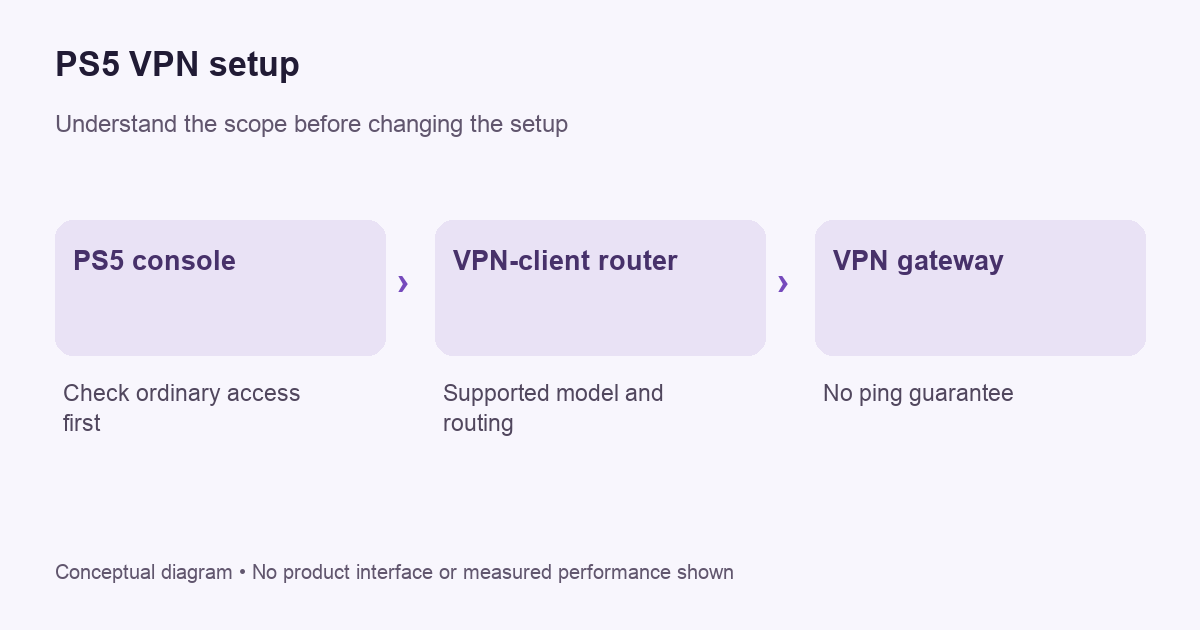
Establish the ordinary PS5 connection first
PlayStation’s official connection guide describes wired and wireless setup through the console’s network settings. Use that guidance to confirm normal access and identify the network being used. Record whether the console connects by Ethernet or Wi-Fi and which router supplies the connection.
Keep the initial observations simple: does sign-in work, can a game reach its online service, and does the console’s supported connection test complete? Avoid treating a single download figure as a full assessment of an interactive game. The game server, access network and current conditions all contribute to the experience.
Check the actual provider route
ExpressVPN’s device documentation places PS5 among devices using manual arrangements rather than its native desktop or phone app. That distinction is useful when evaluating any provider. A logo beside “PlayStation” does not by itself describe how traffic reaches the VPN gateway.
Ask for the exact supported method. Does it require a compatible router, a shared computer connection or a DNS-based service? What traffic does it cover? What remains outside it? Do not purchase a long plan until the hardware and configuration requirements are clear enough to follow.
VPNBLADE · PLAN SHORTLIST
A current plan to consider
Selected plan offers, not performance rankings. We may earn a commission through affiliate links. Monthly equivalents require the full payment shown.
ExpressVPN
Check your exact device setupExpressVPN Basic — 28-month introductory offer
USD 83.72 upfront · First 28 months, paid upfront
Get ExpressVPN deal Offer details & coupon conditions →Renewal & refund conditions
USD 99.95 annually after the initial 28-month term.
30-day money-back guarantee for new users; provider terms and purchase-channel conditions apply.
A compatible router is a client requirement
Inspect the router model and firmware documentation. A router’s VPN-server feature allows a different workflow from connecting outward as a VPN client. The presence of the word VPN somewhere in the settings menu does not establish the capability needed for the console’s traffic.
Our router guide covers compatibility, routing and recovery. Before changing a shared household router, identify the devices affected and save a way to restore ordinary access. If the router supports device-specific routing, follow its official instructions rather than assuming every device must use the same tunnel.
DNS and proxy settings are different controls
A DNS setting changes how names are resolved under the chosen configuration. A proxy setting describes another kind of intermediary. Neither label alone establishes that all console traffic is encrypted through a VPN. Read the provider’s explanation of its console method and keep its scope attached to the instructions.
For example, a subscription may include a Smart DNS service alongside a VPN application. Those are distinct services even if the account is shared. Our VPN-versus-proxy guide explains why a changed network setting should not be described as universal device protection without evidence.
Latency needs observation, not a sales promise
A different route can change the path between the console and a game service. Whether that helps depends on the actual path and conditions. VPNBlade has not run PS5 latency benchmarks for this article. We do not promise a lower ping or assign an invented gaming score to a provider.
Compare a harmless session under similar conditions, using the same game and relevant region. Record connection stability and the symptom you care about. A faster large download does not necessarily mean a more responsive match. Avoid changing server location, connection type and router settings together if you want to understand the result.
NAT and access problems need careful diagnosis
If a game cannot connect, identify whether the symptom exists without the optional VPN arrangement. Consult the console and game’s official support before modifying router exposure settings. Do not solve an unexplained failure by opening broad access to the network or disabling firewall protections.
A VPN route is not a universal fix for every NAT-related issue. Ask the provider what its supported console configuration permits and what it does not. If a requirement is unknown, keep it unknown in your comparison rather than assuming a feature from a different provider’s tutorial applies.
Account and service rules still apply
Changing the network path does not change the identity of the account you sign into or the terms of the service you use. Do not assume that a different exit location changes purchase eligibility, licensing or account region. Check official platform guidance before making account or payment decisions.
Keep network testing separate from purchases. A useful connectivity check should not require an unplanned transaction or a new subscription to a game service. If support asks for logs or screenshots, remove private account information and any pairing or recovery codes before sharing them.
Keep a short recovery checklist
- Record the original console network and router configuration.
- Confirm which device establishes the VPN tunnel.
- Check the provider’s supported verification method.
- Test ordinary sign-in and a harmless online task.
- Document what changes when the tunnel is unavailable.
- Restore the known baseline if the result is unclear.
A nearby phone’s address check does not prove the console uses the same route. The phone may have its own VPN, mobile data or a different wireless network. Verify the console’s arrangement using supported diagnostics or ask the provider how to do so. Keep conclusions limited to what you actually observed.
Compare cost after compatibility
Our ExpressVPN and NordVPN stores contain dated offer records. Confirm the current console method and router compatibility with the provider before paying. The cards below are general VPN subscription records, not PS5 performance endorsements or quotations for router hardware.
Live plan records · Monthly equivalents require the full initial payment. Prices in different currencies are not directly comparable. Confirm tax, eligibility and renewal terms at checkout.
ExpressVPN Basic — 28-month introductory offer
USD 2.99/month equivalent
USD 83.72 upfront
First 28 months, paid upfront
Next bill: USD 99.95 annually after the initial 28-month term.
Source checked 2026-10-25 · Research record; no performance endorsement.
See offer & full terms ↗NordVPN Basic — 27-month introductory offer
USD 3.49/month equivalent
USD 94.23 upfront
First 27 months, paid upfront
Next bill: USD 139.08 every year after the initial 27-month term at the current renewal price.
Source checked 2026-10-25 · Research record; no performance endorsement.
See offer & full terms ↗Use the buying checklist to compare initial payment, renewal terms and refund conditions. If the required hardware or supported setup remains unclear, resolve that question before choosing a plan based on its monthly equivalent.
Does changing Wi-Fi change the VPN route?
It can change which router and rules the console uses. After moving between saved networks or changing a cable connection, confirm the intended setup again. A previous check on another household network does not establish the new route. Keep the network name and connection method with your test notes so a later change does not look like an unexplained provider failure.
Keep household changes coordinated
If other people use the same router, explain the change and the recovery steps. A family member should know whether resetting a network affects the console alone or every connected device. Record who manages the configuration and where the original settings are kept. That practical detail can prevent a small gaming connection problem becoming a confusing household outage.
Sources and editorial method
Written by VPNBlade Editorial from the primary documentation below, checked 26 October 2026. Practical checklists are editorial guidance, not a claim of hands-on product testing. Menus and product behaviour can change; follow the documentation for your current app and device.
- www.playstation.com — internet connect playstation — Documented scope, supported configuration and limitations discussed in the linked article section.
- www.expressvpn.com — supported devices — Documented scope, supported configuration and limitations discussed in the linked article section.
Read our editorial standards · Explore the VPNBlade Blog
Sources & verification
- www.playstation.com — internet connect playstation ↗Primary platform, project or provider documentation · Checked 2026-10-26
Documented scope, supported configuration and limitations discussed in the linked article section.
- www.expressvpn.com — supported devices ↗Primary platform, project or provider documentation · Checked 2026-10-26
Documented scope, supported configuration and limitations discussed in the linked article section.
YOUR EXPERIENCE MATTERS
Was this article useful?
Genuine reader helpfulness ratings. These do not measure VPN performance or verify a purchase. Only moderated submissions count. Ratings may reflect earlier versions of this information.
VPNBLADE · PLAN SHORTLIST
Ready to choose a plan?
Selected plan offers, not performance rankings. We may earn a commission through affiliate links. Monthly equivalents require the full payment shown.
ExpressVPN
Check your exact device setupExpressVPN Basic — 28-month introductory offer
USD 83.72 upfront · First 28 months, paid upfront
Get ExpressVPN deal Offer details & coupon conditions →Renewal & refund conditions
USD 99.95 annually after the initial 28-month term.
30-day money-back guarantee for new users; provider terms and purchase-channel conditions apply.
NordVPN
Apps across major device platformsNordVPN Basic — 27-month introductory offer
USD 94.23 upfront · First 27 months, paid upfront
Get NordVPN deal Offer details & coupon conditions →Renewal & refund conditions
USD 139.08 every year after the initial 27-month term at the current renewal price.
30-day money-back guarantee; provider eligibility, payment-channel and refund terms apply.