
Post
VPN Protocols Explained: WireGuard, OpenVPN and Practical Selection
Understand WireGuard and OpenVPN, separate protocol features from provider operations, and compare supported configurations for your actual tasks.
VPNBLADE · PLAN SHORTLIST
Compare current VPN plans
Selected plan offers, not performance rankings. We may earn a commission through affiliate links. Monthly equivalents require the full payment shown.

NordVPN
Apps across major device platformsNordVPN Basic — 27-month introductory offer
USD 94.23 upfront · First 27 months, paid upfront
Get NordVPN deal Offer details & coupon conditions →Renewal & refund conditions
USD 139.08 every year after the initial 27-month term at the current renewal price.
30-day money-back guarantee; provider eligibility, payment-channel and refund terms apply.

Proton VPN
Compare free access and paid upgradesProton VPN Plus — 24-month introductory offer
USD 83.76 upfront · First 24 months, paid upfront
Get Proton VPN deal Offer details & coupon conditions →Renewal & refund conditions
USD 83.88 every 12 months after the initial 24-month term; renewal prices are subject to the provider’s terms.
30-day money-back guarantee; purchase-channel and provider eligibility conditions apply.
In this article
Cover: AI-generated editorial illustration of an everyday device setting; not a product screenshot or evidence of testing.
A VPN protocol defines how tunnel endpoints establish and carry protected connections. It is one part of a working VPN service, alongside the app, routing rules, account system and server operations. Choose a supported protocol for your actual device and network rather than assuming one familiar name guarantees the best result everywhere.
For most personal users, the provider’s supported default is a reasonable starting point. Change it to address a specific compatibility or connection problem, then verify the result. A protocol comparison becomes useful when it helps you identify what changed; it becomes misleading when it assigns universal speed scores without comparable measurements.
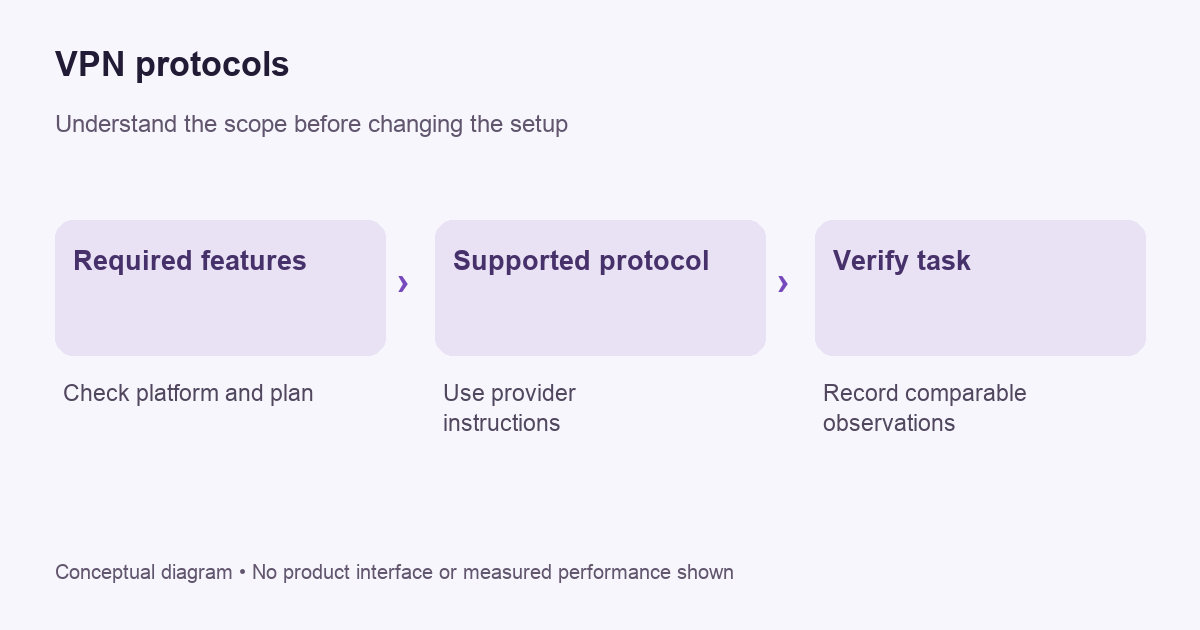
Separate the protocol from the provider
WireGuard’s overview describes encrypted IP-packet transport over UDP and a peer model using public keys. It explicitly leaves some surrounding configuration and key-distribution work to other layers. A commercial provider can build account, address-allocation and application controls around that protocol. The protocol name does not describe the provider’s entire privacy practice.
This distinction is important when comparing two apps that both advertise WireGuard. Their interfaces, routing options, support procedures and server operations can still differ. Do not transfer an audit result for one component into an unsupported claim about a whole service. Read what was assessed, which version was involved and what the assessment actually covered.
Understand the OpenVPN example
OpenVPN’s community documentation describes a configurable VPN system using TLS, with multiple authentication approaches and TCP or UDP transport options. It also distinguishes OpenVPN from a web application proxy. The documentation is technical setup material, not evidence that every commercial OpenVPN configuration has identical settings or security properties.
For a personal subscription, use the provider’s current supported setup rather than assembling settings from unrelated tutorials. A configuration file may contain sensitive credentials or keys. Store it carefully, avoid posting it in public troubleshooting threads, and revoke or replace it through the appropriate process if it is exposed.
VPNBLADE · PLAN SHORTLIST
A current plan to consider
Selected plan offers, not performance rankings. We may earn a commission through affiliate links. Monthly equivalents require the full payment shown.
NordVPN
Apps across major device platformsNordVPN Basic — 27-month introductory offer
USD 94.23 upfront · First 27 months, paid upfront
Get NordVPN deal Offer details & coupon conditions →Renewal & refund conditions
USD 139.08 every year after the initial 27-month term at the current renewal price.
30-day money-back guarantee; provider eligibility, payment-channel and refund terms apply.
Why “fastest” needs a defined test
Performance depends on more than the protocol. The device, access network, chosen gateway, destination and current conditions all affect the experience. A result from one location cannot automatically rank every user’s future connection. VPNBlade has not run comparative protocol benchmarks for this article and does not assign invented throughput figures.
Define the task before measuring. A large file transfer, an interactive call and ordinary page loading can expose different practical problems. If your complaint is delayed voice audio, a peak download figure alone may not answer it. Record the actual symptom and compare the same task under similar conditions.
A practical protocol-change checklist
- Record the current app version, protocol selection and gateway location.
- Confirm that ordinary connectivity works before changing VPN settings.
- Read which alternative protocols the provider supports on this exact platform.
- Change only the protocol, keeping the test task and location as consistent as practical.
- Reconnect using the documented workflow and make fresh requests.
- Check routing and required features, not just whether a page loads.
- Restore the previous selection if the change does not address the problem.
This process is deliberately modest. It produces a useful local observation rather than a universal winner. Note the date and network type so a later change in conditions does not become a confusing contradiction in your records.
Feature compatibility can matter more than a small speed difference
A protocol choice can interact with provider-specific features. Before changing it, check whether you need multi-hop, a particular routing control or a dedicated address. The relevant support matrix is the one for your installed application and plan. A general protocol explainer cannot promise that a feature exists in every implementation.
Read our kill-switch guide and split-tunneling walkthrough when those controls matter. Keep a simple list of required behaviors. Reject a configuration that fails a necessary requirement even if an informal speed test looks attractive.
Manual configuration is a separate responsibility
Installing a provider app and importing a manual tunnel profile are different workflows. The manual route may not reproduce every app-level function. Check documented DNS handling, connection recovery and failure behavior rather than assuming an imported file brings the full desktop interface with it.
For router setups, confirm the hardware’s supported client protocols and recovery method before changing it. A router can affect multiple people and devices at once. Our router VPN guide explains the compatibility and routing checks. Do not replace firmware solely because an unfamiliar tutorial says the protocol requires it.
Use current names without relying on old slogans
Protocol support evolves, and a provider may use a branded name for a system built around another technology. Read the provider’s explanation of what that name means. Do not assume a proprietary-sounding name is inherently better, or that an older name is inherently suitable for every current deployment.
Likewise, avoid choosing by a single encryption number in an advertisement. A complete security assessment considers implementation, configuration, authentication, update handling and operational practices. A user-facing article can explain the questions, but it cannot replace an actual assessment with an impressive-looking number.
When to ask for support
If one supported protocol repeatedly fails on one network, give the provider a redacted comparison: app version, operating system, approximate time, network type and the alternatives tried. Describe whether the failure occurs while connecting, after sleep, or only in one application. Those observations narrow the investigation more effectively than saying the protocol is “bad.”
Use our troubleshooting guide to keep the report orderly. Do not bypass workplace network policy or disable endpoint protections to force a tunnel. For managed devices, follow the administrator’s approved configuration and escalation process.
Compare the whole subscription
Once the supported configuration fits your task, compare device coverage, provider accountability, full initial cost and renewal terms. Our buying checklist keeps those questions together. A lower monthly equivalent does not compensate for missing compatibility or an unclear cancellation process.
The Proton VPN store and NordVPN store provide dated billing records. Confirm current protocol and feature support directly before purchasing. These live cards are contextual pricing information, not a benchmark or a protocol-security ranking.
Live plan records · Monthly equivalents require the full initial payment. Prices in different currencies are not directly comparable. Confirm tax, eligibility and renewal terms at checkout.
Proton VPN Plus — 24-month introductory offer
USD 3.49/month equivalent
USD 83.76 upfront
First 24 months, paid upfront
Next bill: USD 83.88 every 12 months after the initial 24-month term; renewal prices are subject to the provider’s terms.
Recorded code: VPNINTRO449349
Source checked 2026-10-25 · Research record; no performance endorsement.
See offer & full terms ↗NordVPN Basic — 27-month introductory offer
USD 3.49/month equivalent
USD 94.23 upfront
First 27 months, paid upfront
Next bill: USD 139.08 every year after the initial 27-month term at the current renewal price.
Source checked 2026-10-25 · Research record; no performance endorsement.
See offer & full terms ↗Should you change a working default?
Have a reason before changing it. If your required applications work and the documented controls meet your needs, a new protocol name alone is not evidence that the setup needs modification. Keep the supported default as a baseline, record any change, and compare the actual task. This makes future support conversations clearer and avoids accumulating unexplained settings that nobody remembers choosing.
Sources and editorial method
Written by VPNBlade Editorial from the primary documentation below, checked 26 October 2026. Practical checklists are editorial guidance, not a claim of hands-on product testing. Menus and product behaviour can change; follow the documentation for your current app and device.
- www.wireguard.com — www.wireguard.com — Protocol packet encapsulation and separation of surrounding configuration responsibilities.
- openvpn.net — how to — Documented scope, supported configuration and limitations discussed in the linked article section.
Read our editorial standards · Explore the VPNBlade Blog
Sources & verification
- www.wireguard.com — www.wireguard.com ↗Primary platform, project or provider documentation · Checked 2026-10-26
Protocol packet encapsulation and separation of surrounding configuration responsibilities.
- openvpn.net — how to ↗Primary platform, project or provider documentation · Checked 2026-10-26
Documented scope, supported configuration and limitations discussed in the linked article section.
YOUR EXPERIENCE MATTERS
Was this article useful?
Genuine reader helpfulness ratings. These do not measure VPN performance or verify a purchase. Only moderated submissions count. Ratings may reflect earlier versions of this information.
VPNBLADE · PLAN SHORTLIST
Ready to choose a plan?
Selected plan offers, not performance rankings. We may earn a commission through affiliate links. Monthly equivalents require the full payment shown.
NordVPN
Apps across major device platformsNordVPN Basic — 27-month introductory offer
USD 94.23 upfront · First 27 months, paid upfront
Get NordVPN deal Offer details & coupon conditions →Renewal & refund conditions
USD 139.08 every year after the initial 27-month term at the current renewal price.
30-day money-back guarantee; provider eligibility, payment-channel and refund terms apply.
Proton VPN
Compare free access and paid upgradesProton VPN Plus — 24-month introductory offer
USD 83.76 upfront · First 24 months, paid upfront
Get Proton VPN deal Offer details & coupon conditions →Renewal & refund conditions
USD 83.88 every 12 months after the initial 24-month term; renewal prices are subject to the provider’s terms.
30-day money-back guarantee; purchase-channel and provider eligibility conditions apply.