
Post
Does Windows have a built-in VPN? Client versus service
Windows has a VPN client, but a profile still needs a real endpoint and account. Compare built-in settings with supported provider apps and routes.
VPNBLADE · PLAN SHORTLIST
Compare current VPN plans
Selected plan offers, not performance rankings. We may earn a commission through affiliate links. Monthly equivalents require the full payment shown.

ExpressVPN
Check your exact device setupExpressVPN Basic — 28-month introductory offer
USD 83.72 upfront · First 28 months, paid upfront
Get ExpressVPN deal Offer details & coupon conditions →Renewal & refund conditions
USD 99.95 annually after the initial 28-month term.
30-day money-back guarantee for new users; provider terms and purchase-channel conditions apply.

NordVPN
Apps across major device platformsNordVPN Basic — 27-month introductory offer
USD 94.23 upfront · First 27 months, paid upfront
Get NordVPN deal Offer details & coupon conditions →Renewal & refund conditions
USD 139.08 every year after the initial 27-month term at the current renewal price.
30-day money-back guarantee; provider eligibility, payment-channel and refund terms apply.

Surfshark
Households with multiple devicesSurfshark One — 27-month introductory offer
USD 67.23 upfront · First 27 months, paid upfront
Get Surfshark deal Offer details & coupon conditions →Renewal & refund conditions
Automatic renewal after the introductory term at the then-applicable rate. Confirm the chosen bundle’s next invoice and billing interval before purchase; no numeric renewal amount was verified.
30-day money-back guarantee; purchase-channel and provider eligibility conditions apply.

PureVPN
Published subscription offerPureVPN Standard — 27-month prepaid offer
USD 58.20 upfront · First 27 months, paid upfront
Get PureVPN deal Offer details & coupon conditions →Renewal & refund conditions
Checkout displays USD 2.15/month after 27 months. This is the provider’s renewal-rate label, not a verified future invoice. The next charge amount and billing interval were not separately established; confirm both before paying.
31-day money-back guarantee advertised; provider eligibility and refund terms apply.

VeePN
Published subscription offerVeePN Basic — 28-month introductory offer
USD 55.72 upfront · First 28 months, paid upfront
Get VeePN deal Offer details & coupon conditions →Renewal & refund conditions
Card/PayPal checkout quotes automatic renewal at USD 59.76 every 12 months after the initial 28-month period. Future renewal prices can change.
Thirty-day refund window for the original purchase, subject to terms. Rebilling and previously refunded accounts are excluded; plan extensions or added licenses can waive eligibility.
In this article

Windows includes a VPN client and profile settings, but it does not supply a universal free VPN service merely because Windows built-in appears in a menu. You still need a supported remote endpoint and the configuration information for the company, network or personal service you intend to use.
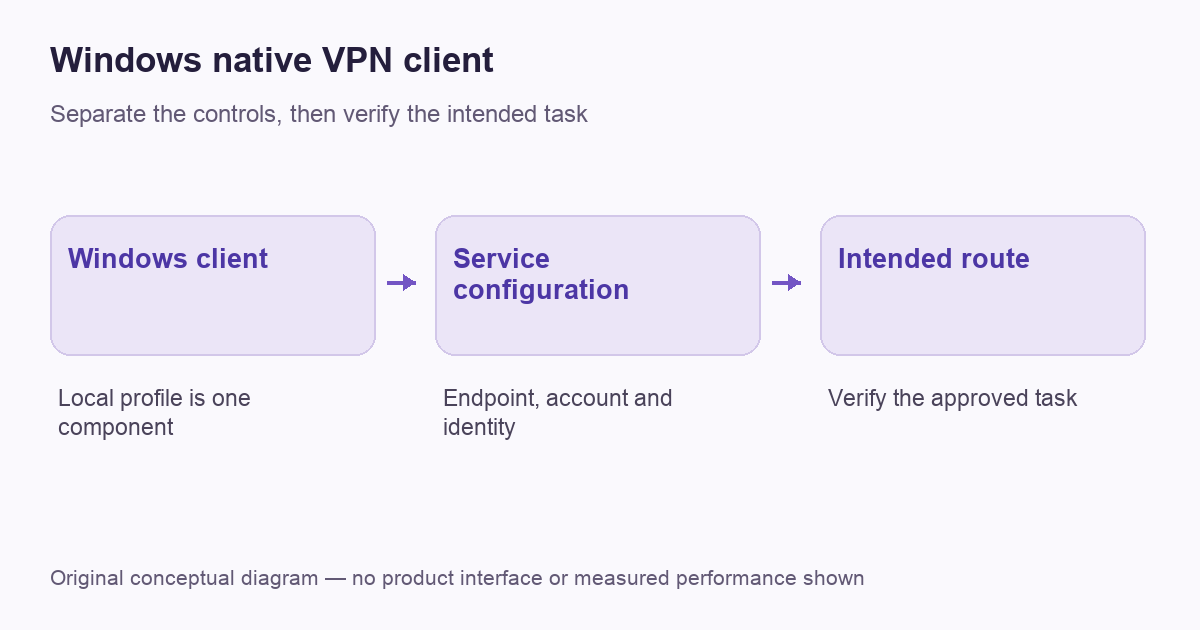
This distinction prevents a common purchasing and setup mistake. A local client is one component of a connection. The gateway, identity checks and permitted routes belong to the service you configure. VPNBlade has not tested every provider’s manual Windows profile; use the current documentation for the specific app and service.
What the built-in option actually supplies
Microsoft’s connection instructions explain creating a profile and choosing Windows built-in as the provider in the local settings interface. The same instructions require information such as the server address, connection type and sign-in method.
Those fields describe how to reach an existing service. Typing a friendly connection name does not create a server, account or subscription. For work, obtain the approved information from the organization. For a consumer service, check whether it supports a manual Windows configuration or instead requires its current native application.
Start with the reason for the connection
A corporate profile and a personal internet-exit service can have different goals. The work connection may permit selected internal resources, while a consumer app supplies an exit to the public internet. A changed public address is not the only useful verification for a private-network task.
Write down the destination you are authorized to reach and which traffic should use the tunnel. Our remote-access workflow explains the organizational case. The architecture guide describes the broader trust boundary without assuming that all VPN products perform the same job.
VPNBLADE · PLAN SHORTLIST
A current plan to consider
Selected plan offers, not performance rankings. We may earn a commission through affiliate links. Monthly equivalents require the full payment shown.
ExpressVPN
Check your exact device setupExpressVPN Basic — 28-month introductory offer
USD 83.72 upfront · First 28 months, paid upfront
Get ExpressVPN deal Offer details & coupon conditions →Renewal & refund conditions
USD 99.95 annually after the initial 28-month term.
30-day money-back guarantee for new users; provider terms and purchase-channel conditions apply.
NordVPN
Apps across major device platformsNordVPN Basic — 27-month introductory offer
USD 94.23 upfront · First 27 months, paid upfront
Get NordVPN deal Offer details & coupon conditions →Renewal & refund conditions
USD 139.08 every year after the initial 27-month term at the current renewal price.
30-day money-back guarantee; provider eligibility, payment-channel and refund terms apply.
Surfshark
Households with multiple devicesSurfshark One — 27-month introductory offer
USD 67.23 upfront · First 27 months, paid upfront
Get Surfshark deal Offer details & coupon conditions →Renewal & refund conditions
Automatic renewal after the introductory term at the then-applicable rate. Confirm the chosen bundle’s next invoice and billing interval before purchase; no numeric renewal amount was verified.
30-day money-back guarantee; purchase-channel and provider eligibility conditions apply.
PureVPN
Published subscription offerPureVPN Standard — 27-month prepaid offer
USD 58.20 upfront · First 27 months, paid upfront
Get PureVPN deal Offer details & coupon conditions →Renewal & refund conditions
Checkout displays USD 2.15/month after 27 months. This is the provider’s renewal-rate label, not a verified future invoice. The next charge amount and billing interval were not separately established; confirm both before paying.
31-day money-back guarantee advertised; provider eligibility and refund terms apply.
VeePN
Published subscription offerVeePN Basic — 28-month introductory offer
USD 55.72 upfront · First 28 months, paid upfront
Get VeePN deal Offer details & coupon conditions →Renewal & refund conditions
Card/PayPal checkout quotes automatic renewal at USD 59.76 every 12 months after the initial 28-month period. Future renewal prices can change.
Thirty-day refund window for the original purchase, subject to terms. Rebilling and previously refunded accounts are excluded; plan extensions or added licenses can waive eligibility.
Choose between the native app and a manual profile
Microsoft’s connection-type documentation distinguishes the built-in client from provider plug-in arrangements. Check the supported client and profile, not just the presence of a Windows menu.
A provider’s app can supply its own account handling, location selection and documented protection controls. A manual profile may be appropriate for an approved configuration, but its available features can differ. Do not assume that importing connection settings reproduces every option shown in the provider’s app screenshots.
Check the exact supported protocol and authentication route before choosing a method. Our IKEv2 explanation separates a protocol setting from the operating service. The Windows buying guide compares provider fit; it is a separate decision from entering an approved manual profile.
Obtain the real configuration information
Use the service owner’s official setup page or internal support channel. Preserve the exact endpoint and identity requirements rather than copying an address from an unrelated tutorial. If a certificate or managed account is required, follow the supported enrollment process.
Keep credentials out of screenshots and public support posts. A profile that looks similar on another machine may belong to a different organization or account. The purpose of the configuration is to authenticate the right parties, not merely to make a status label appear.
Create and connect the approved profile
Follow Microsoft’s current settings route and the service’s supplied values. Name the profile so that you can recognize its purpose later. Save it, connect through the supported interface and respond only to the authentication request expected for that service.
Menu details can differ across Windows releases and managed environments. A missing or locked setting is a reason to consult the device owner, not to remove organizational controls. If a provider documents its native app as the supported route, do not force a manual setup solely because Windows exposes a built-in option.
Verify the intended resource and route
After connecting, test a small ordinary task that matches the purpose of the profile. For a personal internet-exit connection, an appropriate public-address observation can help. For a corporate route, use the approved internal resource. A public browser can remain on its ordinary exit in a correctly configured split-route deployment.
Our verification guide explains the difference between connection state, public exit and DNS observations. Record which application performed the check. A successful browser result does not establish that a separate application or work resource uses the same path.
Keep blocking, exclusions and reconnection separate
A connection profile and a provider application’s additional controls are not automatically equivalent. If your requirement includes blocking traffic during an outage or excluding a specific application, check whether the chosen method supports that exact behavior on your version of Windows.
Read the kill-switch guide and split-tunneling explanation before transferring assumptions between configurations. A connection that successfully authenticates still needs the right routing and recovery behavior for the task you intended.
Diagnose an error before replacing settings
A failure can occur while reaching the gateway, authenticating, resolving a resource name or opening the resource itself. Save the exact error and the point at which it appears. Replacing the profile, DNS servers and security settings at the same time makes it harder to know what changed.
Use the service’s current support procedure and our diagnostic checklist to organize the report. Do not disable certificate verification to hide an identity error. The owner should confirm the expected certificate, account and endpoint information.
Remember the separate subscription decision
A Windows client is not a payment plan. A free operating-system feature can connect to a paid service, an organization-provided gateway or another supported endpoint. Conversely, purchasing a consumer service does not guarantee that it offers the exact manual configuration you want.
Compare the full bill and current app support before a long prepaid term. If the provider’s native app is a better supported fit, evaluate that arrangement rather than valuing a manual profile merely because it is built in. A simpler maintained configuration can be more practical than a collection of settings copied from an old tutorial.
A worked example: a profile name is not a gateway
A person can create a recognizably named Windows profile without having a usable service behind it. If the endpoint, authentication method or account is missing, the local entry is only an incomplete configuration. The next step is to obtain the approved information from the actual service owner, not to search for a random public address.
For another user, a company profile may arrive already managed and need only the supported sign-in process. Buying a personal subscription would not replace the organization’s identity or resource permissions. These hypothetical cases explain why the word provider in a local setup screen can be confusing. Keep the local client, the remote operator and the permitted task in separate lines of the setup record. That makes both purchasing and troubleshooting clearer, without claiming that every native profile reproduces a vendor application’s features.
A concise setup record
| Record | Purpose |
|---|---|
| Who operates the endpoint? | Identifies the service and support owner |
| Which account and method are approved? | Separates profile creation from authentication |
| Which app or resource should use the route? | Defines a meaningful verification task |
| How is it maintained and removed? | Prepares for updates, role changes and recovery |
The paid offers below are optional personal VPN services, not an activation fee for Windows settings. Confirm that the selected provider supports the installation method and controls you need before buying.
VPNBLADE · PLAN SHORTLIST
Featured VPN deals
Selected plan offers, not performance rankings. We may earn a commission through affiliate links. Monthly equivalents require the full payment shown.
ExpressVPN
Check your exact device setupExpressVPN Basic — 28-month introductory offer
USD 83.72 upfront · First 28 months, paid upfront
Get ExpressVPN deal Offer details & coupon conditions →Renewal & refund conditions
USD 99.95 annually after the initial 28-month term.
30-day money-back guarantee for new users; provider terms and purchase-channel conditions apply.
NordVPN
Apps across major device platformsNordVPN Basic — 27-month introductory offer
USD 94.23 upfront · First 27 months, paid upfront
Get NordVPN deal Offer details & coupon conditions →Renewal & refund conditions
USD 139.08 every year after the initial 27-month term at the current renewal price.
30-day money-back guarantee; provider eligibility, payment-channel and refund terms apply.
Surfshark
Households with multiple devicesSurfshark One — 27-month introductory offer
USD 67.23 upfront · First 27 months, paid upfront
Get Surfshark deal Offer details & coupon conditions →Renewal & refund conditions
Automatic renewal after the introductory term at the then-applicable rate. Confirm the chosen bundle’s next invoice and billing interval before purchase; no numeric renewal amount was verified.
30-day money-back guarantee; purchase-channel and provider eligibility conditions apply.
PureVPN
Published subscription offerPureVPN Standard — 27-month prepaid offer
USD 58.20 upfront · First 27 months, paid upfront
Get PureVPN deal Offer details & coupon conditions →Renewal & refund conditions
Checkout displays USD 2.15/month after 27 months. This is the provider’s renewal-rate label, not a verified future invoice. The next charge amount and billing interval were not separately established; confirm both before paying.
31-day money-back guarantee advertised; provider eligibility and refund terms apply.
VeePN
Published subscription offerVeePN Basic — 28-month introductory offer
USD 55.72 upfront · First 28 months, paid upfront
Get VeePN deal Offer details & coupon conditions →Renewal & refund conditions
Card/PayPal checkout quotes automatic renewal at USD 59.76 every 12 months after the initial 28-month period. Future renewal prices can change.
Thirty-day refund window for the original purchase, subject to terms. Rebilling and previously refunded accounts are excluded; plan extensions or added licenses can waive eligibility.
Cover: AI-generated editorial illustration, not a product screenshot or evidence of testing. The inline diagram is original conceptual guidance.
Windows 10 and 11 setup: check the version and installer first
An archived Windows 10 tutorial may still describe recognizable connection settings, but it is not a current software-support guarantee. Microsoft ended ordinary Windows 10 support on 14 October 2025. A working VPN does not replace operating-system security updates. Check your device’s actual support or extended-update arrangement separately from the VPN provider’s compatibility list.
Match the client to the computer
ExpressVPN provides a separate Windows 11 ARM64 setup guide. Its instructions distinguish that download from the app route for Intel-based devices running Windows 10 or later. Do not assume that every Windows installer is interchangeable merely because the laptop runs Windows 11. Use the provider’s current download selector for your machine and keep the app version in your setup record.
The ARM64 guide describes obtaining the installer and activation code from the account setup page. Treat the code as account access information, not a coupon to paste into a public forum. A login or activation failure belongs to a different stage from an app that connects but cannot reach a particular resource.
Use supplied details for the built-in route
Microsoft’s Windows 10 connection instructions use Settings, Network & Internet, VPN, then Add a VPN connection. Choosing Windows (built-in) still requires the service’s server, connection type and sign-in information. Do not enter the provider’s public homepage as a guessed gateway or assume that its app activation code is the credential for a manual profile.
For a managed work computer, obtain the approved client or settings from IT. A personal subscription is not a replacement for the organization’s authentication and resource permissions. Keep the working profile while investigating an error unless the administrator’s procedure specifically requires changing it.
Windows installation and connection checkpoints
| Stage | Record | Useful next step if it fails |
|---|---|---|
| Compatibility | Windows version, hardware type and supported client | Confirm the current vendor support route |
| Installation | Genuine installer source and exact error | Use the matching installation procedure rather than a random older package |
| Authentication | Which approved sign-in method was attempted | Ask the service owner to check the account without sharing secrets publicly |
| Connected task | The intended application or resource and its result | Investigate routing or resource access separately from installation |
This is a troubleshooting record, not a product-speed ranking. If installation succeeds but one application fails, preserve that distinction when contacting support. Our VPN troubleshooting guide helps organize the report. Claims in old articles that a VPN always increases speed, prevents every attack or supplies unrestricted access are not a substitute for checking the task on your own supported configuration.
YOUR EXPERIENCE MATTERS
Was this article useful?
Genuine reader helpfulness ratings. These do not measure VPN performance or verify a purchase. Only moderated submissions count. Ratings may reflect earlier versions of this information.
VPNBLADE · PLAN SHORTLIST
Ready to choose a plan?
Selected plan offers, not performance rankings. We may earn a commission through affiliate links. Monthly equivalents require the full payment shown.
ExpressVPN
Check your exact device setupExpressVPN Basic — 28-month introductory offer
USD 83.72 upfront · First 28 months, paid upfront
Get ExpressVPN deal Offer details & coupon conditions →Renewal & refund conditions
USD 99.95 annually after the initial 28-month term.
30-day money-back guarantee for new users; provider terms and purchase-channel conditions apply.
NordVPN
Apps across major device platformsNordVPN Basic — 27-month introductory offer
USD 94.23 upfront · First 27 months, paid upfront
Get NordVPN deal Offer details & coupon conditions →Renewal & refund conditions
USD 139.08 every year after the initial 27-month term at the current renewal price.
30-day money-back guarantee; provider eligibility, payment-channel and refund terms apply.
Surfshark
Households with multiple devicesSurfshark One — 27-month introductory offer
USD 67.23 upfront · First 27 months, paid upfront
Get Surfshark deal Offer details & coupon conditions →Renewal & refund conditions
Automatic renewal after the introductory term at the then-applicable rate. Confirm the chosen bundle’s next invoice and billing interval before purchase; no numeric renewal amount was verified.
30-day money-back guarantee; purchase-channel and provider eligibility conditions apply.
PureVPN
Published subscription offerPureVPN Standard — 27-month prepaid offer
USD 58.20 upfront · First 27 months, paid upfront
Get PureVPN deal Offer details & coupon conditions →Renewal & refund conditions
Checkout displays USD 2.15/month after 27 months. This is the provider’s renewal-rate label, not a verified future invoice. The next charge amount and billing interval were not separately established; confirm both before paying.
31-day money-back guarantee advertised; provider eligibility and refund terms apply.
VeePN
Published subscription offerVeePN Basic — 28-month introductory offer
USD 55.72 upfront · First 28 months, paid upfront
Get VeePN deal Offer details & coupon conditions →Renewal & refund conditions
Card/PayPal checkout quotes automatic renewal at USD 59.76 every 12 months after the initial 28-month period. Future renewal prices can change.
Thirty-day refund window for the original purchase, subject to terms. Rebilling and previously refunded accounts are excluded; plan extensions or added licenses can waive eligibility.