
Post
Windscribe VPN review: free access, controls and purchase limits
Windscribe VPN review: free access, controls and purchase limits. Current documented features, separate pros and limitations, purchase conditions and task-specific checks; no invented performance tests.
In this article

Windscribe is a reasonable candidate for someone who wants to evaluate a data-limited free service before paying and values configurable routing and domain controls. The free entry point does not remove the need to check platform support, data limits and purchase conditions. Its unusual combination of DNS filtering, app rules and desktop Firewall controls is more useful when those features address a specific task.
This review is based on primary documentation checked on 30 October 2026. VPNBlade has not measured Windscribe’s speed, tested streaming services or independently verified its logging behavior. We do not award an invented score. The assessment below explains documented strengths, limitations and a practical way to decide whether the service fits.
Free access is an evaluation route, not unlimited everything
Windscribe advertises a free service with a data cap and a narrower location selection than Pro. Its free-service page says an account can be created with or without email, and that no credit card is required for the free route. We have not created an account here or established your account’s precise allowance. Check the allowance shown in the account rather than assuming a promotional number applies to everyone.
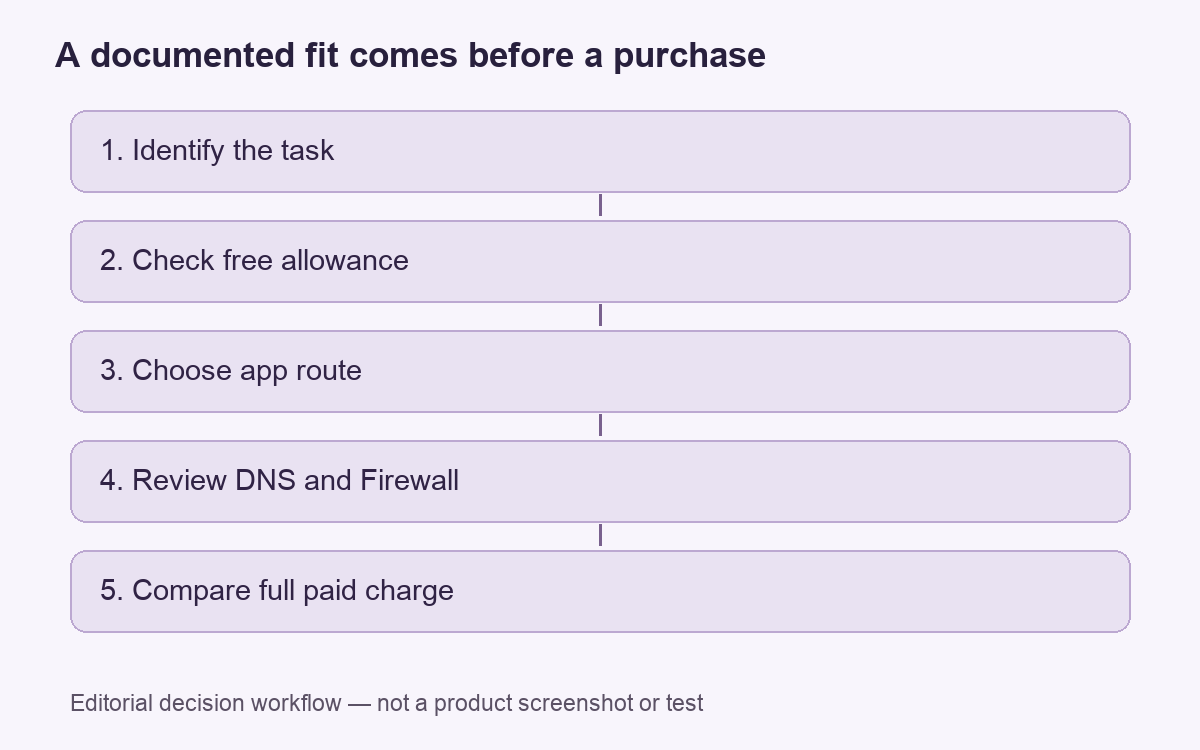
A free route can help answer a more valuable question than “does the app open?” Identify the app and network you intend to use, then check whether the required task is supported. Keep the trial of a free service within its limitations. A capped allowance can be useful for a short evaluation without representing the usage capacity of a paid plan.
For someone who only needs occasional personal use, the decision may be whether the existing allowance is sufficient. For someone considering continuous use, the decision also includes the paid charge and configuration. Those are different purchasing situations, even when both people use the same application.
Pro pricing and Build A Plan are different offers
The checked public upgrade page lists Pro at USD 9 monthly or USD 69 per twelve months, with automatic renewal stated. It also presents Build A Plan as a configurable location-based purchase. A displayed per-location amount is not the price of a complete selection. The page prohibits account sharing, so “unlimited connections” should not be interpreted as permission to resell or share an account without restriction.
Compare the full charge, term and selected features. If a smaller configuration appears attractive, check the actual completed selection before treating it as equivalent to Pro. A plan name can conceal an important difference in data or location access. We have not completed a purchase or validated a new coupon during this review.
The Windscribe offer records provide the commercial context. Check the offer’s verification date, initial charge and renewal terms before choosing a subscription.
R.O.B.E.R.T. adds a separate control layer
Windscribe describes R.O.B.E.R.T. as a DNS-powered domain and IP blocking tool with blocklists and custom rules. This is different from the encrypted route itself. A rule about whether a domain can load does not establish that every threat in an allowed page has been removed. We have not reproduced its filtering or tested a malicious site.
The practical attraction is control: someone can assess whether the available categories and custom rules match the material they want to restrict. The corresponding limitation is that rules need to be understood. If a resource fails to load, distinguish a filtering decision from a routing failure before changing several settings at once. A precise symptom helps preserve the control you intended to use.
Split tunneling has a DNS detail worth noticing
Windscribe’s split-tunneling page lists Windows, Mac, Linux and Android support. Its exclusive mode sends selected apps, hostnames or IP addresses outside the tunnel; inclusive mode sends only selected traffic through it. The provider also says R.O.B.E.R.T., or configured custom DNS, is used system-wide while connected, including DNS requests from excluded apps. Do not assume a bypass rule changes every part of the connection in the same way.
That distinction matters when the task depends on a particular name-resolution path. A direct app route and a DNS decision are related but separate observations. Our split-tunneling guide explains the exposure trade-off, while the DNS-checking guide explains why a single IP result is not a complete account of the route.
The desktop Firewall requires mode awareness
The provider documents its Firewall setting for Windows, Mac and Linux, including automatic, manual and always-on behavior. Its always-on mode can leave the internet unavailable until a VPN connection is established or the mode is changed. We treat the provider’s leak-prevention statements as product claims, not a result of our own disconnection test.
A person who needs connectivity immediately after a restart should understand the intended mode before enabling it. An unavailable connection may be the expected result of the configured policy rather than evidence that the service has failed. Conversely, a connected icon alone is not evidence that every intended restriction has been tested. The kill-switch explainer provides context without treating every implementation as identical.
| Need | Potential fit | Limit to review |
|---|---|---|
| Evaluate before paying | A free, capped service | Your actual allowance and required locations |
| Control domains | R.O.B.E.R.T. rules | Filtering is not a universal malware guarantee |
| Choose app routes | Inclusive and exclusive modes | Platform and DNS behavior |
| Control disconnections | Desktop Firewall modes | Expected behavior after closing or restarting |
Read the refund conditions before subscribing
The current terms limit refunds to the initial payment, require usage below 10 GB and a detailed technical issue that support cannot resolve within a reasonable time. Renewals are excluded. The main text says seven business days, while other wording uses a seven-day window. Do not rely on that inconsistency to assume a later deadline; confirm the applicable process before buying.
Read the privacy policy as a set of specific statements
Windscribe’s privacy policy says it keeps total transferred bytes over a thirty-day period and the timestamp of the account’s last network activity. It says it does not store a historical session record, source IP or visited sites. These are the provider’s stated practices. An account-usage counter and a browsing-history record are different categories, so a review should describe the distinction rather than turn a marketing phrase into a claim that no data is processed.
Reasons to choose it, and reasons to compare alternatives
Pros: a free evaluation route, configurable domain controls and documented app-routing choices can support a deliberate setup. Limitations: the free allowance may be insufficient, DNS behavior needs attention and the refund conditions are narrower than a casual “money back” description suggests. This review does not establish access to a particular streaming service or a performance advantage.
If those controls match your needs, evaluate the relevant app before choosing a paid term. If you want a direct alternative, our Windscribe versus Surfshark comparison keeps that provider-pair decision separate from this single-service assessment.
Cover: AI-generated editorial illustration, not a customer, product screenshot or evidence of testing.
YOUR EXPERIENCE MATTERS
Was this article useful?
Genuine reader helpfulness ratings. These do not measure VPN performance or verify a purchase. Only moderated submissions count. Ratings may reflect earlier versions of this information.