
Post
Does a VPN work on mobile data? Coverage, billing and connection checks
Does a VPN work on mobile data? Coverage, billing and connection checks. Source-based analysis of current documented access, limitations, app controls and payment conditions, without invented tests or ratings.
In this article

A VPN can operate over a mobile-data connection when the phone, service and network support it. Wi-Fi is not a prerequisite for the tunnel, but the VPN does not create the underlying cellular connection or replace your carrier’s plan. If mobile data is unavailable, out of allowance or unable to reach the service, switching on a VPN cannot supply the missing connection.
This guide examines cellular use on the phone itself, including usage records, plan questions and connection failures. It was researched on 31 October 2026 using Apple and Google documentation. We have not measured VPN overhead, tested a carrier or verified a roaming bill. Tethering another device is a separate scope question covered in our mobile-hotspot VPN guide.
Two services are involved
The mobile connection provides internet access; the VPN establishes an additional route using that access. Keep their accounts and status separate. A valid VPN subscription does not prove your SIM has an active data allowance. Conversely, a phone showing a cellular signal does not prove it can authenticate to the selected VPN service.
| Check | Where the answer belongs | What it establishes |
|---|---|---|
| Active data plan and allowance | Carrier account and plan terms | Underlying access and billing conditions |
| Selected data SIM | Phone cellular settings | Which line carries the traffic |
| VPN entitlement and compatibility | Provider account and app documentation | Whether this device can use the service |
| Connection state | VPN app and operating system | Whether a tunnel is established |
| Intended app coverage | Routing and profile settings | Whether the actual task uses that route |
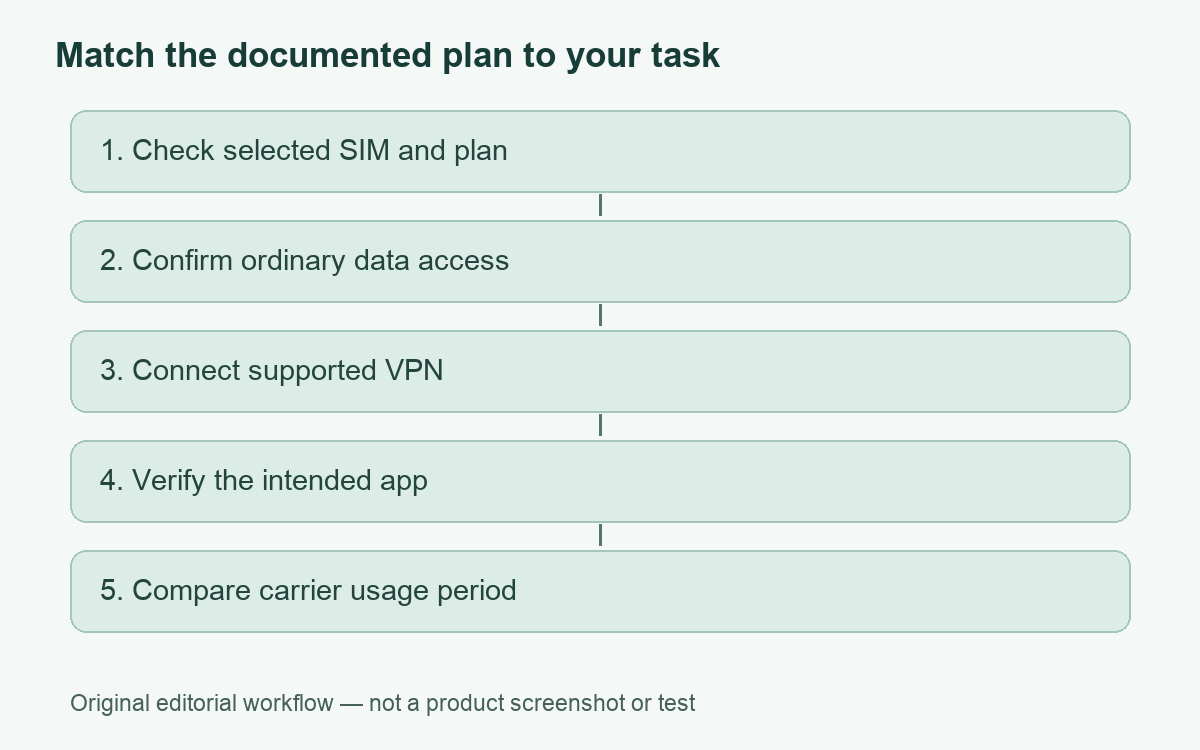
When these questions are mixed together, troubleshooting becomes guesswork. Write down which one failed before changing settings. A single error screenshot is often more useful when accompanied by the selected SIM, network type, app version and approximate time.
Look at the phone’s usage report and the carrier’s record
Apple documents cellular-data controls and per-app usage in iPhone and iPad settings, including the selected data line for Dual SIM. It recommends contacting the carrier for the most accurate usage for a billing period. Cellular access and roaming conditions can depend on the device and carrier; do not infer your tariff from a VPN’s selected country.
Google’s Pixel help places usage details under Network & internet and SIMs, with app-level information and a selectable period. It describes data warnings and limits, and notes that phone and carrier measurements may differ. These are Pixel examples, not promises that every Android manufacturer uses identical menus.
Match the time period before comparing totals. A phone’s current period may not match a carrier’s billing cycle or a screenshot taken before a reset. Record the start and end time, selected line and whether the phone used Wi-Fi during that period. Avoid adding every displayed number together without knowing whether the reports describe overlapping traffic.
Do not assume the tunnel is free data
Google’s Pixel VPN help warns that VPN use may increase mobile-data costs and that some carrier exemptions for particular applications may no longer apply when the VPN is used. This is a documented plan interaction to check, not a universal calculation for every carrier. We do not promise a fixed overhead percentage or that a particular “unlimited” plan has no relevant conditions.
Ask the carrier whether the allowance, application exemptions, hotspot conditions and roaming charges change for your intended use. Then review the actual plan wording. A VPN’s marketing allowance and the carrier’s data allowance are different limits: removing one does not remove the other.
For example, a hypothetical user with an app-specific data exemption should not assume that the same usage remains exempt through a tunnel. That is a question for the plan’s terms, not evidence that the VPN is defective. No carrier bill was generated or inspected for this article.
Connection settings can differ by application and profile
Android’s general VPN help distinguishes an administrator-supplied saved profile from a provider app and separates connecting, disconnecting, forgetting and editing. It also documents work-profile scope. Availability of controls can depend on how the VPN was set up. Do not assume an always-on setting or another menu is identical across every app and Android release.
Use the approved profile for workplace access. A personal VPN should not replace it merely because it also displays a connection icon. On a managed phone, ask the administrator which applications and routes the configuration is intended to cover. Our routing guide provides background on why a connected device can still have multiple traffic paths.
If Wi-Fi works but cellular does not
Start with the underlying cellular service and account. Check the selected data line and carrier status, then record the VPN’s exact failure stage. Does sign-in fail, does tunnel establishment fail, or does only one application stop working? These observations narrow the investigation without assuming the carrier deliberately blocks VPNs.
Compare a small ordinary task in a permitted, supported configuration. If the device is managed, do not disable required controls for the comparison. Avoid repeatedly resetting network settings or deleting profiles; those actions can remove information needed for an approved connection. Ask the provider or administrator for the next narrow diagnostic step.
A useful report includes whether the issue follows a particular network, whether it began after an app or system update, and whether all destinations fail. If only one website rejects an otherwise functioning connection, that website’s rules may be relevant. Our VPN troubleshooting guide separates common failure categories.
Keep travel and tethering questions separate
Changing the VPN exit location does not change which cellular network supplies access or rewrite roaming terms. Check the travel plan and device settings with the carrier before relying on the connection abroad. Keep the provider’s own country availability and account conditions on a second checklist.
Likewise, a laptop using the phone as a hotspot is another device. The phone’s VPN indicator alone does not establish the laptop’s route. Verify that arrangement separately rather than assuming one connection setting covers every connected client. Battery consumption is a further question; our battery-use guide explains how to make a meaningful comparison without inventing a universal percentage.
Choose a plan only after identifying a missing requirement
If your existing supported VPN meets the cellular task, investigate the actual connection issue before buying another subscription. If you need a different supported application or documented control, compare that requirement. The optional inherited Proton plan below is a VPN offer, not a mobile tariff, data exemption or roaming discount.
The useful outcome is a functioning cellular connection, an understood VPN route and a billing record checked against the right plan. Keep those three results distinct and you can troubleshoot and budget much more accurately.
Cover: AI-generated editorial illustration, not a customer, product screenshot or evidence of testing.
YOUR EXPERIENCE MATTERS
Was this article useful?
Genuine reader helpfulness ratings. These do not measure VPN performance or verify a purchase. Only moderated submissions count. Ratings may reflect earlier versions of this information.