
Post
Does a VPN cover devices connected to your mobile hotspot?
Understand why a phone's VPN may not cover hotspot devices. Compare device-level clients, supported router routes, verification and account allowances.
VPNBLADE · PLAN SHORTLIST
Compare current VPN plans
Selected plan offers, not performance rankings. We may earn a commission through affiliate links. Monthly equivalents require the full payment shown.

ExpressVPN
Check your exact device setupExpressVPN Basic — 28-month introductory offer
USD 83.72 upfront · First 28 months, paid upfront
Get ExpressVPN deal Offer details & coupon conditions →Renewal & refund conditions
USD 99.95 annually after the initial 28-month term.
30-day money-back guarantee for new users; provider terms and purchase-channel conditions apply.

NordVPN
Apps across major device platformsNordVPN Basic — 27-month introductory offer
USD 94.23 upfront · First 27 months, paid upfront
Get NordVPN deal Offer details & coupon conditions →Renewal & refund conditions
USD 139.08 every year after the initial 27-month term at the current renewal price.
30-day money-back guarantee; provider eligibility, payment-channel and refund terms apply.

Surfshark
Households with multiple devicesSurfshark One — 27-month introductory offer
USD 67.23 upfront · First 27 months, paid upfront
Get Surfshark deal Offer details & coupon conditions →Renewal & refund conditions
Automatic renewal after the introductory term at the then-applicable rate. Confirm the chosen bundle’s next invoice and billing interval before purchase; no numeric renewal amount was verified.
30-day money-back guarantee; purchase-channel and provider eligibility conditions apply.

PureVPN
Published subscription offerPureVPN Standard — 27-month prepaid offer
USD 58.20 upfront · First 27 months, paid upfront
Get PureVPN deal Offer details & coupon conditions →Renewal & refund conditions
Checkout displays USD 2.15/month after 27 months. This is the provider’s renewal-rate label, not a verified future invoice. The next charge amount and billing interval were not separately established; confirm both before paying.
31-day money-back guarantee advertised; provider eligibility and refund terms apply.

VeePN
Published subscription offerVeePN Basic — 28-month introductory offer
USD 55.72 upfront · First 28 months, paid upfront
Get VeePN deal Offer details & coupon conditions →Renewal & refund conditions
Card/PayPal checkout quotes automatic renewal at USD 59.76 every 12 months after the initial 28-month period. Future renewal prices can change.
Thirty-day refund window for the original purchase, subject to terms. Rebilling and previously refunded accounts are excluded; plan extensions or added licenses can waive eligibility.
In this article

A phone’s active VPN does not automatically mean that a laptop connected to its hotspot uses the same VPN tunnel. Hotspot sharing and the phone’s own application routing are separate functions. Verify the connected device’s route instead of treating the phone’s VPN badge as a household-wide status light.
This distinction matters when travelling, working from a temporary connection or sharing mobile data with a tablet. The network can provide internet access successfully while the attached device follows a different exit path from the phone’s apps. VPNBlade has not tested every manufacturer and operating-system combination; this article gives a bounded way to plan and check your own setup.
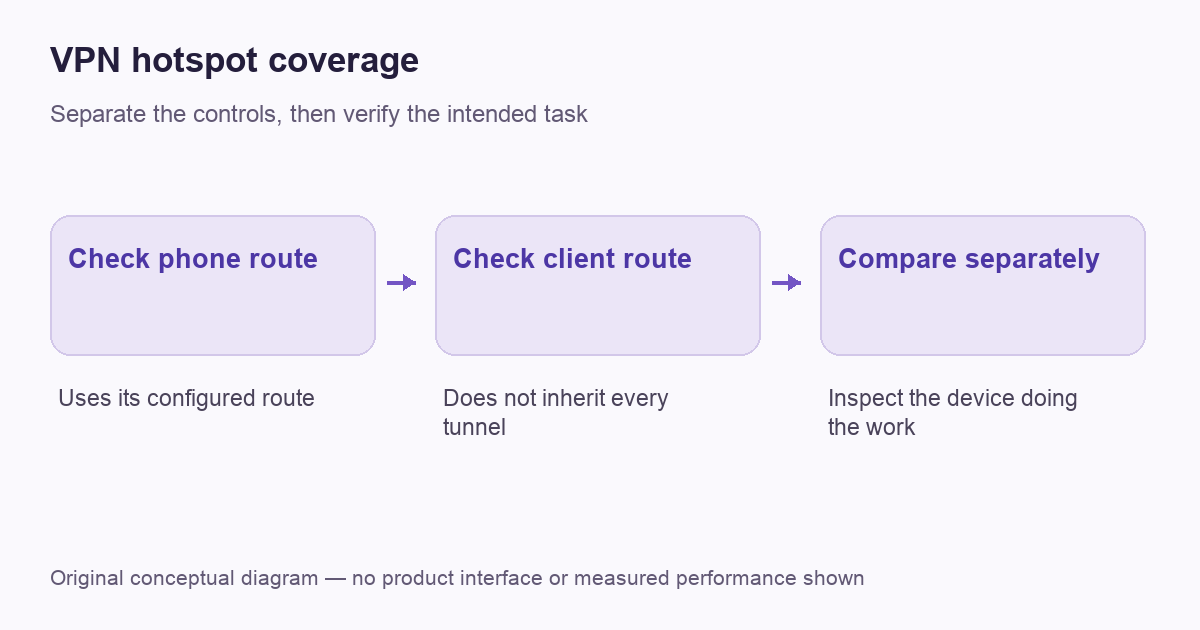
Draw the two traffic paths
First draw the phone’s application path: an app sends traffic through whatever route its own configuration selects. Then draw the attached laptop’s path: the laptop reaches the phone’s hotspot and relies on the shared upstream connection. The fact that both paths use one mobile subscription does not establish that the operating system sends both through one VPN.
Proton’s hotspot support document warns that ordinary Android hotspot sharing does not share its VPN connection in the way many users expect. Its FAQ also distinguishes the iPhone case and recommends running the VPN on the connecting device where possible. Treat that as provider guidance about the supported setup, not a VPNBlade test of every custom firmware build.
The simplest supported arrangement is often device-level coverage
If the attached laptop supports your VPN service, connect it to the hotspot for internet access and run the supported VPN application on the laptop itself. The phone supplies the underlying connection; the laptop establishes its own tunnel. Check the account’s simultaneous-use allowance if both the phone and laptop will remain connected to the VPN.
This arrangement also makes the connection state easier to inspect on the device doing the work. It does not eliminate mobile data charges, create extra streaming entitlements or guarantee that the network permits the desired destination. Our multiple-device buying guide helps compare account allowances separately from the routing decision.
VPNBLADE · PLAN SHORTLIST
A current plan to consider
Selected plan offers, not performance rankings. We may earn a commission through affiliate links. Monthly equivalents require the full payment shown.
ExpressVPN
Check your exact device setupExpressVPN Basic — 28-month introductory offer
USD 83.72 upfront · First 28 months, paid upfront
Get ExpressVPN deal Offer details & coupon conditions →Renewal & refund conditions
USD 99.95 annually after the initial 28-month term.
30-day money-back guarantee for new users; provider terms and purchase-channel conditions apply.
NordVPN
Apps across major device platformsNordVPN Basic — 27-month introductory offer
USD 94.23 upfront · First 27 months, paid upfront
Get NordVPN deal Offer details & coupon conditions →Renewal & refund conditions
USD 139.08 every year after the initial 27-month term at the current renewal price.
30-day money-back guarantee; provider eligibility, payment-channel and refund terms apply.
Surfshark
Households with multiple devicesSurfshark One — 27-month introductory offer
USD 67.23 upfront · First 27 months, paid upfront
Get Surfshark deal Offer details & coupon conditions →Renewal & refund conditions
Automatic renewal after the introductory term at the then-applicable rate. Confirm the chosen bundle’s next invoice and billing interval before purchase; no numeric renewal amount was verified.
30-day money-back guarantee; purchase-channel and provider eligibility conditions apply.
PureVPN
Published subscription offerPureVPN Standard — 27-month prepaid offer
USD 58.20 upfront · First 27 months, paid upfront
Get PureVPN deal Offer details & coupon conditions →Renewal & refund conditions
Checkout displays USD 2.15/month after 27 months. This is the provider’s renewal-rate label, not a verified future invoice. The next charge amount and billing interval were not separately established; confirm both before paying.
31-day money-back guarantee advertised; provider eligibility and refund terms apply.
VeePN
Published subscription offerVeePN Basic — 28-month introductory offer
USD 55.72 upfront · First 28 months, paid upfront
Get VeePN deal Offer details & coupon conditions →Renewal & refund conditions
Card/PayPal checkout quotes automatic renewal at USD 59.76 every 12 months after the initial 28-month period. Future renewal prices can change.
Thirty-day refund window for the original purchase, subject to terms. Rebilling and previously refunded accounts are excluded; plan extensions or added licenses can waive eligibility.
Do not infer laptop coverage from a phone-only test
A public-address check on the phone tells you about the phone application that made the request. Run a separate, comparable check on the attached laptop or tablet. Record whether the VPN application on that device is connected and whether the browser you tested is included in its route.
Two observed addresses can be useful evidence, but neither proves every property of the configuration. A shared public address does not by itself establish that the laptop’s entire connection is inside the intended VPN. Browser-specific proxies, app exclusions and work profiles can change the boundary. Use our verification workflow to keep the test and conclusion matched.
Keep hotspot security and VPN routing separate
Google’s Android hotspot instructions describe sharing mobile data and note that carrier limits or additional charges can apply. Those access and billing conditions remain separate from a VPN provider’s subscription terms.
The hotspot’s network name, password and connected-device list govern access to the shared connection. A VPN tunnel concerns routing and protection for traffic included in that tunnel. Both deserve attention, but one does not replace the other. A stranger joining an inadequately controlled hotspot is not solved merely by leaving a VPN app open on your phone.
Use the phone manufacturer’s current hotspot instructions and a configuration you can manage. Turn sharing off when it is no longer needed and review unexpected connected devices through the supported interface. Keep credentials private rather than posting a screenshot that includes the hotspot password. Those are ordinary access-management steps, independent of which VPN subscription you choose.
A travel router can change the arrangement
A compatible router can be useful when several devices need a shared VPN path, but it creates a different setup that must be checked on its own merits. Confirm the router’s VPN-client support, the provider’s configuration instructions and the available upstream connection. A router’s ability to share Wi-Fi does not automatically prove it can run your selected tunnel.
Record which downstream devices use that route and what happens when the upstream mobile connection changes. The phone, router and laptop each have their own status information. Follow our router guide for that separate task, and do not assume a home-router tunnel follows a phone once it leaves the house.
Understand data and battery trade-offs
A VPN does not make mobile data free. Compare the carrier’s actual allowance and hotspot terms with the amount of work you intend to do. A large software update or long video session can consume meaningful data regardless of whether the traffic enters a VPN. A displayed unlimited VPN connection policy is not the carrier’s billing policy.
The phone is also maintaining the shared access connection, so its power use belongs in the plan. Keep a suitable charging arrangement for the journey and inspect the phone’s own reports rather than assuming the VPN alone explains a drain. Our battery assessment guide explains how to separate workload, connection conditions and application activity.
Use a short acceptance checklist
| Check | Where to inspect it | What it establishes |
|---|---|---|
| Hotspot is available | The phone’s sharing settings | The access connection exists |
| The attached device is connected | Its Wi-Fi or network screen | It joined the intended network |
| Its VPN is active | The attached device’s VPN client | That client reports an active connection |
| The intended app uses the expected route | A bounded check in that app | The tested traffic follows the expected path |
A worked example: internet access without the intended tunnel
Imagine that a tablet joins a phone’s hotspot and loads a page successfully. The phone’s own browser uses a VPN exit, while a comparable check on the tablet shows the ordinary mobile-provider route. The successful hotspot connection and the missing tablet tunnel are not contradictory. They describe the two separate paths that need to be planned.
The supported solution may be to run an appropriate VPN client on the tablet itself, subject to the account allowance, rather than trying to alter the phone’s operating system. If the tablet cannot run that client, investigate a supported router or another compatible device before buying a replacement subscription. This is a hypothetical troubleshooting example, not a measurement of a particular handset. Its useful lesson is to verify the device doing the work instead of borrowing another device’s connection badge as evidence.
Fix the failing layer before changing everything
If the laptop has no internet, first distinguish joining the hotspot from establishing a VPN. If ordinary connectivity works but the tunnel fails, note the app, error and network conditions. If the tunnel works but one site fails, keep that destination problem separate. Changing hotspot credentials, DNS and VPN protocols together makes the cause harder to identify.
A different consumer VPN may be worth comparing when the connecting device needs better-supported apps or more account slots. The paid offers below are options for that device-level use, not promises that a phone hotspot will distribute the VPN automatically. Confirm compatibility, the initial payment and renewal terms before buying.
VPNBLADE · PLAN SHORTLIST
Featured VPN deals
Selected plan offers, not performance rankings. We may earn a commission through affiliate links. Monthly equivalents require the full payment shown.
ExpressVPN
Check your exact device setupExpressVPN Basic — 28-month introductory offer
USD 83.72 upfront · First 28 months, paid upfront
Get ExpressVPN deal Offer details & coupon conditions →Renewal & refund conditions
USD 99.95 annually after the initial 28-month term.
30-day money-back guarantee for new users; provider terms and purchase-channel conditions apply.
NordVPN
Apps across major device platformsNordVPN Basic — 27-month introductory offer
USD 94.23 upfront · First 27 months, paid upfront
Get NordVPN deal Offer details & coupon conditions →Renewal & refund conditions
USD 139.08 every year after the initial 27-month term at the current renewal price.
30-day money-back guarantee; provider eligibility, payment-channel and refund terms apply.
Surfshark
Households with multiple devicesSurfshark One — 27-month introductory offer
USD 67.23 upfront · First 27 months, paid upfront
Get Surfshark deal Offer details & coupon conditions →Renewal & refund conditions
Automatic renewal after the introductory term at the then-applicable rate. Confirm the chosen bundle’s next invoice and billing interval before purchase; no numeric renewal amount was verified.
30-day money-back guarantee; purchase-channel and provider eligibility conditions apply.
PureVPN
Published subscription offerPureVPN Standard — 27-month prepaid offer
USD 58.20 upfront · First 27 months, paid upfront
Get PureVPN deal Offer details & coupon conditions →Renewal & refund conditions
Checkout displays USD 2.15/month after 27 months. This is the provider’s renewal-rate label, not a verified future invoice. The next charge amount and billing interval were not separately established; confirm both before paying.
31-day money-back guarantee advertised; provider eligibility and refund terms apply.
VeePN
Published subscription offerVeePN Basic — 28-month introductory offer
USD 55.72 upfront · First 28 months, paid upfront
Get VeePN deal Offer details & coupon conditions →Renewal & refund conditions
Card/PayPal checkout quotes automatic renewal at USD 59.76 every 12 months after the initial 28-month period. Future renewal prices can change.
Thirty-day refund window for the original purchase, subject to terms. Rebilling and previously refunded accounts are excluded; plan extensions or added licenses can waive eligibility.
Cover: AI-generated editorial illustration, not a product screenshot or evidence of testing. The inline diagram is original conceptual guidance.
YOUR EXPERIENCE MATTERS
Was this article useful?
Genuine reader helpfulness ratings. These do not measure VPN performance or verify a purchase. Only moderated submissions count. Ratings may reflect earlier versions of this information.
VPNBLADE · PLAN SHORTLIST
Ready to choose a plan?
Selected plan offers, not performance rankings. We may earn a commission through affiliate links. Monthly equivalents require the full payment shown.
ExpressVPN
Check your exact device setupExpressVPN Basic — 28-month introductory offer
USD 83.72 upfront · First 28 months, paid upfront
Get ExpressVPN deal Offer details & coupon conditions →Renewal & refund conditions
USD 99.95 annually after the initial 28-month term.
30-day money-back guarantee for new users; provider terms and purchase-channel conditions apply.
NordVPN
Apps across major device platformsNordVPN Basic — 27-month introductory offer
USD 94.23 upfront · First 27 months, paid upfront
Get NordVPN deal Offer details & coupon conditions →Renewal & refund conditions
USD 139.08 every year after the initial 27-month term at the current renewal price.
30-day money-back guarantee; provider eligibility, payment-channel and refund terms apply.
Surfshark
Households with multiple devicesSurfshark One — 27-month introductory offer
USD 67.23 upfront · First 27 months, paid upfront
Get Surfshark deal Offer details & coupon conditions →Renewal & refund conditions
Automatic renewal after the introductory term at the then-applicable rate. Confirm the chosen bundle’s next invoice and billing interval before purchase; no numeric renewal amount was verified.
30-day money-back guarantee; purchase-channel and provider eligibility conditions apply.
PureVPN
Published subscription offerPureVPN Standard — 27-month prepaid offer
USD 58.20 upfront · First 27 months, paid upfront
Get PureVPN deal Offer details & coupon conditions →Renewal & refund conditions
Checkout displays USD 2.15/month after 27 months. This is the provider’s renewal-rate label, not a verified future invoice. The next charge amount and billing interval were not separately established; confirm both before paying.
31-day money-back guarantee advertised; provider eligibility and refund terms apply.
VeePN
Published subscription offerVeePN Basic — 28-month introductory offer
USD 55.72 upfront · First 28 months, paid upfront
Get VeePN deal Offer details & coupon conditions →Renewal & refund conditions
Card/PayPal checkout quotes automatic renewal at USD 59.76 every 12 months after the initial 28-month period. Future renewal prices can change.
Thirty-day refund window for the original purchase, subject to terms. Rebilling and previously refunded accounts are excluded; plan extensions or added licenses can waive eligibility.