
Post
VPN on Chromebook: app coverage, setup and managed-device limits
Choose a supported Chromebook VPN route, check app coverage and Play Store availability, and understand managed-device and work-account limits.
VPNBLADE · PLAN SHORTLIST
Compare current VPN plans
Selected plan offers, not performance rankings. We may earn a commission through affiliate links. Monthly equivalents require the full payment shown.

ExpressVPN
Check your exact device setupExpressVPN Basic — 28-month introductory offer
USD 83.72 upfront · First 28 months, paid upfront
Get ExpressVPN deal Offer details & coupon conditions →Renewal & refund conditions
USD 99.95 annually after the initial 28-month term.
30-day money-back guarantee for new users; provider terms and purchase-channel conditions apply.

NordVPN
Apps across major device platformsNordVPN Basic — 27-month introductory offer
USD 94.23 upfront · First 27 months, paid upfront
Get NordVPN deal Offer details & coupon conditions →Renewal & refund conditions
USD 139.08 every year after the initial 27-month term at the current renewal price.
30-day money-back guarantee; provider eligibility, payment-channel and refund terms apply.

Surfshark
Households with multiple devicesSurfshark One — 27-month introductory offer
USD 67.23 upfront · First 27 months, paid upfront
Get Surfshark deal Offer details & coupon conditions →Renewal & refund conditions
Automatic renewal after the introductory term at the then-applicable rate. Confirm the chosen bundle’s next invoice and billing interval before purchase; no numeric renewal amount was verified.
30-day money-back guarantee; purchase-channel and provider eligibility conditions apply.

PureVPN
Published subscription offerPureVPN Standard — 27-month prepaid offer
USD 58.20 upfront · First 27 months, paid upfront
Get PureVPN deal Offer details & coupon conditions →Renewal & refund conditions
Checkout displays USD 2.15/month after 27 months. This is the provider’s renewal-rate label, not a verified future invoice. The next charge amount and billing interval were not separately established; confirm both before paying.
31-day money-back guarantee advertised; provider eligibility and refund terms apply.

VeePN
Published subscription offerVeePN Basic — 28-month introductory offer
USD 55.72 upfront · First 28 months, paid upfront
Get VeePN deal Offer details & coupon conditions →Renewal & refund conditions
Card/PayPal checkout quotes automatic renewal at USD 59.76 every 12 months after the initial 28-month period. Future renewal prices can change.
Thirty-day refund window for the original purchase, subject to terms. Rebilling and previously refunded accounts are excluded; plan extensions or added licenses can waive eligibility.
In this article

A Chromebook can use supported VPN applications or a compatible connection profile, but the right method depends on the device, available app support and whether an organization manages it. A browser extension, an Android VPN app and a managed network profile should not be treated as interchangeable coverage.
This guide is for your own Chromebook or an installation the administrator authorizes. It does not explain how to remove school management or bypass a network policy. VPNBlade has not tested every Chromebook model. Begin with the current device and provider instructions, then verify the applications that matter to you.
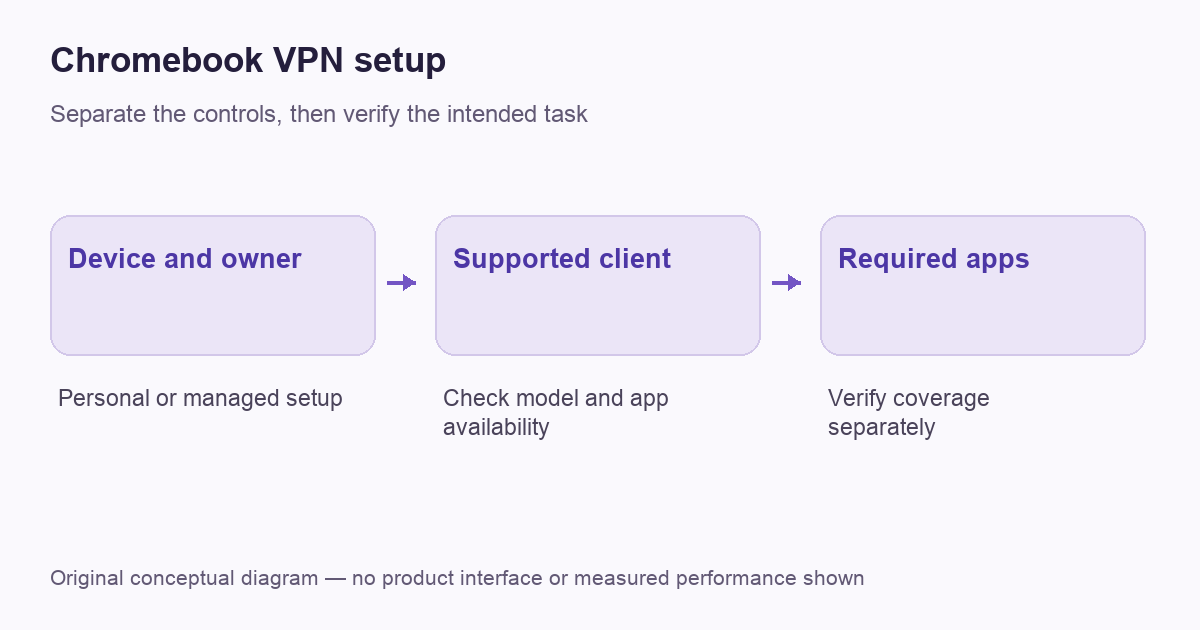
Identify who controls the device
A personally owned Chromebook and a school-issued one can expose different choices even when their screens look similar. Check whether the account or device is managed before installing software. If a setting is controlled by the organization, ask its administrator which approved connection is available.
Do not interpret a missing button as proof that a VPN subscription will unlock it. Buying another service does not create permission to install an app, add a certificate or change a managed profile. A clear ownership check prevents wasted purchases and keeps troubleshooting focused on a configuration you are actually allowed to use.
Choose the supported route
Google’s Chromebook VPN documentation describes supported app and profile arrangements, including Android VPN apps on compatible Chromebooks with the Play Store. It also discusses full and split routing. The practical choice must fit the device and the service, rather than an assumption that every Chrome extension protects every application.
Ask the provider which current client is supported on your model. If it supplies a manual profile, obtain the exact endpoint and authentication information through its official channel. Our general setup guide helps organize those requirements, while this article focuses on the Chromebook-specific decision boundary.
VPNBLADE · PLAN SHORTLIST
A current plan to consider
Selected plan offers, not performance rankings. We may earn a commission through affiliate links. Monthly equivalents require the full payment shown.
ExpressVPN
Check your exact device setupExpressVPN Basic — 28-month introductory offer
USD 83.72 upfront · First 28 months, paid upfront
Get ExpressVPN deal Offer details & coupon conditions →Renewal & refund conditions
USD 99.95 annually after the initial 28-month term.
30-day money-back guarantee for new users; provider terms and purchase-channel conditions apply.
NordVPN
Apps across major device platformsNordVPN Basic — 27-month introductory offer
USD 94.23 upfront · First 27 months, paid upfront
Get NordVPN deal Offer details & coupon conditions →Renewal & refund conditions
USD 139.08 every year after the initial 27-month term at the current renewal price.
30-day money-back guarantee; provider eligibility, payment-channel and refund terms apply.
Surfshark
Households with multiple devicesSurfshark One — 27-month introductory offer
USD 67.23 upfront · First 27 months, paid upfront
Get Surfshark deal Offer details & coupon conditions →Renewal & refund conditions
Automatic renewal after the introductory term at the then-applicable rate. Confirm the chosen bundle’s next invoice and billing interval before purchase; no numeric renewal amount was verified.
30-day money-back guarantee; purchase-channel and provider eligibility conditions apply.
PureVPN
Published subscription offerPureVPN Standard — 27-month prepaid offer
USD 58.20 upfront · First 27 months, paid upfront
Get PureVPN deal Offer details & coupon conditions →Renewal & refund conditions
Checkout displays USD 2.15/month after 27 months. This is the provider’s renewal-rate label, not a verified future invoice. The next charge amount and billing interval were not separately established; confirm both before paying.
31-day money-back guarantee advertised; provider eligibility and refund terms apply.
VeePN
Published subscription offerVeePN Basic — 28-month introductory offer
USD 55.72 upfront · First 28 months, paid upfront
Get VeePN deal Offer details & coupon conditions →Renewal & refund conditions
Card/PayPal checkout quotes automatic renewal at USD 59.76 every 12 months after the initial 28-month period. Future renewal prices can change.
Thirty-day refund window for the original purchase, subject to terms. Rebilling and previously refunded accounts are excluded; plan extensions or added licenses can waive eligibility.
Check Android-app availability before buying
Some Chromebook setups can install Android apps, but availability is not universal. Google’s Android-app guidance explains the Play Store route and device or administrator limitations. Confirm that the intended VPN app is available before committing to a long subscription.
An Android app’s presence in the store is only the beginning. Check the publisher, supported version and provider instructions for ChromeOS. A phone screenshot does not prove that every control behaves identically on the Chromebook. Note which features you need and test them on the actual machine during an appropriate evaluation period.
Keep browser-only coverage distinct
A browser tool can be appropriate when the task is confined to supported browser activity. It should not be assumed to cover a separate Android app, another browser or a local development environment. The scope belongs to the particular product and route, not merely to the fact that the icon appears near the address bar.
Write down the applications you intend to include. A web page, a video application and a work resource may use different arrangements. Our VPN-versus-proxy explanation provides the broader coverage comparison. Do not use one browser’s changed public address as the entire Chromebook’s verification result.
Add the connection using current instructions
Follow the provider’s Chromebook setup path and the settings available on your device. Google describes adding connections through ChromeOS network settings and following the installed client’s prompts. Menu names and options can differ with software, supported apps and management, so avoid mixing steps from several unrelated tutorials.
Use only the endpoint, profile and identity material supplied for your account. If a certificate is required, obtain it through the approved process. Do not import a certificate from a forum simply because it resembles the filename in a guide. The identity configuration needs to belong to the service you are deliberately connecting to.
Verify the apps rather than just the badge
After connecting, perform a small ordinary task in the application you mean to cover. For a personal internet-exit VPN, compare an appropriate public-address observation from that app. For a work route, use the administrator’s approved internal resource. The expected outcome should match the purpose of the connection.
Then inspect intentional exclusions or split routes. A directly connected application may be working as configured, while a protected browser check says little about an untested app. Our verification guide explains how to keep the observation and conclusion aligned. It does not turn one successful test into proof of complete anonymity.
Understand always-on and connection blocking
Google documents always-on and blocking controls for supported Android VPN arrangements on Chromebook. Their availability and effect need to be checked on the actual device and app. Maintaining a connection and deciding what happens without it are related but separate requirements.
If blocking stops access while the tunnel is unavailable, record that state before changing the policy. On a managed machine, consult the administrator. On your own device, use the supported recovery procedure and keep the original settings. Do not remove a required protection merely to make a failed setup look connected again.
Prepare for local devices and work resources
Printing, casting and access to local devices can expose a routing decision that ordinary web browsing does not reveal. Record which resource fails and whether it is local or remote. A global change to the VPN or DNS configuration is a poor first response to one printer problem.
Use the provider’s documented local-access or split-routing option if appropriate and permitted. Keep the exception narrowly tied to the task. If the connection is for work, the administrator should decide the required route. The split-tunneling guide explains the trade-off without promising identical controls across clients.
A worked example: three applications, one assumption
A Chromebook owner might use a browser page, an Android application and an organization-provided work tool on the same machine. A changed public address in the first does not establish the configuration of the other two. Start by listing which product provides the route and which applications its documentation says are included.
If a school administrator controls the work connection, keep that managed requirement separate from a personal browsing experiment. A missing installation option should be resolved through the administrator rather than a reset or an unapproved account. For a personal device, test one ordinary task in each required application and record the result. The point of this example is not that the applications must always use different routes. It is that their coverage needs to be established rather than inferred from a single familiar browser badge.
A Chromebook purchase checklist
| Before paying | Why it matters |
|---|---|
| Device ownership and management checked | A subscription cannot override installation policy |
| Supported client confirmed | A generic Android claim is not a model-specific setup plan |
| Required apps and routes listed | Browser activity may not represent every application |
| Recovery and billing understood | A usable connection and a suitable commitment both matter |
If a personal VPN is appropriate, compare supported apps and full subscription terms before focusing on a headline monthly equivalent. The offers below are consumer-plan options, not a claim that they bypass managed-device restrictions or work on every Chromebook. Confirm current ChromeOS support with the provider for the device in front of you.
VPNBLADE · PLAN SHORTLIST
Featured VPN deals
Selected plan offers, not performance rankings. We may earn a commission through affiliate links. Monthly equivalents require the full payment shown.
ExpressVPN
Check your exact device setupExpressVPN Basic — 28-month introductory offer
USD 83.72 upfront · First 28 months, paid upfront
Get ExpressVPN deal Offer details & coupon conditions →Renewal & refund conditions
USD 99.95 annually after the initial 28-month term.
30-day money-back guarantee for new users; provider terms and purchase-channel conditions apply.
NordVPN
Apps across major device platformsNordVPN Basic — 27-month introductory offer
USD 94.23 upfront · First 27 months, paid upfront
Get NordVPN deal Offer details & coupon conditions →Renewal & refund conditions
USD 139.08 every year after the initial 27-month term at the current renewal price.
30-day money-back guarantee; provider eligibility, payment-channel and refund terms apply.
Surfshark
Households with multiple devicesSurfshark One — 27-month introductory offer
USD 67.23 upfront · First 27 months, paid upfront
Get Surfshark deal Offer details & coupon conditions →Renewal & refund conditions
Automatic renewal after the introductory term at the then-applicable rate. Confirm the chosen bundle’s next invoice and billing interval before purchase; no numeric renewal amount was verified.
30-day money-back guarantee; purchase-channel and provider eligibility conditions apply.
PureVPN
Published subscription offerPureVPN Standard — 27-month prepaid offer
USD 58.20 upfront · First 27 months, paid upfront
Get PureVPN deal Offer details & coupon conditions →Renewal & refund conditions
Checkout displays USD 2.15/month after 27 months. This is the provider’s renewal-rate label, not a verified future invoice. The next charge amount and billing interval were not separately established; confirm both before paying.
31-day money-back guarantee advertised; provider eligibility and refund terms apply.
VeePN
Published subscription offerVeePN Basic — 28-month introductory offer
USD 55.72 upfront · First 28 months, paid upfront
Get VeePN deal Offer details & coupon conditions →Renewal & refund conditions
Card/PayPal checkout quotes automatic renewal at USD 59.76 every 12 months after the initial 28-month period. Future renewal prices can change.
Thirty-day refund window for the original purchase, subject to terms. Rebilling and previously refunded accounts are excluded; plan extensions or added licenses can waive eligibility.
Cover: AI-generated editorial illustration, not a product screenshot or evidence of testing. The inline diagram is original conceptual guidance.
YOUR EXPERIENCE MATTERS
Was this article useful?
Genuine reader helpfulness ratings. These do not measure VPN performance or verify a purchase. Only moderated submissions count. Ratings may reflect earlier versions of this information.
VPNBLADE · PLAN SHORTLIST
Ready to choose a plan?
Selected plan offers, not performance rankings. We may earn a commission through affiliate links. Monthly equivalents require the full payment shown.
ExpressVPN
Check your exact device setupExpressVPN Basic — 28-month introductory offer
USD 83.72 upfront · First 28 months, paid upfront
Get ExpressVPN deal Offer details & coupon conditions →Renewal & refund conditions
USD 99.95 annually after the initial 28-month term.
30-day money-back guarantee for new users; provider terms and purchase-channel conditions apply.
NordVPN
Apps across major device platformsNordVPN Basic — 27-month introductory offer
USD 94.23 upfront · First 27 months, paid upfront
Get NordVPN deal Offer details & coupon conditions →Renewal & refund conditions
USD 139.08 every year after the initial 27-month term at the current renewal price.
30-day money-back guarantee; provider eligibility, payment-channel and refund terms apply.
Surfshark
Households with multiple devicesSurfshark One — 27-month introductory offer
USD 67.23 upfront · First 27 months, paid upfront
Get Surfshark deal Offer details & coupon conditions →Renewal & refund conditions
Automatic renewal after the introductory term at the then-applicable rate. Confirm the chosen bundle’s next invoice and billing interval before purchase; no numeric renewal amount was verified.
30-day money-back guarantee; purchase-channel and provider eligibility conditions apply.
PureVPN
Published subscription offerPureVPN Standard — 27-month prepaid offer
USD 58.20 upfront · First 27 months, paid upfront
Get PureVPN deal Offer details & coupon conditions →Renewal & refund conditions
Checkout displays USD 2.15/month after 27 months. This is the provider’s renewal-rate label, not a verified future invoice. The next charge amount and billing interval were not separately established; confirm both before paying.
31-day money-back guarantee advertised; provider eligibility and refund terms apply.
VeePN
Published subscription offerVeePN Basic — 28-month introductory offer
USD 55.72 upfront · First 28 months, paid upfront
Get VeePN deal Offer details & coupon conditions →Renewal & refund conditions
Card/PayPal checkout quotes automatic renewal at USD 59.76 every 12 months after the initial 28-month period. Future renewal prices can change.
Thirty-day refund window for the original purchase, subject to terms. Rebilling and previously refunded accounts are excluded; plan extensions or added licenses can waive eligibility.