
Post
Can you use a VPN on Roku? Routes, routers and limits
Plan Roku VPN routing through supported networks. Check router compatibility, hotspot limits, local control and streaming-entitlement boundaries.
VPNBLADE · PLAN SHORTLIST
Compare current VPN plans
Selected plan offers, not performance rankings. We may earn a commission through affiliate links. Monthly equivalents require the full payment shown.

ExpressVPN
Check your exact device setupExpressVPN Basic — 28-month introductory offer
USD 83.72 upfront · First 28 months, paid upfront
Get ExpressVPN deal Offer details & coupon conditions →Renewal & refund conditions
USD 99.95 annually after the initial 28-month term.
30-day money-back guarantee for new users; provider terms and purchase-channel conditions apply.

NordVPN
Apps across major device platformsNordVPN Basic — 27-month introductory offer
USD 94.23 upfront · First 27 months, paid upfront
Get NordVPN deal Offer details & coupon conditions →Renewal & refund conditions
USD 139.08 every year after the initial 27-month term at the current renewal price.
30-day money-back guarantee; provider eligibility, payment-channel and refund terms apply.

Surfshark
Households with multiple devicesSurfshark One — 27-month introductory offer
USD 67.23 upfront · First 27 months, paid upfront
Get Surfshark deal Offer details & coupon conditions →Renewal & refund conditions
Automatic renewal after the introductory term at the then-applicable rate. Confirm the chosen bundle’s next invoice and billing interval before purchase; no numeric renewal amount was verified.
30-day money-back guarantee; purchase-channel and provider eligibility conditions apply.

PureVPN
Published subscription offerPureVPN Standard — 27-month prepaid offer
USD 58.20 upfront · First 27 months, paid upfront
Get PureVPN deal Offer details & coupon conditions →Renewal & refund conditions
Checkout displays USD 2.15/month after 27 months. This is the provider’s renewal-rate label, not a verified future invoice. The next charge amount and billing interval were not separately established; confirm both before paying.
31-day money-back guarantee advertised; provider eligibility and refund terms apply.

VeePN
Published subscription offerVeePN Basic — 28-month introductory offer
USD 55.72 upfront · First 28 months, paid upfront
Get VeePN deal Offer details & coupon conditions →Renewal & refund conditions
Card/PayPal checkout quotes automatic renewal at USD 59.76 every 12 months after the initial 28-month period. Future renewal prices can change.
Thirty-day refund window for the original purchase, subject to terms. Rebilling and previously refunded accounts are excluded; plan extensions or added licenses can waive eligibility.
In this article

Plan Roku VPN use as a network-routing task unless your chosen provider documents a supported native Roku app. NordVPN’s current Roku instructions say its app cannot be installed on Roku OS and instead describe a compatible router or a properly VPN-protected shared connection. That is different from installing an Android TV app on an unrelated streaming platform.
This guide focuses on choosing and checking the route for your own Roku device. VPNBlade has not tested every Roku model or streaming service. A successful VPN connection does not guarantee access to every catalogue, replace a streaming subscription or change an account’s entitlement.
Identify the platform before following an app tutorial
A television screen does not reveal which operating system runs the connected player. Roku OS, Fire OS, Vega OS and Android TV have different application arrangements. Instructions for an Android APK should not be transferred to Roku merely because both devices plug into HDMI.
NordVPN’s Roku support page explicitly describes its native-app limitation and the alternative network routes. For another provider, obtain its current Roku instructions rather than assuming that an advertised television app covers this platform. Our TV setup overview explains the broader operating-system distinction.
Choose a router route you can actually support
A compatible VPN-client router can provide the intended path for selected connected devices. Before buying a subscription, check the exact router model, software and provider configuration support. A product description mentioning VPN passthrough does not establish that the router can initiate the commercial VPN connection you need.
Record whether the Roku uses the VPN-routed network or another network offered by the same router. If routing policies are involved, the device must belong to the intended policy. The router’s status screen and the Roku’s successful Wi-Fi join are useful observations, but neither should be treated as a universal proof of the other layer. Use our router setup guide for that separate implementation.
VPNBLADE · PLAN SHORTLIST
A current plan to consider
Selected plan offers, not performance rankings. We may earn a commission through affiliate links. Monthly equivalents require the full payment shown.
ExpressVPN
Check your exact device setupExpressVPN Basic — 28-month introductory offer
USD 83.72 upfront · First 28 months, paid upfront
Get ExpressVPN deal Offer details & coupon conditions →Renewal & refund conditions
USD 99.95 annually after the initial 28-month term.
30-day money-back guarantee for new users; provider terms and purchase-channel conditions apply.
NordVPN
Apps across major device platformsNordVPN Basic — 27-month introductory offer
USD 94.23 upfront · First 27 months, paid upfront
Get NordVPN deal Offer details & coupon conditions →Renewal & refund conditions
USD 139.08 every year after the initial 27-month term at the current renewal price.
30-day money-back guarantee; provider eligibility, payment-channel and refund terms apply.
Surfshark
Households with multiple devicesSurfshark One — 27-month introductory offer
USD 67.23 upfront · First 27 months, paid upfront
Get Surfshark deal Offer details & coupon conditions →Renewal & refund conditions
Automatic renewal after the introductory term at the then-applicable rate. Confirm the chosen bundle’s next invoice and billing interval before purchase; no numeric renewal amount was verified.
30-day money-back guarantee; purchase-channel and provider eligibility conditions apply.
PureVPN
Published subscription offerPureVPN Standard — 27-month prepaid offer
USD 58.20 upfront · First 27 months, paid upfront
Get PureVPN deal Offer details & coupon conditions →Renewal & refund conditions
Checkout displays USD 2.15/month after 27 months. This is the provider’s renewal-rate label, not a verified future invoice. The next charge amount and billing interval were not separately established; confirm both before paying.
31-day money-back guarantee advertised; provider eligibility and refund terms apply.
VeePN
Published subscription offerVeePN Basic — 28-month introductory offer
USD 55.72 upfront · First 28 months, paid upfront
Get VeePN deal Offer details & coupon conditions →Renewal & refund conditions
Card/PayPal checkout quotes automatic renewal at USD 59.76 every 12 months after the initial 28-month period. Future renewal prices can change.
Thirty-day refund window for the original purchase, subject to terms. Rebilling and previously refunded accounts are excluded; plan extensions or added licenses can waive eligibility.
Do not assume every hotspot shares a VPN
A shared internet connection may work without sharing the host’s VPN tunnel. This is especially easy to misunderstand when a phone displays a VPN icon and the television has internet access through its hotspot. The two facts do not establish the path used by the television.
Proton’s hotspot documentation warns about the ordinary phone-sharing limitation and distinguishes supported alternatives. A provider’s desktop-sharing instructions also need the appropriate host and adapter configuration. Our hotspot coverage guide develops the distinction; avoid buying a plan solely because a phone-only test looked correct.
Join the intended Roku network
Use the Roku’s supported network setup to join the network you have deliberately configured. Roku’s network-name guidance explains the relationship between the wireless network name and the device’s connection. It also notes that the mobile remote application and streaming device need the same network for that control arrangement.
That local-network requirement can matter when troubleshooting the remote or discovery. A VPN policy that changes internet routing is a different issue from placing the phone and Roku on separate local networks. Write down which network each device joined before changing VPN settings to solve a remote-control problem.
Keep Smart DNS separate from a VPN tunnel
Some provider instructions offer a DNS-based television arrangement. Treat it as the product the provider actually documents. A DNS setting is not, by itself, evidence that all the device’s traffic enters an encrypted VPN tunnel. Do not describe two different setup options as equivalent protection merely because both can affect how a service is reached.
Choose based on the task and the provider’s stated limits. If the requirement is a routed VPN connection, verify that route rather than substituting a DNS option without noticing. Our DNS explanation helps separate a resolver observation from the public exit used by traffic.
Build a small acceptance check
After setting up the chosen network, confirm ordinary Roku connectivity first. Then inspect the provider’s supported router or host status and perform the documented verification for the downstream device. Avoid assuming that a laptop connected to a different Wi-Fi network represents the Roku’s path.
Try an ordinary service for which you already have the required account and entitlement. Record whether the device cannot join Wi-Fi, has no general internet access, or fails only at one application. Those are different failures. A problem confined to one streaming service does not establish that the whole VPN or household connection is down.
Understand what a different exit cannot promise
A service can consider account region, subscription rights, device settings and its own access policies. A VPN route changes one part of that picture. It does not make every programme available or convert a subscription into an entitlement for every country. Do not use an old unblocking claim as a guarantee for tonight’s viewing.
The streaming comparison and Netflix guide explain those limits. For the Roku setup itself, evaluate stable connection and maintenance requirements separately from a particular catalogue result.
Plan recovery before changing a household router
Save the router’s supported configuration and know how to return the Roku to its previous network if the experiment fails. Consider other household users before changing a shared route. A television setup should not unexpectedly interrupt a work call or the access path used by another device.
Change one setting at a time and keep the exact provider instructions with the router model and software version. If support is needed, those details are more useful than a statement that the VPN does not work. Our troubleshooting guide helps structure the report without prescribing unsupported router commands.
A worked example: the stream works but the remote does not
Suppose a Roku is moved to a deliberately VPN-routed network while the phone used as its remote remains on another network. The Roku might retain internet access while local discovery or control fails. That observation does not automatically identify the VPN server as the cause. First check the local-network arrangement and Roku’s stated control requirement.
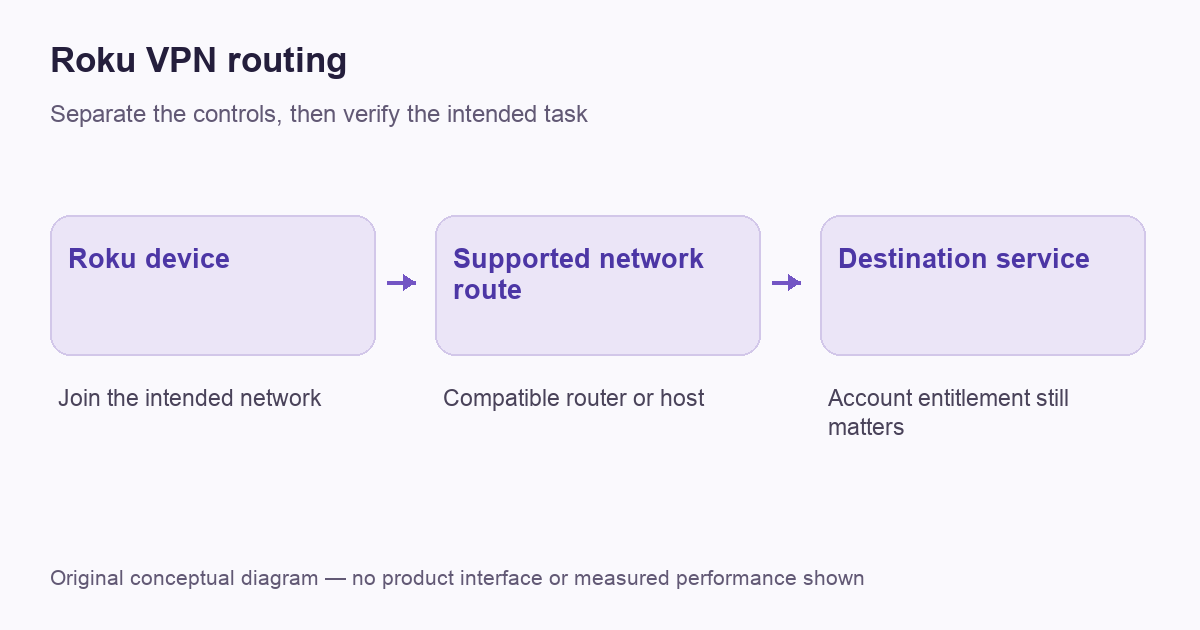
Similarly, a router reporting connected does not prove that the Roku belongs to the policy using that connection. Keep the network name, device placement and intended route in a small setup record. Do not change several router policies to make one remote-control screen work without understanding their effect on other household devices. This is a hypothetical planning example, not a test result for a particular router. It illustrates why local access, downstream routing and a streaming destination deserve separate checks.
Compare plans after confirming the route
| Decision | Confirm first |
|---|---|
| Compatible router | Exact VPN-client support and current provider instructions |
| Shared connection | That the host actually shares the VPN route |
| Household setup | Other devices, local control and recovery requirements |
| Subscription | Full upfront cost, renewal and applicable support |
The live offers below are optional consumer subscriptions, not promises of a native Roku app or guaranteed catalogue access. Confirm the supported network route before paying. A lower monthly equivalent is only useful when the hardware and maintenance arrangement fit the task you need to complete.
VPNBLADE · PLAN SHORTLIST
Featured VPN deals
Selected plan offers, not performance rankings. We may earn a commission through affiliate links. Monthly equivalents require the full payment shown.
ExpressVPN
Check your exact device setupExpressVPN Basic — 28-month introductory offer
USD 83.72 upfront · First 28 months, paid upfront
Get ExpressVPN deal Offer details & coupon conditions →Renewal & refund conditions
USD 99.95 annually after the initial 28-month term.
30-day money-back guarantee for new users; provider terms and purchase-channel conditions apply.
NordVPN
Apps across major device platformsNordVPN Basic — 27-month introductory offer
USD 94.23 upfront · First 27 months, paid upfront
Get NordVPN deal Offer details & coupon conditions →Renewal & refund conditions
USD 139.08 every year after the initial 27-month term at the current renewal price.
30-day money-back guarantee; provider eligibility, payment-channel and refund terms apply.
Surfshark
Households with multiple devicesSurfshark One — 27-month introductory offer
USD 67.23 upfront · First 27 months, paid upfront
Get Surfshark deal Offer details & coupon conditions →Renewal & refund conditions
Automatic renewal after the introductory term at the then-applicable rate. Confirm the chosen bundle’s next invoice and billing interval before purchase; no numeric renewal amount was verified.
30-day money-back guarantee; purchase-channel and provider eligibility conditions apply.
PureVPN
Published subscription offerPureVPN Standard — 27-month prepaid offer
USD 58.20 upfront · First 27 months, paid upfront
Get PureVPN deal Offer details & coupon conditions →Renewal & refund conditions
Checkout displays USD 2.15/month after 27 months. This is the provider’s renewal-rate label, not a verified future invoice. The next charge amount and billing interval were not separately established; confirm both before paying.
31-day money-back guarantee advertised; provider eligibility and refund terms apply.
VeePN
Published subscription offerVeePN Basic — 28-month introductory offer
USD 55.72 upfront · First 28 months, paid upfront
Get VeePN deal Offer details & coupon conditions →Renewal & refund conditions
Card/PayPal checkout quotes automatic renewal at USD 59.76 every 12 months after the initial 28-month period. Future renewal prices can change.
Thirty-day refund window for the original purchase, subject to terms. Rebilling and previously refunded accounts are excluded; plan extensions or added licenses can waive eligibility.
Cover: AI-generated editorial illustration, not a product screenshot or evidence of testing. The inline diagram is original conceptual guidance.
YOUR EXPERIENCE MATTERS
Was this article useful?
Genuine reader helpfulness ratings. These do not measure VPN performance or verify a purchase. Only moderated submissions count. Ratings may reflect earlier versions of this information.
VPNBLADE · PLAN SHORTLIST
Ready to choose a plan?
Selected plan offers, not performance rankings. We may earn a commission through affiliate links. Monthly equivalents require the full payment shown.
ExpressVPN
Check your exact device setupExpressVPN Basic — 28-month introductory offer
USD 83.72 upfront · First 28 months, paid upfront
Get ExpressVPN deal Offer details & coupon conditions →Renewal & refund conditions
USD 99.95 annually after the initial 28-month term.
30-day money-back guarantee for new users; provider terms and purchase-channel conditions apply.
NordVPN
Apps across major device platformsNordVPN Basic — 27-month introductory offer
USD 94.23 upfront · First 27 months, paid upfront
Get NordVPN deal Offer details & coupon conditions →Renewal & refund conditions
USD 139.08 every year after the initial 27-month term at the current renewal price.
30-day money-back guarantee; provider eligibility, payment-channel and refund terms apply.
Surfshark
Households with multiple devicesSurfshark One — 27-month introductory offer
USD 67.23 upfront · First 27 months, paid upfront
Get Surfshark deal Offer details & coupon conditions →Renewal & refund conditions
Automatic renewal after the introductory term at the then-applicable rate. Confirm the chosen bundle’s next invoice and billing interval before purchase; no numeric renewal amount was verified.
30-day money-back guarantee; purchase-channel and provider eligibility conditions apply.
PureVPN
Published subscription offerPureVPN Standard — 27-month prepaid offer
USD 58.20 upfront · First 27 months, paid upfront
Get PureVPN deal Offer details & coupon conditions →Renewal & refund conditions
Checkout displays USD 2.15/month after 27 months. This is the provider’s renewal-rate label, not a verified future invoice. The next charge amount and billing interval were not separately established; confirm both before paying.
31-day money-back guarantee advertised; provider eligibility and refund terms apply.
VeePN
Published subscription offerVeePN Basic — 28-month introductory offer
USD 55.72 upfront · First 28 months, paid upfront
Get VeePN deal Offer details & coupon conditions →Renewal & refund conditions
Card/PayPal checkout quotes automatic renewal at USD 59.76 every 12 months after the initial 28-month period. Future renewal prices can change.
Thirty-day refund window for the original purchase, subject to terms. Rebilling and previously refunded accounts are excluded; plan extensions or added licenses can waive eligibility.