
Guide
Best VPN for routers: compatible clients, hardware and ongoing costs
Compare ExpressVPN Fortify, NordVPN and Surfshark router routes, with current compatibility checks, pros and cons, support limits and subscription offers.
In this article
The best router VPN is the service your exact router can run, with a maintainable configuration and a clear rule for what happens if the tunnel stops. For a new purchase, compare the hardware route as carefully as the subscription. ExpressVPN now documents Fortify rather than selling Aircove; NordVPN provides downloadable manual WireGuard and OpenVPN configurations; Surfshark also documents manual WireGuard router setup. These are different ways to build a home connection, not interchangeable apps.
VPNBlade Editorial reviewed current primary documentation on 27 October 2026. We have not benchmarked these routers or tested the providers on a shared network. This comparison explains documented options and the decisions to make before paying. Commercial offer placements can rotate according to our saved settings; they do not establish a measured speed ranking. General VPN subscription prices below do not include router hardware unless the specific offer explicitly says so.
Compare the installation route before the monthly price
| Provider | Route worth investigating | Good reason to compare | Important condition |
|---|---|---|---|
| ExpressVPN | Fortify GL-MT6000 with ExpressVPN integration; separate existing-Aircove support | A specifically documented hardware and service combination | Fortify hardware purchase differs from a standalone VPN deal; Aircove is retired from sale |
| NordVPN | Manual OpenVPN or WireGuard configuration on a compatible client router | Account-downloadable configuration files for a supported setup | Match exact firmware and protocol; manual WireGuard is distinct from the NordLynx app experience |
| Surfshark | Manual WireGuard or another documented router-specific method | Configuration guidance that includes key generation and client compatibility | The router must support the chosen client method; a VPN label alone is insufficient |
Write down the router’s full model, hardware revision and firmware version. A brand name is not a compatibility result. Two products from the same manufacturer can expose different menus and support different clients. If your internet provider owns or manages the equipment, ask which changes are permitted before planning an installation. Our router setup guide covers the implementation task once the purchase decision is settled.
ExpressVPN: compare Fortify as a hardware bundle

Why choose this route?
The current Fortify product page describes a GL.iNet GL-MT6000 Wi-Fi 6 router with an integrated ExpressVPN dashboard and twelve months of ExpressVPN Advanced included for new and returning customers. Continuing the VPN service after the included period requires a renewed subscription. GL.iNet’s own Fortify listing provides the manufacturer-side product information. Check regional availability, the seller, hardware returns and the subscription activation terms together.
This route is worth investigating if you would rather buy a specifically documented combination than assemble a provider configuration on an existing router. That is a convenience judgment, not a performance result. Compare the entire first-year bill against keeping your current equipment. Also check the controls in the Fortify tunnel guide: the settings belong to that platform, so an old Aircove screenshot is not an installation instruction for the new hardware.
Pros for this use case
- A named hardware model and dedicated setup documentation.
- A bundle whose included service period can be compared with separate purchases.
- Documented tunnel configuration rather than an assumed generic router app.
Cons and conditions
- A hardware purchase creates a larger commitment than trying a device app.
- The subscription and physical router can have different renewal and return rules.
- Manufacturer capability figures do not predict throughput in your home.
Choose it if: the exact Fortify package, controls and complete cost fit your network plan. The button below compares standalone ExpressVPN subscription terms; it is not a Fortify hardware checkout or a promise that a router is included.
Already own Aircove? Check the model’s support period
ExpressVPN’s Aircove FAQ, updated 22 October 2026, says Aircove and Aircove Go are retired from sale. It lists security updates through the end of 2027 for Aircove AX1800 and through the end of 2028 for Aircove Go AXG1800. Existing owners can continue using them under the documented conditions. Fortify uses GL.iNet firmware; Aircove settings cannot simply be transferred directly to it.
Do not discard working equipment solely because a replacement is advertised. Identify the model, remaining support period and required functions first. Conversely, an old recommendation to buy Aircove should not be treated as current availability. This distinction is especially important when reading used listings or an archived review.
NordVPN: compare current manual configuration options

Why choose this route?
NordVPN’s configuration-file guide now documents downloads for both OpenVPN and WireGuard from Nord Account. This means an old statement that manual NordVPN configuration is always OpenVPN-only is incomplete. Its separate manual WireGuard explanation distinguishes that route from NordLynx in the provider’s own apps. Do not infer that every router acquires the native application’s controls merely by importing a file.
The useful buying question is whether your existing firmware has the appropriate VPN client and whether its guide matches the configuration you can actually download. The router support index is a starting point for that check. A matching setup route can make keeping existing hardware sensible. If there is no supported path for your exact device, a cheaper subscription will not fix that incompatibility.
Pros for this use case
- Current official downloads for two manual protocol routes.
- A router-support index for comparing the actual installation method.
- Potential to retain compatible hardware instead of buying a bundle.
Cons and conditions
- Manual profiles need attention when endpoints or configurations change.
- Client support must be verified at firmware level.
- Native-app features and manual-router features should be checked separately.
Choose it if: you have a confirmed client configuration and someone can maintain it. Before committing to a long plan, ask support about any mismatch between an older router tutorial and the newer downloadable files.
Surfshark: compare a documented WireGuard client setup

Why choose this route?
Surfshark’s manual WireGuard router guide requires an active subscription and a router with a compatible WireGuard client. It explains how to use an existing key pair or generate one before downloading the chosen location’s configuration. Its router documentation index separates methods for particular firmware and manufacturers. Follow the matching route rather than copying a different model’s fields.
The practical attraction is a documented process for a compatible router that you already own or have deliberately selected. Configuration files can contain sensitive connection material: keep them in a controlled location and avoid sending unredacted screenshots when asking for help. Ask which router controls handle routing exceptions and connection failure; the existence of a WireGuard tunnel does not answer those questions.
Pros for this use case
- An explicit manual WireGuard router workflow.
- Key-pair handling covered in the provider’s own documentation.
- Separate model and firmware guides for checking the route before purchase.
Cons and conditions
- Compatibility and maintenance remain the router owner’s responsibility.
- A downloaded profile is not the full native-app feature set.
- Another router’s successful setup does not establish your device’s support.
Choose it if: its documented manual method matches your firmware and you are comfortable maintaining the profile. Compare the subscription term after confirming those conditions, not before.
Use a compatibility worksheet instead of a universal winner
For each candidate, make a short record you could hand to another household member. The point is to make the decision reproducible. A salesperson’s assurance that a router is VPN-ready is less useful than a specific client, supported configuration and recovery procedure.
| Check | Evidence to keep | Why it changes the decision |
|---|---|---|
| Client support | Exact model, firmware and provider guide | VPN server or passthrough support may solve a different task |
| Traffic selection | Which devices and networks enter the tunnel | A guest network, work laptop or local printer may need different handling |
| Failure behavior | Documented blocking and reconnection controls | Connected today does not establish what happens during an outage |
| Maintenance | Update source, profile replacement and administrator | An abandoned configuration can become a support problem |
| Whole bill | Hardware, initial subscription, renewal and seller return terms | A monthly equivalent can hide a much larger upfront commitment |
For example, a household with a television that lacks a suitable VPN app and two mobile phones might reserve a router route for the television and use native apps on the phones. That is a planning example, not a tested household configuration. It avoids assuming that a phone remains on the home tunnel after leaving Wi-Fi. Compare our multiple-device buying guide for the separate account-allowance question.
Check performance on the route you will actually use
Hardware specifications, Wi-Fi link rates and a provider’s server-network capacity measure different things. None alone establishes the speed of a VPN tunnel from your router to a distant endpoint. Judge the ordinary workload: calls, uploads, television playback and simultaneous household use. Record the same device, connection method and period when comparing a baseline with the chosen configuration.
Use our VPN verification workflow to separate connection state, public IP, DNS and application coverage. If a speed result disappoints, change one variable at a time and keep the observations. Do not convert a single fast download into a universal fastest-provider claim. A useful result is that the intended activity works reliably on the selected route with its required controls.
Know what the router tunnel does not cover
Proton’s router documentation explains that the VPN tunnel starts at the router; it does not replace protection for the local connection between a device and that router. Keep Wi-Fi authentication and device updates in place. The same document notes that router processing power and manual configuration affect the experience. Those are architecture and maintenance limits, not reasons to assume every home needs new hardware.
A shared exit also does not erase website accounts, device permissions or an application’s location access. A streaming subscription still has its own entitlement and service rules. Our IP versus device-location explanation shows why changing an internet route is not the same as changing every location signal. Buy a router VPN for a defined routing need rather than a promise of complete anonymity.
Can a free plan be used on a router?
Some can. Proton’s current router support page explicitly includes Proton Free and requires a compatible OpenVPN or WireGuard client. This is a useful counterexample to the claim that every free account is automatically unsuitable for router use. It does not establish paid-plan features, a chosen streaming catalogue or a performance guarantee. Review the current free-plan limitations before making it the household’s permanent route. Our free VPN guide distinguishes ongoing free access from an introductory refund policy.
Frequently asked questions
Will buying the VPN subscription make my current router compatible?
No. The service account and the router client are separate requirements. Confirm the device and firmware before paying. If the hardware cannot run the needed client, compare a supported separate gateway or native apps rather than assuming the subscription changes its capabilities.
Is an Aircove recommendation still current for a new buyer?
Check the current product documentation. ExpressVPN says Aircove models are retired from sale and identifies Fortify as its current home-router offering. Existing Aircove ownership is a different support question from buying new hardware today.
Do the VPN deal buttons include the physical router?
The general subscription widgets do not promise hardware. Read the exact offer and seller checkout. A Fortify bundle and an ExpressVPN subscription bought separately are different purchases, even when both include access to the same VPN service.
Do I need a VPN on every device behind the router?
It depends on the intended route. A selected device can use the router tunnel without its own VPN app, but a travelling phone may need a native connection away from home. Write down which route applies before adding overlapping connections. Revisit the setup and verification guide when implementing the plan.
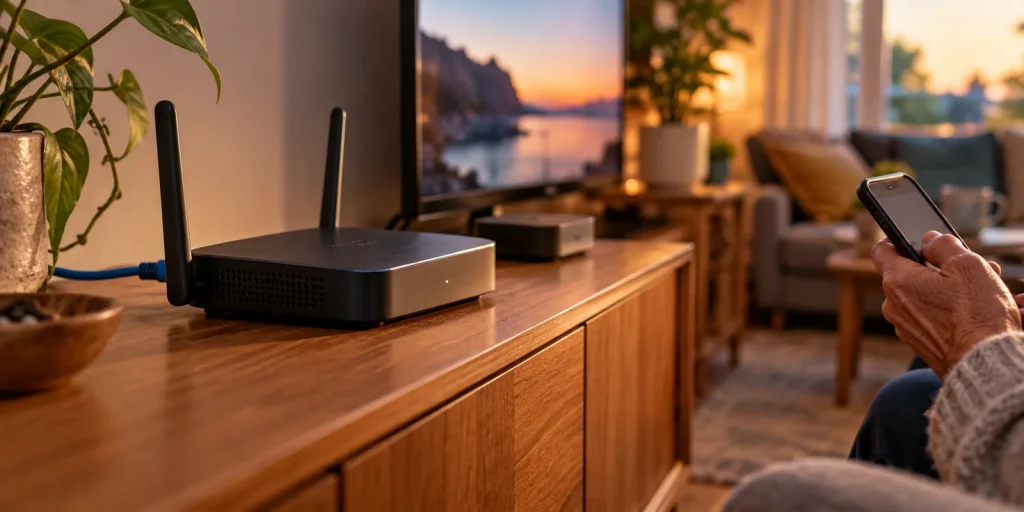
Cover: AI-generated editorial illustration of generic home networking equipment. It is not a photograph of Fortify, Aircove or a VPNBlade product test. This restored buying guide replaces outdated provider lists and unsupported 2022 claims; the separate router setup tutorial remains the implementation reference.
Choosing a home VPN for several devices
“Works on all devices” is too broad to be a useful purchase requirement. A household can contain a travelling phone, an older television, a games console and a managed work laptop, each with a different route and support constraint. Begin with a device inventory rather than assuming one subscription makes every piece of equipment compatible.
The archived VPNBlade home and all-device articles addressed this shared need, but their old app lists, prices and claimed streaming tests are excluded. The comparison above remains the router-buying reference. The worksheet below helps decide which equipment actually belongs on that router route and which needs a separate supported application.
| Device or situation | Decision to record | Check before paying |
|---|---|---|
| Phone used at home and away | Whether it uses the home router or its own app in each situation | The mobile app’s current support and the behavior after leaving Wi-Fi |
| TV or console | A supported native app, if available, or a compatible router route | The exact model, operating system and intended services |
| Shared home computer | Who can change the routing configuration | Device-level connection behavior and supported user setup |
| Managed work laptop | The organization’s required access arrangement | IT approval before changing a required route or profile |
| Guest network | Whether that network is included in the selected tunnel rules | The router’s current source and exclusion settings |
Connection allowance is not the same as hardware capacity
NordVPN’s current support page allows up to ten simultaneous devices and describes a configured VPN router as using one device slot. It also includes qualifications for devices connecting to the same server, so read the current instructions for your particular setup. The router counting as one connection does not establish how much traffic its processor, local network or internet link can handle.
Separate that account allowance from software compatibility. A router serving several devices does not install a native VPN application on each one, and a subscription cannot add unsupported firmware features to hardware. Equally, equipment that leaves that router’s network needs its own intended connection arrangement. Our iPhone guide and Android guide help with the mobile side of the inventory.
Check which devices the router rules actually include
ExpressVPN’s current Fortify instructions distinguish routing all clients, selected connection types, specified devices and exclusions. They also distinguish destination rules. This means that “the router VPN is connected” is only the beginning of a verification question: the device and activity must match the intended rule. These are Fortify-specific controls, not a promise that every router implements the same menus.
Record exclusions deliberately and review them after changing the configuration. If a device is meant to use a direct connection, label that choice clearly in your own notes. If it is meant to use the VPN, verify from that device rather than borrowing a result from another computer on the network. Use our router setup guide and verification checklist for implementation and the limits of an address check.
Choose the smallest arrangement that meets the written requirements. Several native apps may be easier to maintain than buying new hardware; a supported gateway may suit devices without suitable apps. Compare subscription and hardware costs separately, with someone responsible for updates and routing changes. Neither arrangement makes every account anonymous or replaces the local-network safeguards described above.
YOUR EXPERIENCE MATTERS
Was this article useful?
Genuine reader helpfulness ratings. These do not measure VPN performance or verify a purchase. Only moderated submissions count. Ratings may reflect earlier versions of this information.