
Post
AVG Secure VPN review: subscriptions, devices and settings
AVG Secure VPN review: subscriptions, devices and settings. Current documented platform controls, separate pros and limitations, buying conditions and practical fit; no invented performance tests.
In this article

AVG Secure VPN is worth investigating as a separate personal VPN subscription when its device coverage and documented controls match your needs. The first buying check is unusually important: owning another AVG product does not automatically mean you own this VPN. Confirm the entitlement before treating an installation or activation problem as evidence that the connection service is broken.
This assessment uses current AVG product and support documentation checked on 31 October 2026. We have not performed a new speed test, inspected AVG’s infrastructure or completed a subscription purchase. The useful question is how the documented product fits a specific device and task, rather than whether an antivirus brand name guarantees every aspect of online safety.
Identify what your subscription actually includes
AVG’s FAQ says Secure VPN is a standalone application and does not require AVG AntiVirus or Internet Security to be installed. It also says an Internet Security subscription cannot activate Secure VPN; the VPN needs its own subscription or a bundle that explicitly includes it. That distinction is a practical reason to check the order confirmation before buying another plan or seeking an activation workaround.
Look for the complete product name, number of devices and account associated with the order. If the purchase was made through a mobile app store, identify that seller as well. The organization that bills you can affect the refund route. A payment receipt is more useful for resolving an entitlement question than a memory that you bought something with AVG in the name.
A short product checklist
| Requirement | Current documentation | Useful buying check |
|---|---|---|
| Multiple devices | Current Multi-Device Secure VPN subscriptions cover up to ten devices | Read the entitlement on your order |
| Desktop and mobile use | The product page lists Windows, Mac, Android and iOS | Check the current operating-system requirements |
| Network interruption behavior | Support documentation describes Kill Switch settings | Check your actual platform’s available control |
| Automatic connection | The product advertises configurable automatic activation | Choose when the route should start |
| Subscription management | Uninstalling does not cancel the subscription | Manage billing separately from removing the app |
Device coverage does not remove compatibility checks
The current product page advertises use across ten devices and lists supported desktop and mobile systems. It also publishes operating-system requirements. Read those requirements for the device you intend to keep during the paid term. A multi-device label does not mean an older operating system will remain supported for the duration of a long subscription.
Make a list containing the device, system version, intended task and person responsible for updates. A personal laptop that stays current presents a different maintenance problem from an older family computer that cannot receive the next major system release. It is reasonable to reject a long plan if its usefulness depends on a device you expect to replace soon.
AVG’s product page describes personal and family use rather than business or commercial use. Do not select a personal subscription as an assumed replacement for an employer’s remote-access service. If the device is managed or the task involves private organizational resources, ask which approved connection method is required before adding a personal VPN.
Read the actual app’s settings
AVG’s FAQ describes settings for automatic activation, Kill Switch, local-device access and VPN protocols, with different menus across its apps. Those descriptions are a starting point for examining the installed product, not proof that every platform presents the same switches or behavior. Avoid copying a configuration just because another person’s screenshot carries the same logo.
Choose the outcome first. If you need the VPN to reconnect after ordinary network changes, inspect the relevant automatic setting. If you need traffic to stop when the tunnel fails, inspect the documented interruption control. If a printer disappears, investigate local-device access instead of immediately changing unrelated applications. Each of those is a separate requirement and should have a separate reason for its configuration.
Record the settings you change and revisit them after major updates. This makes troubleshooting more precise: you can distinguish a new behavior from an exception you deliberately added earlier. Before checking a network interruption, save work and avoid an important call or transfer. These are suggested checks for your device, not experiments that we claim to have performed.
What this review does not infer from marketing
A claim of encryption or a hidden public address should not be expanded into a claim that every online action is anonymous. A website can still recognize a signed-in account, and a VPN does not judge every message, file or request for personal information. Our VPN explanation separates the tunnel’s network role from other protections.
Likewise, a location list does not prove a particular streaming service or website will accept your connection. If access to one service is essential, treat that as something to establish under its own terms and your current circumstances. This article provides no guaranteed access, independently measured speed ranking or finding about the provider’s internal logging operations.
The public FAQ also presents browser-product comparisons with platform-specific descriptions. If you use an AVG browser product, verify that product’s current traffic scope rather than assuming it matches the separate Secure VPN application. Buying the wrong product for the intended scope is a more basic problem than tuning the right product’s performance.
Pros and limitations
- Pro: The standalone application can be assessed without assuming a separate antivirus installation is required.
- Pro: Multi-Device coverage offers a documented starting point for several personal devices.
- Pro: Support documentation identifies connection, interruption and local-device settings to investigate.
- Limitation: Existing AVG product ownership does not establish a Secure VPN entitlement.
- Limitation: Platform and operating-system requirements still matter under a multi-device plan.
- Limitation: Marketing statements do not establish measured performance or guaranteed service access.
Trial offers, payment terms and refunds
The product page advertises a trial route, but we have not completed its checkout. Treat the eligibility, payment authorization, eventual charge and cancellation deadline shown in your own offer as the relevant conditions. A trial headline alone is not sufficient evidence that every device or account receives the same offer.
AVG’s refund support page describes a thirty-day guarantee for eligible consumer purchases through its website, in-product desktop offers and Google Play. App Store and retail or third-party purchases use the relevant seller’s policy instead. Requests can be made through the associated AVG Account or support. Uninstalling the app does not itself cancel a paid subscription or submit a refund request.
When should you shortlist it?
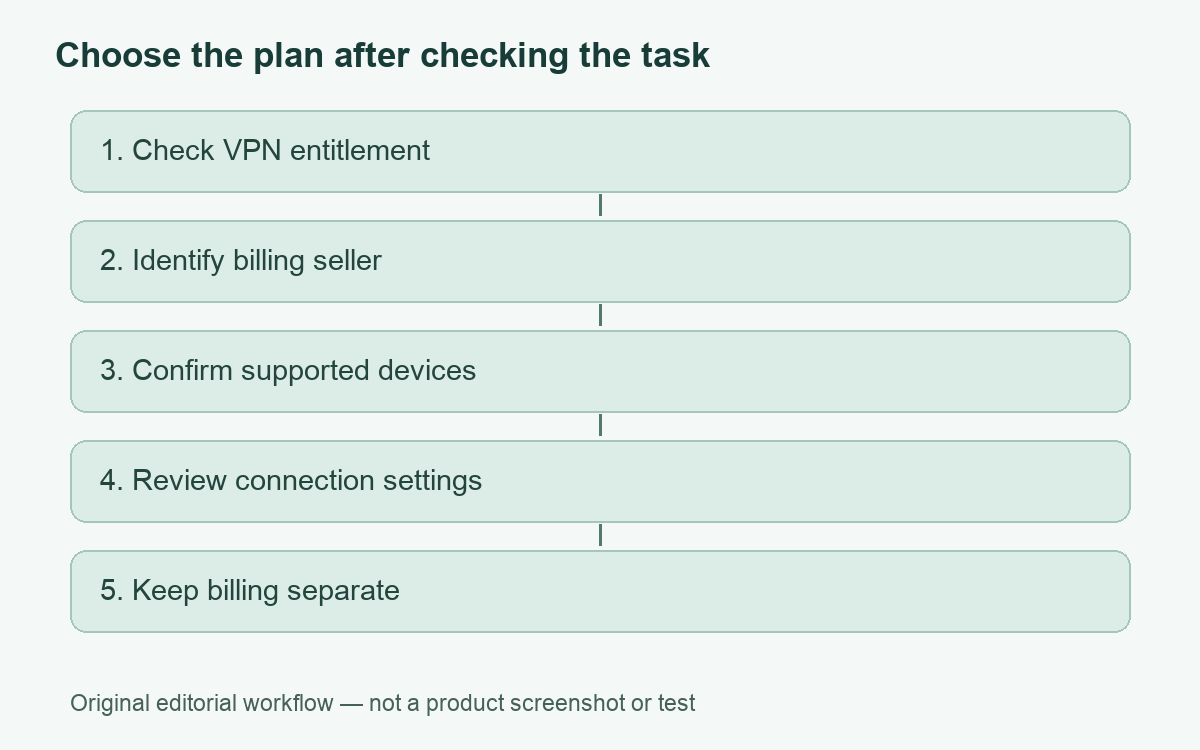
Shortlist AVG Secure VPN if the actual subscription, supported systems and settings solve your personal connection requirement at an acceptable total cost. First check an existing entitlement, then the exact product, then the payment commitment. After installation, use our VPN verification checklist to examine the route on your device rather than relying on a broad safety label.
Cover: AI-generated editorial illustration, not a customer, product screenshot or evidence of testing.
YOUR EXPERIENCE MATTERS
Was this article useful?
Genuine reader helpfulness ratings. These do not measure VPN performance or verify a purchase. Only moderated submissions count. Ratings may reflect earlier versions of this information.