
Post
Can an ISP block a VPN? Separate filtering from connection failures
Can an ISP block a VPN? Separate filtering from connection failures. Source-based analysis of current documented access, limitations, app controls and payment conditions, without invented tests or ratings.
In this article
An internet service provider can interfere with or block access to a VPN, but a failed connection is not proof that your ISP deliberately blocked it. An account issue, unstable access network, unavailable VPN server, unsupported app or managed-device policy can produce similar symptoms. The useful task is to identify which layer is failing and preserve evidence for the appropriate support team.
This explanation was reviewed on 31 October 2026 using EFF’s network-censorship guidance, published OpenVPN research and current Proton documentation. It does not diagnose a particular ISP or make a country-specific legal judgment. We have not performed a blocking experiment or tested a circumvention configuration.
Encryption does not make a service unreachable to filtering
EFF distinguishes filtering on a device, on a local network, at an ISP and at an online service. Those are different control points. An administrator may prevent a connection before it reaches the internet provider, while a destination website may reject traffic after the VPN is already connected. Naming the control point is essential before deciding who can investigate.
A network does not necessarily need to read the contents of a tunneled connection to interfere with reaching its endpoint. Destination addresses and protocol characteristics can matter. This is a distinction between access to a service and the confidentiality of the information inside its tunnel. “Encrypted” is not a promise that every network will carry it successfully.
What published fingerprinting research actually establishes
The study OpenVPN is Open to VPN Fingerprinting, published at USENIX Security 2022 and available in a 2024 arXiv submission, investigated identifying OpenVPN traffic using characteristics including packet patterns and server responses. It also evaluated some obfuscated configurations. This is historical protocol research, not a measurement of every VPN or ISP in October 2026.
The important implication is limited but useful: a product’s encryption or obfuscation label does not establish that the connection is unrecognizable. We do not apply the study’s detection rates to a current service, reproduce its probing methods or claim that a particular provider is blocked. Protocol detection also does not, by itself, reveal the contents of an encrypted conversation.
| Observation | Possible layer | Useful next evidence |
|---|---|---|
| No ordinary internet access | Underlying network or account | Carrier/ISP status and ordinary connection checks |
| App cannot sign in | Account, control service or network path | Exact error and provider status |
| Sign-in works but tunnel fails | Client, endpoint or connection policy | Supported client version and connection log |
| Tunnel works but one website refuses access | Destination service | Website error and confirmation that other tasks work |
| Only a managed network fails | Local policy or configuration | Administrator’s approved access instructions |
Compare conditions without jumping to a conclusion
Proton’s current Windows troubleshooting page lists ISP problems alongside reception, maintenance, account problems, security-software interaction and VPN-server availability. It suggests an alternate authorized network as a way to help isolate the access path and points users to service status and support. Its examples apply to that client’s troubleshooting context, not every operating system.
If you compare home broadband with your own permitted mobile connection, keep the device, client version and account consistent. Note the time and exact error. A different result narrows the investigation, but it does not prove intent: the networks can differ in quality, addressing and policy. Do not repeatedly change unrelated settings until the original condition is lost.
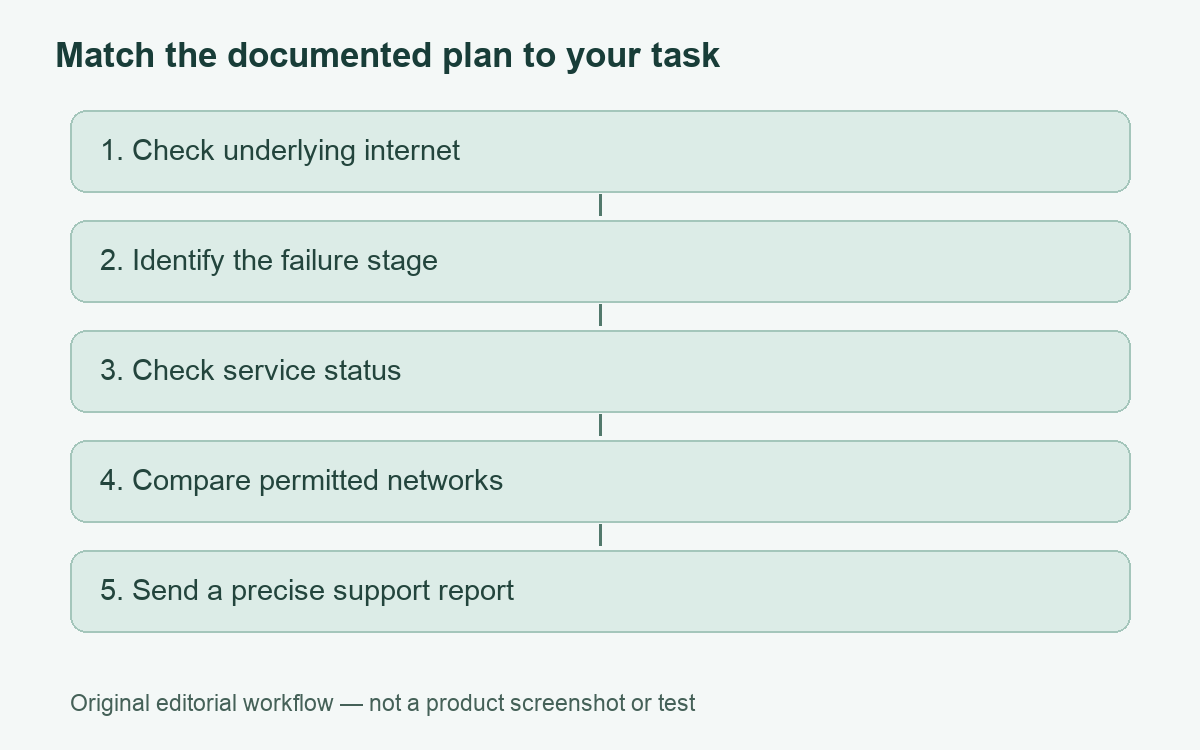
A useful support report might say that sign-in succeeds on both networks, that the same saved connection fails on one of them, and that the failure began at a recorded time. This is an example of a report structure, not a test we conducted. Avoid publishing private log tokens, addresses or account details while requesting help.
A website’s refusal is a separate problem
Proton’s account-support guidance says that recent suspicious activity originating from a network can trigger temporary login restrictions. That illustrates a service-side decision rather than an ISP blocking the tunnel itself. A VPN can be connected and carry traffic while a specific destination applies its own verification or access rules.
Record which part fails: loading the app, authenticating, establishing the tunnel, resolving a name or using a particular website. Our VPN connection-check guide helps keep these tasks separate. If the destination presents a security warning or verification requirement, follow its normal support process rather than treating it as a network setting to bypass.
Provider features have platform and failure limits
Proton’s Windows help describes alternative routing and supported protocol choices as possible responses to restricted connectivity. It qualifies which methods can handle some forms of inspection. Those are provider claims about particular controls, not a guarantee of access on every network or permission to disregard a workplace or school policy.
Before changing a setting on a personally administered device, identify the documented supported option and its purpose. A manual profile, sandboxed package and native app can expose different controls. Do not import an unfamiliar profile from a stranger or replace a managed configuration just because it carries a claim of being “unblockable.”
We do not recommend disabling a firewall, antivirus or certificate verification as a general diagnosis. If a legitimate tool conflicts with a VPN, ask its vendor or administrator for the narrow supported resolution. Maintaining a secure, supported configuration is more useful than obtaining a temporary connection by changing several protections at once.
Keep a concise incident record
- Device, operating-system release and exact client version.
- Connection stage and the error text, with private details removed.
- Network type, approximate time and whether ordinary internet access works.
- Provider status information and any administrator notice.
- One controlled comparison, if permitted, with its result.
Our broader VPN troubleshooting guide covers other failure categories. If you are evaluating a different personal service, compare documented platform support first; purchasing another subscription does not establish that a network restriction or access-policy issue will disappear.
The optional inherited Proton offer below is a commercial plan record, not a claim of successful access through a blocked ISP or an instruction to bypass managed controls. Review its limitations and the source-based provider assessment before any purchase.
The evidence should support a narrower conclusion than “the VPN failed, so the ISP blocked it.” Identify the failing layer, then ask the party responsible for that layer to investigate.
Cover: AI-generated editorial illustration, not a customer, product screenshot or evidence of testing.
YOUR EXPERIENCE MATTERS
Was this article useful?
Genuine reader helpfulness ratings. These do not measure VPN performance or verify a purchase. Only moderated submissions count. Ratings may reflect earlier versions of this information.