
Post
Surfshark VPN review: household devices and routing limits
Surfshark VPN review: household devices and routing limits. Current documented platform controls, separate pros and limitations, buying conditions and practical fit; no invented performance tests.
In this article

Surfshark’s most useful buying argument is its allowance for many personal VPN connections, combined with controls that can adapt the route on supported devices. It is a sensible service to investigate for a household that would otherwise count connection slots. Its unlimited-connections message should not, however, be read as unlimited rights to resell an account or identical protection from every product in a bundle.
This assessment uses current Surfshark documentation checked on 30 October 2026. We have not run a new speed benchmark, purchased a plan or independently verified its network operation. Our conclusions concern documented fit and purchase conditions. The separate NordVPN versus Surfshark comparison remains available when those are your final two options.
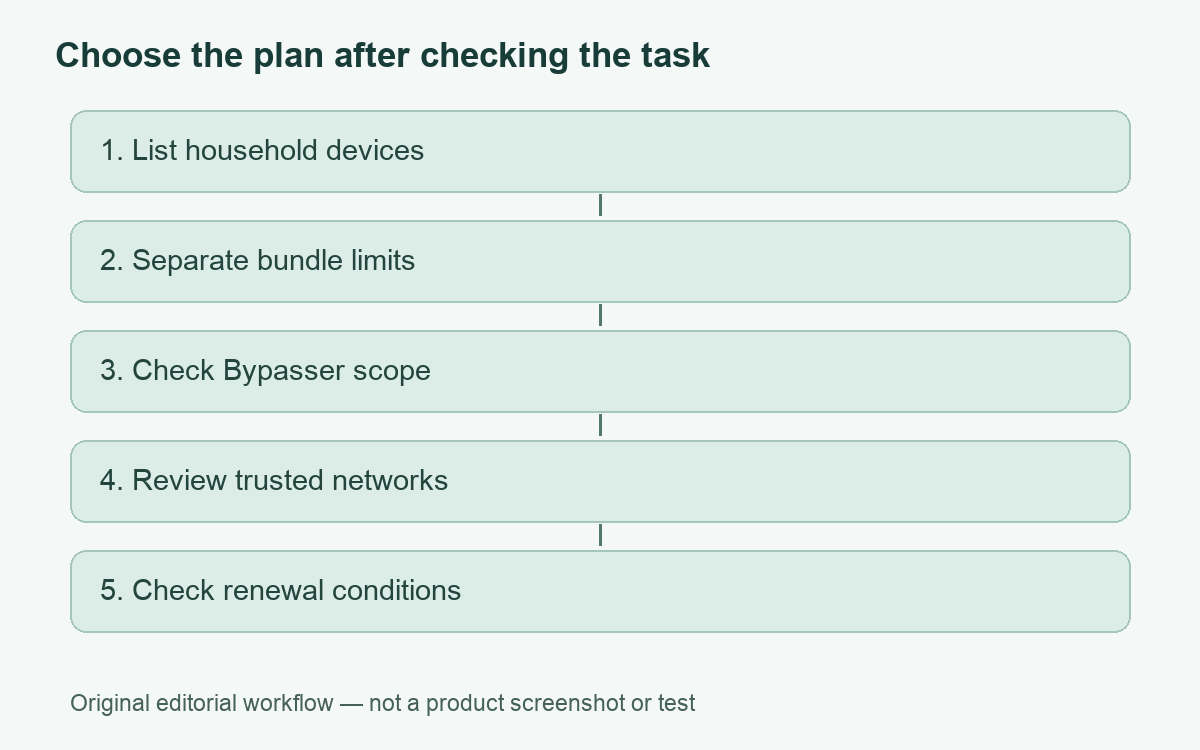
Start with the household, not the introductory price
List the devices that actually need the VPN, their operating systems and the tasks that must continue working. A household may have a phone, personal laptop and TV in use for each adult. That makes connection capacity relevant, but still leaves compatibility and management questions. Decide who maintains the apps, who receives billing notices and what happens when someone replaces a phone.
Surfshark’s terms describe unlimited simultaneous VPN connections under a fair-usage policy that permits restrictions on excessive use. The same terms set a separate five-connection limit for Antivirus. This is an important distinction: adding another product to a bundle does not necessarily give it the VPN’s allowance. Treat the plan as a set of specific entitlements, not one expansive word applied to everything.
A feature checklist with useful boundaries
| Feature | Documented purpose | Buyer implication |
|---|---|---|
| VPN connections | Unlimited simultaneous connections under fair usage | Useful for many personal devices; not a resale licence |
| Bypasser | Selected traffic avoids the VPN on supported apps | Check whether your platform accepts apps, sites or both |
| Kill Switch | Blocks internet access when the VPN drops | Understand interruption behavior before an important call |
| Dynamic MultiHop | Routes through two chosen VPN server locations | Optional routing does not establish a speed benefit |
| Dedicated IP | A separately purchased static address option | Check additional cost and refund conditions |
Bypasser is useful, but iPhone scope matters
Surfshark’s current split-tunneling documentation describes app and website exceptions on Windows, macOS and Android. The iOS workflow adds websites. That does not mean every iPhone application can be excluded as a whole. The page also limits reverse routing on Windows to applications, while Android supports selected apps and websites. A feature name alone does not communicate these distinctions.
Imagine that one service rejects a shared VPN address. A narrow exception for that service might be more appropriate than disconnecting everything, but the excluded traffic then uses the ordinary route. If the issue concerns a standalone app and your available control only accepts websites, those are not interchangeable inputs. Confirm the relevant method before paying primarily for Bypasser.
Record each exception and the reason for it. An exclusion added to solve a temporary problem can remain long after that problem disappears. Review the list after an app replacement or a major system update, and avoid copying an old list from another person’s device. Our guide to split tunneling explains the exposure tradeoff in more detail.
Trusted networks can explain an unexpected disconnection
Surfshark’s September 2026 trusted-network instructions say that the VPN is disabled while using a network on the trusted list. This is part of Auto-connect and requires that feature to be enabled. Windows and macOS trust Wi-Fi networks, while Android and iOS can also trust mobile networks. The documentation describes an intentional exception, not a malfunction.
That is a particularly useful fact for evaluating everyday behavior. A person who expects the tunnel to stay active at home should inspect trusted networks before concluding that automatic reconnection is broken. A convenient setting chosen during setup can produce exactly the behavior that later looks worrying. Assess the actual state and rule rather than relying solely on an app notification.
Do not mark unfamiliar networks trusted just to make a connection easier. A familiar network name is not a security assessment. If a managed work device has restrictions, use the approved access method and ask its administrator before adding another tunnel. A personal subscription does not grant permission to change an organization’s network policy.
Extra routing and blocking are separate tools
Surfshark’s October feature overview describes Dynamic MultiHop on Windows, macOS, Android and iOS. It also lists Kill Switch on those platforms and Linux, while dedicated IP is a separate purchase outside the standard bundles. These details support a checklist, not a conclusion that every feature is available in every combination or that additional hops are always desirable.
A two-server route adds another choice to maintain. If your main goal is a reliable connection during a routine video call, start by confirming that ordinary mode meets that requirement. If you have a defined reason for an extra route, check the resulting access and reliability for that task. We are not claiming to have measured that tradeoff in this review.
The provider describes CleanWeb as a blocking feature. Blocking unwanted domains and using a VPN route address different problems. Neither eliminates the need to judge a download, use strong account authentication or keep devices updated. Avoid upgrading a bundle solely because several overlapping security terms appear together; identify the additional job each paid product will do.
Pros and limitations
- Pro: The VPN connection allowance is useful for households with many personal devices.
- Pro: Documented Bypasser controls can accommodate tasks that need the ordinary internet route.
- Pro: Trusted-network documentation makes an otherwise surprising connection rule understandable.
- Limitation: iOS website exceptions are narrower than arbitrary app exclusions.
- Limitation: Fair-usage and separate-product limits qualify the unlimited message.
- Limitation: Extra services and routing features require their own compatibility and cost checks.
Evaluate the full payment commitment
Surfshark renews paid subscriptions automatically unless cancelled. Its thirty-day money-back policy applies to an initial purchase, with recurring payments excluded. The terms identify exceptions for certain sellers, prepaid or gift-card payments, Alternative ID purchases and the anonymous dedicated-IP option. Check the route relevant to your purchase; a refund headline is not a universal promise for every add-on.
Read the initial total, billing period, renewal amount and any extras before choosing. The current offer block provides a starting point for checking those details, not proof that a coupon will apply to your account. Keep the confirmation and cancellation instructions somewhere you can retrieve them without depending on a browser tab.
Our documented-fit conclusion
Surfshark deserves a shortlist position if many personal devices and platform-appropriate routing exceptions solve your problem. Choose a different approach if you need an iPhone app exclusion the documentation does not provide, or if the bundle contains services you will not use. Before deciding, follow the VPN verification checklist on your actual device rather than accepting an unsupported speed or safety guarantee.
Cover: AI-generated editorial illustration, not a customer, product screenshot or evidence of testing.
YOUR EXPERIENCE MATTERS
Was this article useful?
Genuine reader helpfulness ratings. These do not measure VPN performance or verify a purchase. Only moderated submissions count. Ratings may reflect earlier versions of this information.