
Post
NordVPN review: device limits, routing and buying checks
NordVPN review: device limits, routing and buying checks. Current documented platform controls, separate pros and limitations, buying conditions and practical fit; no invented performance tests.
In this article

NordVPN is worth considering when you want one subscription for several personal devices and you are prepared to check which controls your particular app provides. It is less convincing as an automatic purchase based on a long feature list. Device limits, routing exceptions, optional services and the next subscription charge matter more than a headline promising complete protection.
This is a review of current provider documentation checked on 30 October 2026, with practical buying analysis. We have not installed these apps for a new benchmark, measured their speeds or independently audited their servers. Existing NordVPN versus ExpressVPN and NordVPN versus Surfshark comparisons address those separate choices.
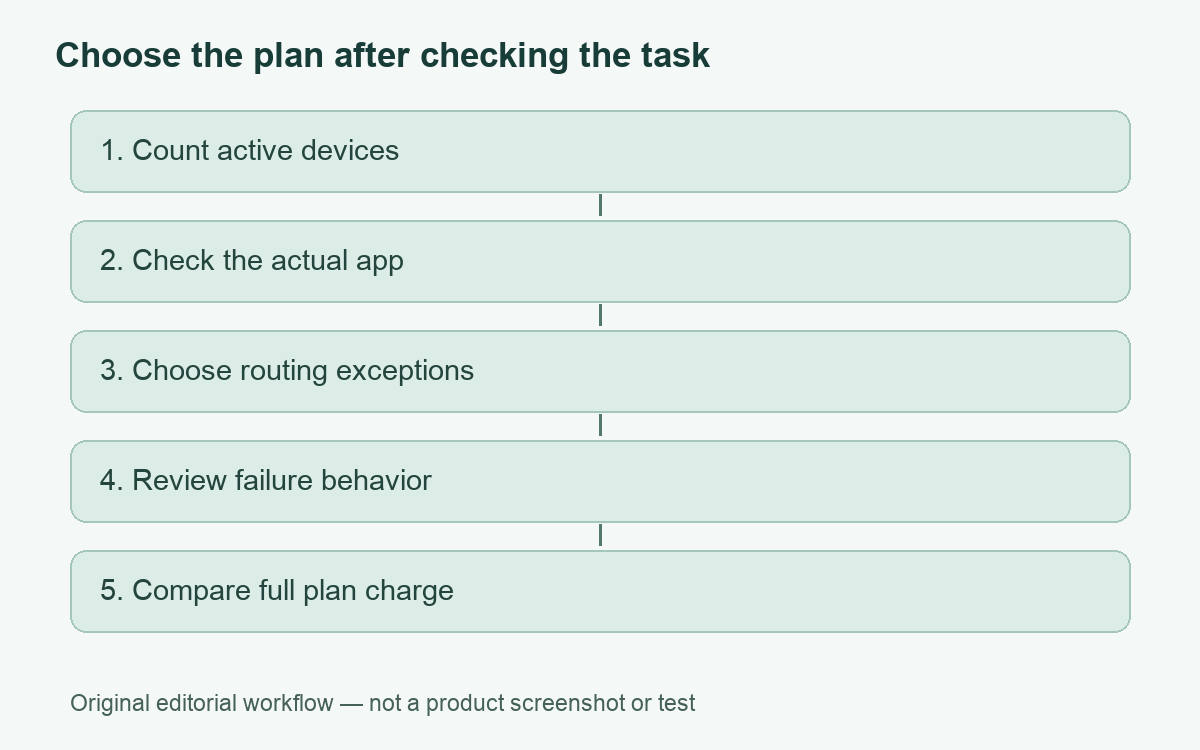
The strongest reason to choose NordVPN
The useful proposition is a mainstream personal VPN with several documented controls under one account. NordVPN currently advertises ten simultaneous device connections and apps across desktop and mobile systems. That can suit someone switching between a phone, personal laptop and tablet without buying a separate subscription for each. Count devices that need a connection at the same time, rather than every old device you have ever owned.
Our practical assessment is that compatibility should be the first filter. A household with three current phones and two laptops has a different problem from a person maintaining an older Mac and a router with limited firmware support. A list of supported platform names is only the beginning. Check the minimum operating system, app distribution channel and the exact feature needed before paying for a long term.
Documented features and the questions they leave
| Requirement | Current documentation | Decision to make |
|---|---|---|
| Several personal devices | Ten simultaneous connections | Count your actual concurrent use |
| Selective app routing | Split tunneling on Windows, Android and Android TV | Do not assume the same app exception on a Mac or iPhone |
| Browser exceptions | Extensions can exclude websites from their proxy connection | Distinguish browser traffic from the rest of the device |
| Connection failure controls | Kill Switch behavior differs by platform and mode | Read the setting before relying on it |
| Two-server routing | Double VPN has platform and protocol conditions | Choose it for a defined requirement rather than a larger feature count |
Routing exceptions are a platform decision
NordVPN’s split-tunneling documentation describes choosing apps outside the tunnel on Windows and Android, with trusted-app exclusions on Android TV. Its browser extensions offer website exclusions from the proxy connection. These are different scopes. An excluded application uses its ordinary internet route; a browser exception does not establish an exception for a separate desktop application.
For a buyer, that distinction changes how to assess an otherwise attractive plan. Write down the task that currently fails: a particular banking website, local printer discovery, a game launcher or an approved work application. Then find the matching control for the operating system where the problem occurs. Do not buy on the assumption that a Windows screenshot proves an equivalent setting exists everywhere.
A useful first check after installation is to compare the apparent public address in the intended application with the VPN route, then review the exception list after updates. This is a suggested verification step, not a test we claim to have performed. Our split-tunneling guide explains the distinction between inclusion and exclusion before you change anything.
Kill Switch and Double VPN need deliberate settings
NordVPN’s Kill Switch page distinguishes terminating selected applications from blocking internet traffic. It describes both options on Windows, app termination on macOS, Android’s native always-on controls and integrated blocking on Linux and iOS. The page also gives broad activation advice that should be checked against your installed app. Do not treat all of these mechanisms as one identical switch.
App termination can interrupt unsaved work. A network block can prevent a call or download from resuming until the tunnel returns. Neither is a reason to disable protection casually; it is a reason to decide which failure behavior you need. Save work before checking a setting, and avoid experimenting on a device carrying an important live call or a managed employer connection.
Double VPN routes through two VPN servers. NordVPN documents availability on specified apps and notes that not every protocol supports it; its troubleshooting advice points to OpenVPN TCP or UDP when the category is missing. That is a compatibility condition, not proof that one protocol or route will be fastest for you. Extra routing is not an anonymity guarantee.
Privacy claims and the limits of this review
NordVPN describes a no-activity-logging policy and independent assurance reviews. Those are provider statements about its practices and published assurance history. We have not examined its operating infrastructure or reproduced an assurance engagement. This review does not convert that marketing summary into a finding that no personal or account data is processed.
Separate the network route from your identity inside a service. Signing in to an account remains a way for that service to recognize you. A VPN also does not decide whether a download is trustworthy or replace account recovery and software updates. Readers mainly interested in basic network visibility can start with how a VPN works before selecting a bundle.
Pros and limitations
- Pro: Ten documented simultaneous connections can cover several personal devices.
- Pro: Windows and Android routing controls offer practical exceptions for compatible applications.
- Pro: Documented failure controls and optional two-server routing let you investigate specific needs.
- Limitation: Platform feature differences make an all-device purchase checklist necessary.
- Limitation: Additional features are not evidence of better measured performance on your connection.
- Limitation: Purchase and refund eligibility require attention beyond a promotional monthly equivalent.
Plan records, renewal and refunds
Compare the full initial charge and renewal amount in the offer record. A monthly equivalent for a long subscription is not a monthly payment arrangement. Keep a copy of the selected plan description and confirmation so you can distinguish the service purchased from features advertised elsewhere on the provider’s site.
NordVPN’s current support policy describes a thirty-day refund window for an initial subscription purchase, with renewals excluded unless applicable local requirements say otherwise. Apple and Amazon purchases use those sellers’ refund routes; Google Play has its own timing and support conditions. Turning off auto-renewal and requesting an eligible refund are separate tasks. We have not made a purchase or tested a refund.
Who should shortlist it?
Shortlist NordVPN if your device count fits, your required controls are documented for your actual apps and the complete subscription charge is acceptable. Reconsider if your purchase depends on an assumed Mac or iPhone routing feature, a guaranteed speed increase or a promise that every account becomes anonymous. A documented match to a short requirement list is a better reason to buy than an unqualified overall score.
Cover: AI-generated editorial illustration, not a customer, product screenshot or evidence of testing.
YOUR EXPERIENCE MATTERS
Was this article useful?
Genuine reader helpfulness ratings. These do not measure VPN performance or verify a purchase. Only moderated submissions count. Ratings may reflect earlier versions of this information.