
Post
Private Internet Access review: routing, devices and plan terms
Private Internet Access review: routing, devices and plan terms. Current documented features, separate pros and limitations, purchase conditions and task-specific checks; no invented performance tests.
In this article

Private Internet Access is a candidate for people who want detailed desktop routing controls and a personal-use subscription without a small fixed device count. That makes it worth assessing for a mixed-device setup, but it does not establish that PIA is faster, more private or more reliable than every alternative. The relevant question is whether its documented controls match your actual applications and purchase requirements.
This review uses current primary documentation checked on 30 October 2026. VPNBlade has not tested PIA’s connection speeds, reproduced leak protection or inspected its servers. Provider statements about logging and independent assessments are identified as statements from the provider. There is no invented score, performance ranking or claim of personal product use.
Start with the personal-use terms
PIA’s current terms permit unlimited simultaneous devices while restricting abuse, resale and non-personal use. An allowance intended for personal use is not a general licence to run a service for other customers. Check the appropriate terms if your intended use goes beyond your own equipment.
The same document describes a thirty-day refund request window for an initial purchase or renewal, subject to conditions. It requires requested account verification and excludes eligibility for a new account bought within three months of a previous refund. Purchases through app stores, gift cards or third-party deal sites may need to be refunded by the payment processor instead. A headline guarantee does not describe every purchase channel.
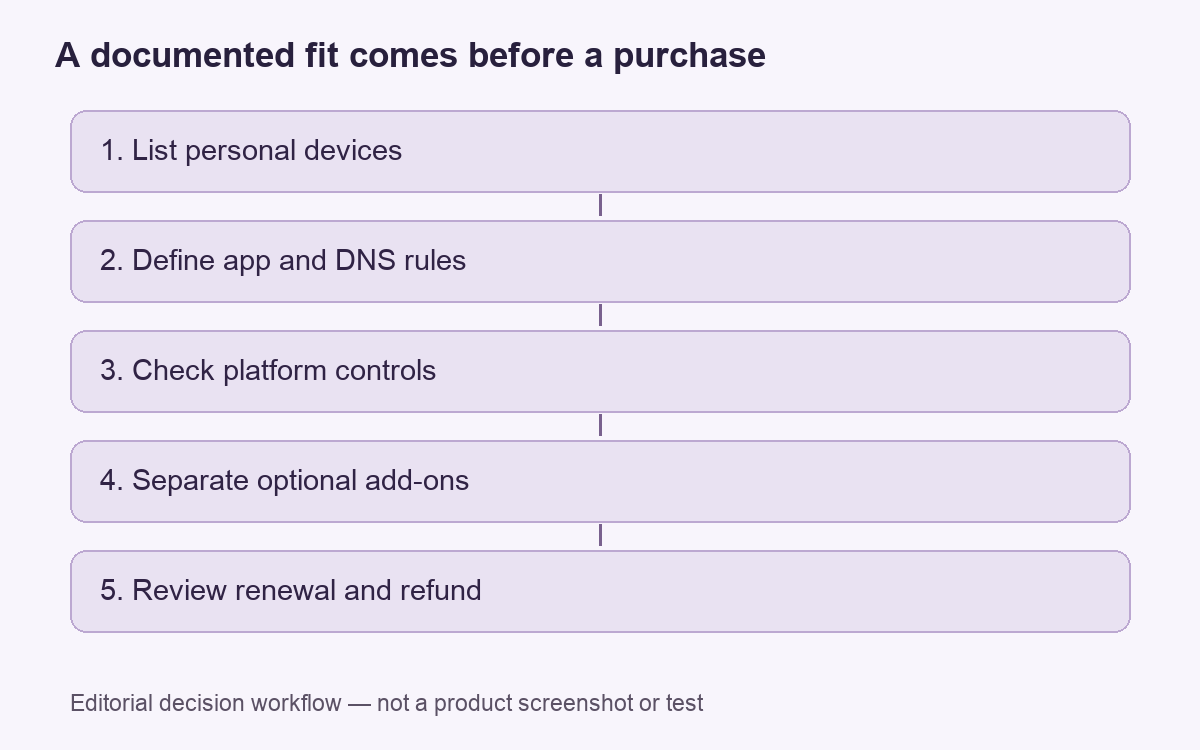
Before choosing a term, separate three things: permission to connect your devices, the amount you will be charged, and the process for ending or refunding the subscription. A generous answer to the first question does not settle the other two. This is a purchasing checklist, not advice that the service is suitable for every household or business.
Desktop split tunneling is a substantive reason to look at PIA
The September 2026 desktop guide covers Windows, macOS and Linux. It documents rules for apps to bypass the tunnel or use the VPN only, plus bypass rules for IP addresses and subnets. Windows and Linux users can choose whether DNS follows the app rules or always uses the DNS server configured in PIA. Do not infer an identical DNS interface on another platform.
The attraction is that you can describe different tasks separately. A browser, a local network resource and another application do not necessarily need the same route. The limitation is that a direct route intentionally exposes traffic to the ordinary connection. A routing feature is useful only when its result matches the boundary you intended to create.
For a practical example, consider a person who needs a local resource available while browsing through a VPN. They should identify the required app or destination and understand the rule, rather than exempting broad traffic simply because one resource did not respond. Our split-tunneling guide explains the decision without claiming that an exemption is always necessary.
Read the current Mac instructions and installed version
PIA’s current Mac guide includes split-tunnel rules and an extension-approval step when the app reports that Split Tunnel is not installed. It also describes automation by network type. Its Multi-Hop section uses a proxy before the VPN server and specifies OpenVPN for that feature. This is not a promise that every protocol and setting combination is interchangeable.
The October 15, 2026 changelog lists version 3.8.0 and a fix for a Mac hang when split-tunnel extension setup was incomplete. It also says new installations default to WireGuard. We have not reproduced that fix or the provider’s separate speed-improvement claims. The lesson for a buyer is to check current instructions rather than rely on a screenshot of an older interface.
Permissions, routing and a completed connection are separate stages. If an app asks for a documented extension approval, that explains a prerequisite; it does not show that every intended task has been verified. Our Mac setup article provides a broader framework for reviewing those stages.
Port forwarding and filtering require narrower expectations
PIA’s feature page lists port forwarding on selected servers and describes MACE as DNS-level blocking. It also lists WireGuard and OpenVPN. Those are distinct features, not a combined assurance of faster downloads or immunity from malware. We have not tested a forwarded port or a filtering decision.
If inbound connectivity is essential, confirm the selected location and application requirements before committing. If your priority is unwanted-domain blocking, assess the feature as a filtering control. A permitted domain can still host harmful content, and an unavailable resource may require diagnosis rather than a wholesale change to security settings.
| Priority | Documented capability | Question before purchase |
|---|---|---|
| Many personal devices | Unlimited simultaneous-device terms | Is the intended use within the personal-use conditions? |
| Different app routes | Desktop app and IP rules | Which traffic and DNS path should each task use? |
| Inbound connectivity | Selected-server port forwarding | Does the specific location support the required setup? |
| Longer subscription | Multiple purchase terms | What is the initial bill and later renewal? |
What the privacy claims do, and do not, establish
PIA’s no-logs page says it does not keep activity logs and describes assessments by Deloitte Audit Romania. This review has not independently examined an audit report or verified continuing operational compliance. A provider’s summary is useful evidence to investigate, but it should not be presented as our own finding.
Likewise, the absence of a browsing-activity log claim does not answer every question about account, billing or support information. Match the evidence to the claim being made. For a wider explanation of observer and data boundaries, read how a VPN works.
Compare the bill rather than the monthly equivalent alone
PIA’s October 2026 subscription guide says website plans renew automatically and that offers, initial bonus months and later terms can vary. Dedicated IP and antivirus are separate add-ons. App-store billing is managed by the corresponding store. This review therefore leaves prices to the current PIA offer records rather than treating a displayed long-term equivalent as a universal invoice.
Pros, limitations and a sensible decision
Pros: detailed desktop routing, a broad personal-device allowance and documented platform settings can suit someone who wants to define traffic paths carefully. Limitations: configuration needs attention, optional extras change the purchase, and platform or protocol scope must be checked feature by feature. No streaming result, gaming improvement or performance advantage has been established here.
Choose the service if those controls and the actual bill fit your requirements. Compare alternatives when you need simpler behavior or a feature on a platform not covered by the relevant guide. Our TorGuard versus PIA comparison keeps a direct provider-pair assessment separate from this review.
Cover: AI-generated editorial illustration, not a customer, product screenshot or evidence of testing.
YOUR EXPERIENCE MATTERS
Was this article useful?
Genuine reader helpfulness ratings. These do not measure VPN performance or verify a purchase. Only moderated submissions count. Ratings may reflect earlier versions of this information.