
Guide
VPNs with port forwarding: compare Proton VPN, PIA and the limits
Compare documented VPN port-forwarding support, platform and location limits, assigned-port maintenance and current subscription options.
In this article
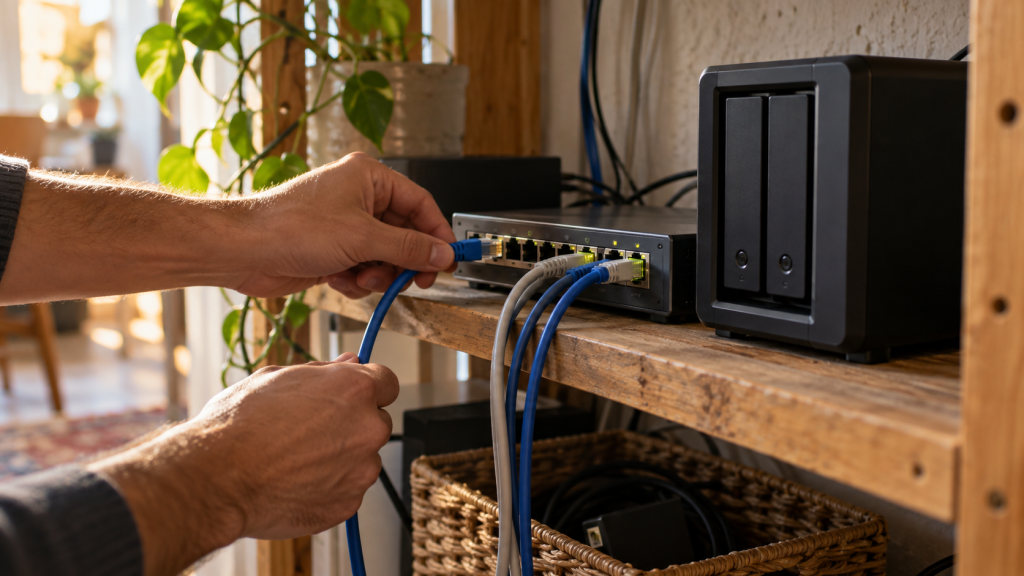
If you need incoming connections through a commercial VPN, check for documented VPN-side port forwarding before buying. A protocol’s connection port, your router’s forwarding rules and an application accepting incoming traffic are different parts of the network. A provider supporting one does not automatically support the others.
This guide restores VPNBlade’s archived port-forwarding topic. It replaces the old provider list with current documented choices, practical limitations and a reasoned buying framework. VPNBlade has not measured peer-to-peer download performance or tested inbound exposure for this article.
What is being forwarded?
A network port helps identify an application’s communication endpoint. Cloudflare’s port explanation describes that role. In this VPN context, the question is whether the provider offers a controlled incoming path from its public-facing address through the tunnel to an application on your device.
Changing the port used to establish the encrypted tunnel answers a different question. So does opening a rule on a home router. A desktop can connect successfully to a VPN while the service offers no incoming forwarding at all. Write down which side of the connection needs to accept traffic before changing unrelated settings.
Compare providers by documented capability
| Provider | Current documented position | Decision implication |
|---|---|---|
| Proton VPN | Paid-plan forwarding workflow, P2P-server prerequisite and assigned-port handling; platform conditions apply | Investigate when you can maintain the assigned port and meet the server/app requirements. |
| Private Internet Access | Request Port Forwarding on supported locations; its Windows guide excludes US locations | Choose a compatible location and configure the application receiving the connection. |
| NordVPN | Official support says port forwarding is not offered | Exclude it when incoming forwarding is mandatory. |
The comparison is based on provider documentation, not commission levels or an invented benchmark. The absence of forwarding is not a universal defect: it matters when your actual task requires the function. For ordinary browsing, buying around an advanced feature you do not need can add cost and complexity without solving a problem.
Proton VPN: a documented paid workflow
Proton’s instructions describe forwarding for paid plans, with Windows, macOS and Linux workflows. A P2P server is required, the receiving application must use the assigned port, and the port can change after reconnecting. Its current guide labels macOS support early access. Check the instructions for the actual app and release you use.
Why choose it? It is a useful candidate when you want the provider to document both the VPN setting and the application-side handoff. The explanation makes the ongoing responsibility visible: record the assigned port and keep the receiving application aligned with it. That is more practical than treating a single enabled toggle as a permanent configuration.
Pros
- Server prerequisites and application configuration are explained together.
- Platform-specific workflows are documented.
- Assigned-port changes are made explicit rather than hidden behind a feature name.
Cons and trade-offs
- The relevant feature requires paid access and an appropriate server.
- A changed port may require application maintenance.
- Early-access status on macOS deserves a separate compatibility check.
Choose it when those conditions fit your application and you can manage the complete workflow. The Proton VPN store supplies dated price and renewal records, rather than a guarantee about your application.
Check current Proton VPN offers and verification dates →
Private Internet Access: location eligibility matters
PIA’s Windows guide documents its Request Port Forwarding control, automatic assignment and supported-location requirement. It explicitly says the feature is unavailable on US locations. The Mac guide also distinguishes the request from Allow LAN Traffic. Do not treat local device access and incoming VPN forwarding as the same setting.
Why choose it? The controls are worth investigating when a supported VPN location fits your requirement and you want to see the requested port in the app’s documented workflow. Location support should be part of selection from the beginning, rather than something discovered after committing to a plan.
Pros
- The forwarding request and automatic assignment are documented.
- Published location restrictions help screen out incompatible choices.
- Local-network access is described as a separate control.
Cons and trade-offs
- You cannot assume that every server location supplies forwarding.
- The application’s port must match the assigned value.
- Local firewall and listening-service configuration still need their own checks.
Choose it when the supported location and application configuration fit your task. Review the PIA store for the commitment, renewal and refund conditions before paying.
Check current Private Internet Access offers and verification dates →
Why NordVPN is not a forwarding recommendation here
NordVPN’s official support page says it does not offer port forwarding. A different outbound protocol or a port used to reach its gateway does not supply that missing inbound feature. If forwarding is mandatory, choose from providers that actually document it.
If it is not mandatory, return to the broader VPN comparison tool and evaluate the features you do need. This distinction prevents an advanced feature from becoming a universal buying requirement, while also preventing a preferred commercial provider from being promoted for an incompatible task.
A practical setup and verification sequence
- Identify the application and why it needs to receive incoming connections.
- Confirm the provider’s current supported app, plan, server location and protocol requirements.
- Enable its documented forwarding request and record the assigned port.
- Configure the intended application to listen on that port using its own instructions.
- Review the relevant device firewall rule without disabling the entire firewall.
- Use the application or provider’s supported checking process, then recheck after reconnecting.
A port-checking website can report failure when no suitable application is listening. The result therefore needs the application’s state alongside it. Do not conclude that the VPN feature is broken from a bare number alone, and do not expose an unrelated service simply to make a checker report success.
Keep a small private record: application, intended port, provider/location, current assignment and last verified date. Remove an opening when it no longer serves a clear purpose. That record is useful when a reconnection changes the assignment or another software update changes the application’s listener.
Forwarding does not guarantee faster downloads or anonymity
Incoming reachability and transfer speed are different measurements. A change can help a workflow that requires inbound peers without guaranteeing a higher download rate in every situation. Available peers, the destination, the access connection and application behavior can all remain relevant. Our torrenting VPN guide compares the wider authorized-sharing workflow.
An open path also means you must understand what receives traffic. Keep the receiving software current and configure access according to its documentation. Forwarding is not a substitute for authentication or a reason to expose a sensitive administration interface. It does not establish that the provider keeps no logs or that a downloaded file is harmless.
For connection-interruption behavior, read the kill-switch guide. For resolver observations, use the DNS testing workflow. Those checks answer different questions and should not be presented as one universal security test.
YOUR EXPERIENCE MATTERS
Was this article useful?
Genuine reader helpfulness ratings. These do not measure VPN performance or verify a purchase. Only moderated submissions count. Ratings may reflect earlier versions of this information.